3D Printer Stops Extruding Mid Print: Fixes That Work
By Mike Reynolds
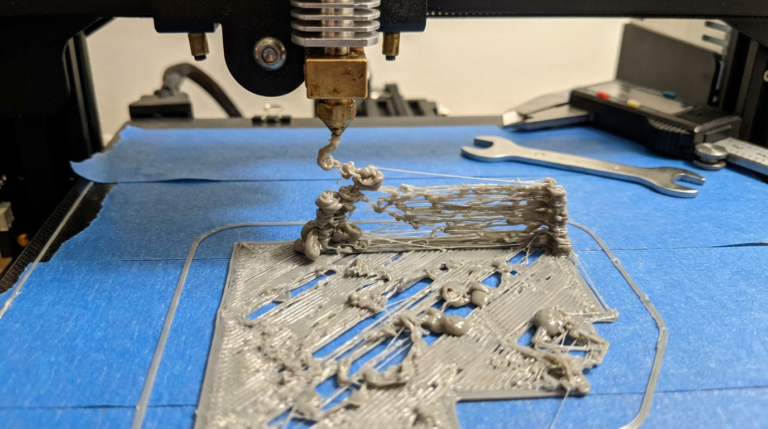
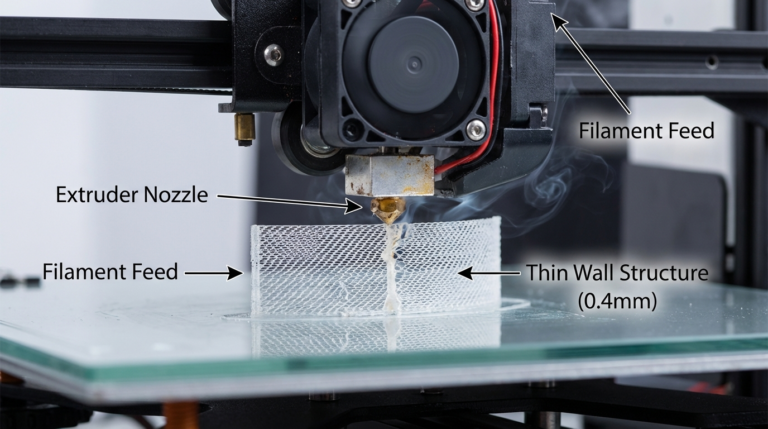
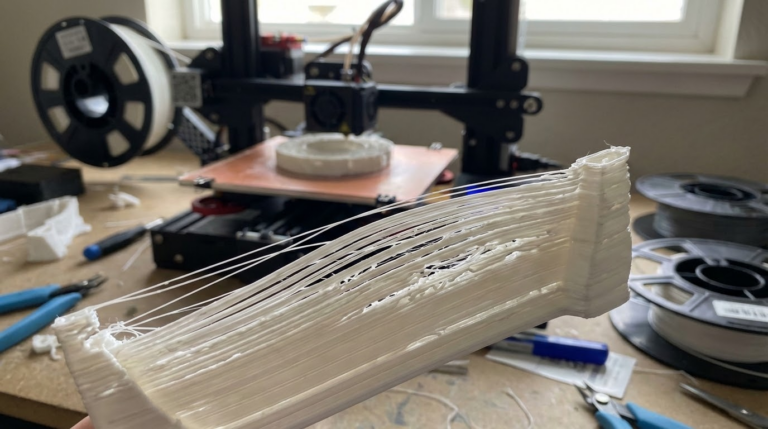
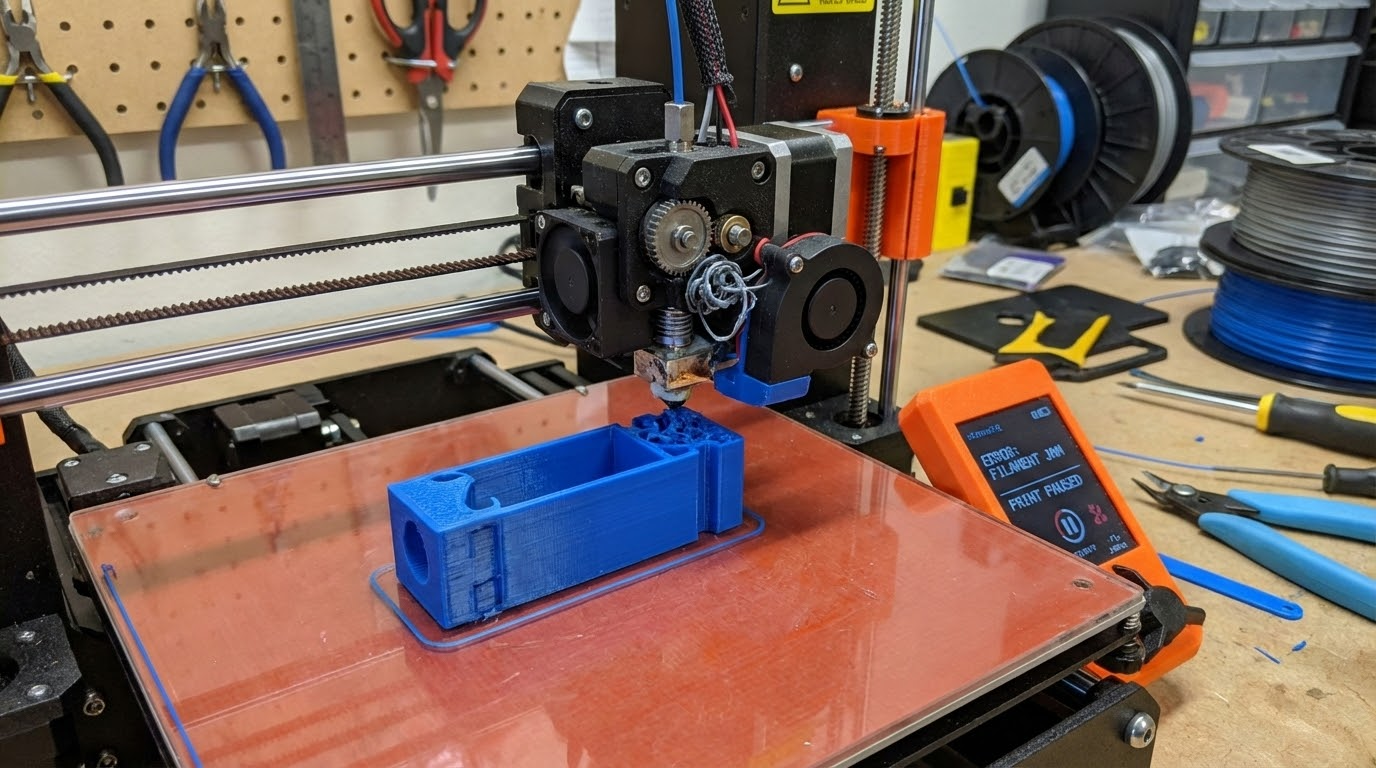
Few things are more frustrating than a print that starts perfectly and then stops extruding halfway through. The printer keeps moving, but no filament comes out. This is a classic mid‑print extrusion failure, and it’s usually caused by heat creep, a jam, or a feeding issue. In this guide, I’ll walk you through the exact checks and fixes that get your printer back on track.
Common Symptoms
- Print starts fine, then stops extruding after 20–90 minutes.
- Extruder motor clicks or grinds filament.
- Filament is stuck in the heat break.
- Print continues “air printing.”
Top Causes of Mid‑Print Extrusion Failures
- Heat creep (especially with PLA)
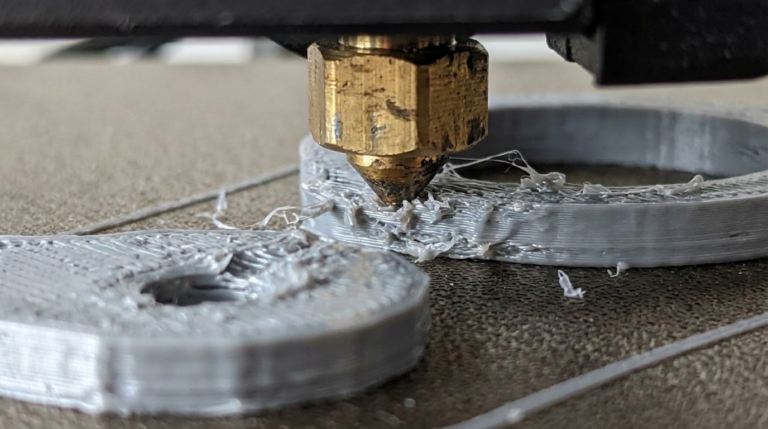
- Nozzle clog or partial clog
- Filament tangle on the spool
- Extruder tension too low or too high
- Retraction too aggressive
- Filament moisture
Step‑by‑Step Troubleshooting
1) Check the Spool
Spool tangles are surprisingly common. If the filament is crossed, the extruder will pull until it stalls. Unspool a few loops and make sure it feeds freely.
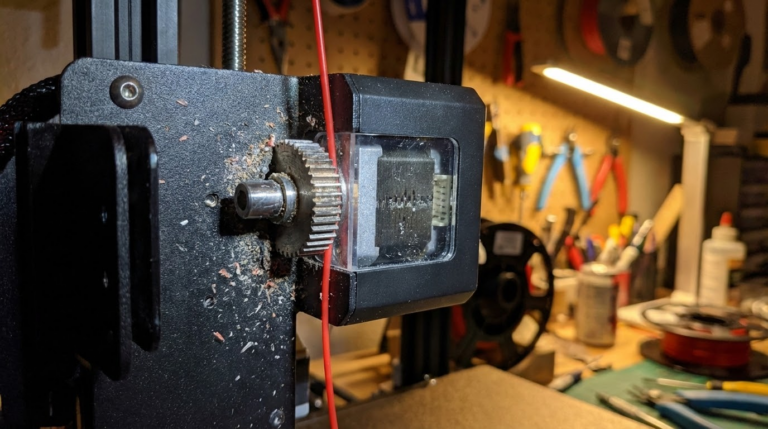
2) Inspect the Extruder Gear
If the gear is packed with filament dust or the tension is wrong, it will slip. Clean the gear and adjust the tension so the filament is gripped firmly without being crushed.
3) Look for Heat Creep
Remove the filament and check for a swollen or mushroomed section above the heat break. That’s heat creep. Fix it by improving hotend cooling, lowering temperature, and reducing retraction.
4) Clear the Nozzle
Run a cold pull or swap to a fresh nozzle. A partial clog can work fine for 30 minutes and then choke the flow.
5) Reduce Retraction
Long retractions can drag hot plastic into the heat break, leading to jams. For Bowden systems, start with 3–4 mm. For direct drive, keep it under 1.2 mm.
Fixing a Jammed Filament Path
If the filament is stuck:
- Heat the nozzle to printing temperature.
- Release the extruder tension.
- Pull the filament out slowly. If it won’t move, push gently, then pull.
- Inspect the end: a long tapered plug usually means heat creep.
Slicer Settings That Prevent Mid‑Print Jams
- Retraction distance: keep it conservative.
- Minimum layer time: avoid extremely slow speeds on small parts.
- Temperature: don’t print PLA too hot.
- Travel speed: faster travel reduces time in the hot zone.
Filament Quality and Moisture
Wet filament can bubble and expand inside the nozzle, causing inconsistent flow or jams. If you hear popping or see steam, dry your filament. PLA and PETG benefit from a few hours in a filament dryer.
When the Extruder Motor is the Problem
If the extruder motor overheats, it can skip steps. Touch it carefully during a print—if it’s too hot to keep your finger on, add a heatsink or lower motor current.
FAQ: Mid‑Print Extrusion Failures
Why does it fail only on long prints?
Heat buildup and repeated retractions accumulate over time. That’s why mid‑print failures usually appear after 30–60 minutes.
Should I increase temperature to prevent jams?
Sometimes, but higher temps also increase heat creep. Raise temperature slightly if you suspect under‑extrusion, but fix cooling first.
Final Checklist
- Spool feeds freely
- Extruder gear clean and tensioned
- Hotend fan at full speed
- Retraction settings reasonable
- Nozzle clean
Mid‑print extrusion failures are annoying, but the fixes are straightforward. Work through the checklist and your printer will stay feeding all the way to the last layer.
Deep Dive: Filament Path Friction
Friction is the silent killer of long prints. A filament path that feels “good enough” at the start of a print can tighten up as the spool rotates and the print head moves. Check every contact point:
- Spool holder: Does it spin freely or drag?
- PTFE tube (Bowden): Is it scratched or worn inside?
- Entry angle: Is filament entering the extruder at a sharp angle?
If the filament has to fight at every bend, it eventually loses. A smoother path makes mid‑print failures much rarer.
PTFE Tube and Heat Break Issues
If you use a PTFE‑lined hotend, the tube must sit flush against the nozzle. A small gap creates a pocket where molten plastic expands and forms a plug. That plug causes the classic “prints for a while, then stops” failure.
Fix: remove the tube, trim the end perfectly square, push it all the way down, then secure the fitting. Some printers use a small collet clip to keep the tube from backing out.
Retraction Tuning for Long Prints
Retraction settings that work on short prints can fail on long ones. Each retraction pulls hot filament up, and thousands of retractions build heat creep over time. If a print has many small moves (like a detailed figurine), reduce retraction distance and consider enabling “minimum travel before retraction” in your slicer.
Extruder Motor Heat and Driver Settings
A stepper driver set too high can overheat the extruder motor. When that happens, the motor loses torque and starts skipping. You’ll hear clicks, then the print goes silent. If your driver has adjustable current, lower it slightly and retest.
Case Study: “The Print That Always Failed at 70%”
I had a printer that would stop extruding at almost the same spot every time. The culprit wasn’t the slicer—it was a mild filament tangle that only tightened after the spool rotated far enough. I rewound the spool and added a simple bearing‑based holder. The same print finished flawlessly the next try.
Filament Moisture and Long Prints
Moisture doesn’t always show up immediately. Sometimes the first layers look fine, but as the nozzle warms and the filament spends more time in the hot zone, bubbles start to form and block flow. If you print in a humid room, keep filament in a dry box or dryer during long jobs.
Print Settings That Reduce the Risk
- Coasting or pressure advance: reduces pressure spikes.
- Disable “wipe while retracting” if it causes too many long retractions.
- Lower infill speed to reduce sudden extrusion changes.
Quick Test: The 30‑Minute Flow Stress Test
To test reliability, print a simple model that runs continuous extrusion for 30 minutes. If it completes without skipping, your filament path and hotend are healthy. If it fails, you can narrow down the culprit faster than waiting on a 6‑hour print.
Extra Diagnostics for Stubborn Cases
Swap Filament
If the problem only happens with one spool, the filament might be inconsistent in diameter. A section that’s 0.1 mm thicker can jam in a tight heat break. Measure several spots along the spool and compare.
Check the Nozzle Size and Slicer Profile
If you swapped to a 0.6 mm nozzle but your slicer still thinks it’s 0.4 mm, you’ll overload the hotend. The printer tries to push more plastic than the melt zone can handle and eventually stalls. Make sure nozzle size and line width match reality.
Cooling and PLA
PLA is the most common material for mid‑print failures because it softens at low temperatures. If you’re using an all‑metal hotend, consider a bi‑metal heat break or drop the nozzle temperature by 5–10°C. Strong, consistent hotend cooling is the fix that sticks.
Retraction Limits You Can Trust
- Direct drive: 0.6–1.2 mm
- Bowden: 3–4.5 mm
If your profile uses 6–7 mm retraction on a Bowden system, that’s a red flag for heat creep. Start lower and only increase if stringing is unbearable.
Final “No‑Fail” Checklist
- Clean nozzle or replace it
- Confirm PTFE tube seats flush
- Improve hotend cooling
- Reduce retraction
- Ensure spool spins freely
- Dry filament if needed
Work through these in order and you’ll solve nearly every mid‑print extrusion failure without replacing the printer.
Bowden vs. Direct Drive: Why It Matters
Bowden systems have long PTFE tubes, which add friction and make retraction more aggressive. That’s why Bowden printers are more prone to mid‑print jams. Direct drive systems have a shorter filament path and usually tolerate long prints better. If you’re constantly fighting jams on a Bowden setup, consider a direct drive upgrade or at least a Capricorn‑style low‑friction tube.
Preventive Maintenance That Saves Prints
- Replace nozzles regularly if you print abrasive filaments.
- Clean the extruder gear every few spools.
- Inspect hotend fan and heat sink monthly.
- Keep filament in dry storage.
If you’ve tried everything and the failure still happens at the same height, consider a mechanical bind on the Z‑axis or a power issue causing heater fluctuations. It’s rare, but worth checking if the usual suspects don’t apply.
Most importantly, don’t blame the slicer first. Mid‑print failures are almost always hardware, cooling, or filament path issues. Fix those and the slicer becomes boring again.
Once the printer can run a 4‑hour job without a hiccup, you can trust it for longer builds. Reliability is built, not hoped for.
Do the boring checks now and enjoy drama‑free prints later.
Simple fixes, big wins.