3D Printing Fume Safety: Complete Ventilation and Extraction Guide
Let’s talk about the thing nobody wants to discuss in the 3D printing hobby: those fumes you’ve been inhaling. Whether you’re printing PLA in your bedroom, ABS in your garage, or resin in your basement, your 3D printer is releasing particles and volatile organic compounds (VOCs) into the air you breathe. The question isn’t whether this matters — it does — but how much it matters for different materials and what practical steps you can take to protect yourself without spending a fortune or making your setup impractical.
I’m not here to scare you away from 3D printing. I’m here to give you the information you need to make smart decisions about ventilation, filtration, and workspace setup. Most of the solutions are simple and affordable.
What’s Actually In Those Fumes?
When thermoplastic filament melts, it releases two categories of emissions:
Ultrafine Particles (UFPs)
These are tiny solid particles smaller than 100 nanometers. For perspective, a human hair is about 70,000 nanometers wide. UFPs are small enough to penetrate deep into your lungs and potentially enter your bloodstream. All FDM printing produces UFPs, but the quantity varies dramatically by material:
- ABS: Highest UFP emissions — up to 200 billion particles per minute in some studies
- ASA: Similar to ABS, high particle output
- Nylon: High particle emissions, especially at elevated temperatures
- PETG: Moderate UFP emissions, significantly lower than ABS
- PLA: Lowest UFP emissions among common filaments, but not zero
- TPU: Moderate, varies by brand and formulation
Volatile Organic Compounds (VOCs)
These are gases released during melting. The specific compounds depend on the filament:
- ABS: Releases styrene, a probable carcinogen per the WHO. This is the “plasticky smell” people associate with ABS printing.
- Nylon: Releases caprolactam, which causes eye and respiratory irritation.
- PETG: Minimal VOC emissions — one of the cleanest-printing materials.
- PLA: Releases lactide, which is generally considered low-toxicity. The sweet smell of PLA printing isn’t harmless, but it’s far less concerning than ABS fumes.
- Resin (SLA/DLP): Uncured photopolymer resin releases methacrylates and other irritants. Resin printing generally requires MORE ventilation precautions than FDM, not less.
Risk Assessment: How Worried Should You Be?
Let’s be practical about this. The risk depends on three factors:
- What material you’re printing. PLA in a ventilated room? Low concern. ABS in a closed bedroom? Significantly more concerning.
- How much you print. Running prints for a few hours on weekends is very different from running a printer 24/7 in your living space.
- Ventilation of your space. A printer in a well-ventilated workshop is dramatically different from one in a sealed room.
The honest truth: occasional PLA printing in a room with normal ventilation (a window you can open, normal HVAC) is unlikely to cause health issues for most people. But printing ABS for hours in an enclosed space without ventilation is genuinely risky, and long-term exposure to printer emissions — even PLA — deserves reasonable precautions.
Ventilation Solutions: From Simple to Serious
Level 1: Open a Window (Free)
The simplest and most effective step. Cracking a window near your printer creates enough air exchange to dramatically reduce UFP and VOC concentrations. If you can create cross-ventilation (window on one side, door open on the other), even better. This alone reduces particle concentrations by 50-70% in most rooms.
The catch: this doesn’t work well in winter, in dusty environments, or if your printer needs a stable temperature (ABS with an enclosure, for example).
Level 2: Desktop Air Purifier with HEPA + Carbon ($50-150)
A HEPA filter catches particles down to 0.3 microns, and an activated carbon filter absorbs VOCs. Place one within 2-3 feet of your printer. This is the sweet spot for most hobby setups — effective, affordable, and works year-round regardless of weather.
What to look for:
- True HEPA filter (not “HEPA-type” or “HEPA-like” — those are marketing terms for inferior filters)
- Activated carbon filter (not just a thin carbon sheet — look for at least 1-2 lbs of activated carbon)
- Appropriate room size rating — don’t buy a purifier rated for 50 sq ft and expect it to clean a 300 sq ft room
- Brands like Levoit, Winix, and Coway offer good options in this price range
Level 3: Printer Enclosure with Filtration ($50-200 DIY, $200-500 Commercial)
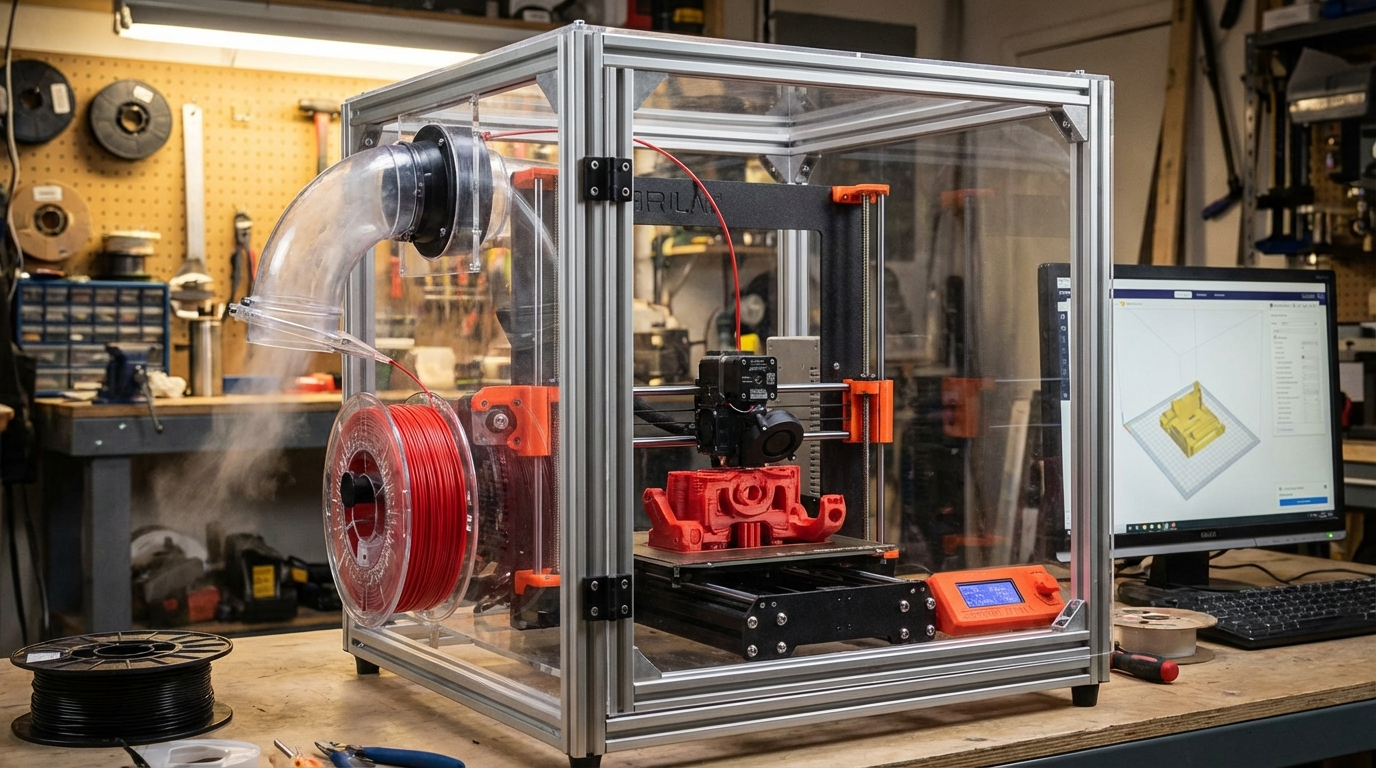
An enclosure captures emissions at the source before they disperse into your room. This is the best approach for ABS, ASA, and nylon, which need enclosures anyway for print quality. Add a carbon filter to the enclosure exhaust, and you’ve got a contained system that handles both temperature control and fume management.
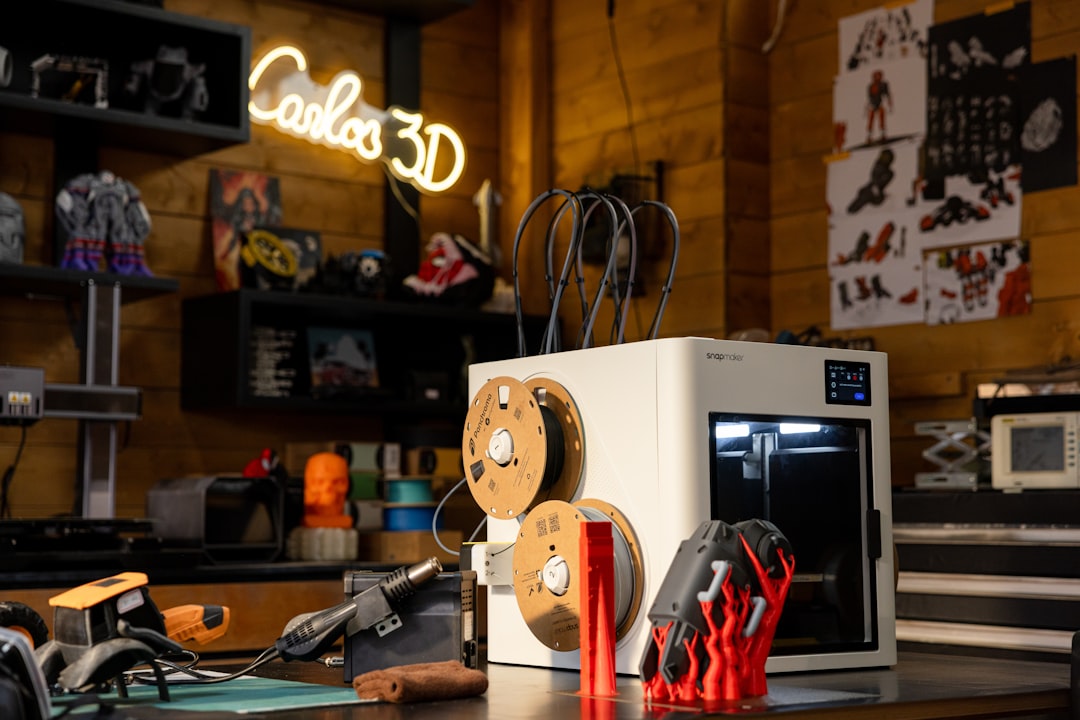
DIY enclosure filtration approach:
- Build or buy an enclosure (IKEA Lack tables are a popular budget option for smaller printers)
- Install a 120mm or 140mm PC fan on one side of the enclosure
- Attach a carbon filter pad (available at pet stores for aquarium filters — they work great) over the fan exhaust
- Optionally add a HEPA filter in line for particle capture
- Run the fan at low speed during printing — enough to create slight negative pressure inside the enclosure without disrupting the print temperature
The key is to create a slight vacuum inside the enclosure so fumes flow out through the filter rather than leaking out through gaps.
Level 4: Dedicated Exhaust to Outside ($100-300)
For serious setups, especially print farms or heavy ABS/nylon users, ducting fumes directly outside is the gold standard. A dryer vent hose from the enclosure to a window provides complete fume removal from your workspace.
Setup:
- 4-inch inline duct fan (bathroom exhaust fans work, or purpose-built duct fans for $30-60)
- Flexible dryer vent hose (4-inch diameter, $10-15)
- Window adapter plate (DIY from foam board or acrylic, $5-20)
- Optional: carbon pre-filter on the inlet to catch particles before they reach the fan
This setup moves fumes completely out of your space. The trade-off is that it also exhausts heated air, which means your enclosure will run cooler and you may need to compensate with additional heating for ABS.
Material-Specific Recommendations
PLA
Low risk. Ventilation Level 1 (open window) or Level 2 (air purifier) is sufficient for most users. If you print PLA exclusively and work in a normally ventilated space, you don’t need to invest in enclosure filtration for health reasons.
PETG
Low to moderate risk. Similar to PLA — Level 1 or 2 ventilation is appropriate. PETG is one of the cleanest-printing engineering materials available.
ABS and ASA
Moderate to high risk. Level 3 (enclosed + filtered) minimum. Level 4 (exhaust outside) if you print ABS frequently. The styrene emissions from ABS are the biggest health concern in FDM printing — take these seriously, especially for long prints or frequent use.
Nylon
Moderate risk. Level 3 recommended. Caprolactam is irritating even at low concentrations. If you notice eye or throat irritation while printing nylon, your ventilation is insufficient.
Resin (SLA/DLP/MSLA)
High risk if improperly handled. Uncured resin is a skin sensitizer — repeated exposure can trigger allergic reactions that may become permanent. Always wear nitrile gloves, and use Level 3 or 4 ventilation. Print resin in a space you don’t occupy for extended periods. A garage, basement, or dedicated closet with exhaust ventilation is ideal.
Monitoring Air Quality
If you want to know exactly what your printer is putting into the air, consumer-grade air quality monitors can measure PM2.5 (fine particles) and some VOCs. Devices like the Purple Air sensor, Awair Element, or IQAir AirVisual Pro show real-time particle counts and give you concrete data about whether your ventilation is working.
A simple test: start a print with your air quality monitor running. Note the baseline PM2.5 reading, then watch how high it climbs during printing. If it stays below 12 µg/m³ (the WHO guideline for average daily exposure), your ventilation is doing its job. If it spikes above 35 µg/m³ and stays there, you need better airflow or filtration.
Quick Safety Checklist
Print this out and tape it near your printer:
- ☐ Room has ventilation (window, fan, or HVAC) during printing
- ☐ Air purifier with HEPA + carbon within 3 feet of printer (recommended)
- ☐ ABS/ASA/Nylon prints use an enclosed + filtered setup
- ☐ Resin printing: gloves, ventilation, separate space
- ☐ No eating or drinking in the printing area
- ☐ Children and pets kept away from operating printers
- ☐ Printer not located in bedroom or primary living space (if possible)
- ☐ Carbon filters replaced every 3-6 months depending on usage
The Bottom Line
3D printing emissions are a real but manageable concern. You don’t need a laboratory-grade clean room — you just need to be intentional about airflow and match your ventilation level to the materials you’re printing. A $50 air purifier and an open window handles PLA and PETG just fine. ABS, nylon, and resin deserve enclosure filtration or direct exhaust. And no matter what you print, avoid running printers in unventilated bedrooms where you sleep.
These are small investments and simple habits that protect your health without making 3D printing impractical. Your lungs will thank you, and your prints will turn out just as good — if not better, thanks to the stable environment an enclosure provides.