How to Prevent 3D Print Corners From Lifting and Curling: Complete Fix Guide
You’ve probably experienced this: halfway through a print, the corners start lifting off the build plate, curling upward like a dried leaf. This warping effect is one of the most frustrating problems in 3D printing, and it can ruin hours of work in seconds. The good news? It’s almost always preventable once you understand what causes it.
In this guide, I’ll walk you through every proven method to stop your 3D prints from lifting and curling at the corners. Whether you’re printing PLA, PETG, or ABS, these techniques will help you achieve flat, perfectly adhered prints every time.
Why Do 3D Print Corners Lift and Curl?
Corner lifting happens because of differential thermal contraction. When molten plastic is deposited onto the build plate, it starts cooling immediately. As it cools, it contracts. The problem is that this contraction doesn’t happen uniformly — the edges and corners cool faster than the center of your print.
This uneven cooling creates internal stresses. The outer edges want to shrink, but they’re bonded to the layers below and to the build plate. Eventually, the stress overcomes the adhesion force, and the corner peels up. It’s basic physics, and it affects every thermoplastic to some degree.
Some materials are worse offenders than others. ABS is notorious for warping because it has a high coefficient of thermal expansion. PETG warps less, and PLA is generally the most forgiving. But even PLA can lift on large, flat prints.

Method 1: Optimize Your First Layer Settings
Your first layer is the foundation of everything. If it doesn’t stick properly, no amount of tricks will save the rest of your print. Here’s what to dial in:
First layer height: Use a thicker first layer than your standard layer height. If you’re printing at 0.2mm, set your first layer to 0.28-0.32mm. This squishes the filament harder against the bed, increasing the contact area and adhesion force.
First layer speed: Slow it down. I typically run my first layer at 20-25mm/s, even if the rest of the print runs at 50-60mm/s. Slower deposition gives the plastic more time to bond with the surface.
First layer temperature: Bump your nozzle temperature up by 5-10°C for the first layer. Hotter plastic flows better and wets the surface more completely. For PLA, try 215°C on the first layer instead of 200°C.
First layer fan: Turn off the part cooling fan for the first 2-3 layers. The fan cools the plastic too quickly, reducing adhesion and increasing the thermal stress gradient that causes warping.
Method 2: Get Your Bed Temperature Right
A heated bed reduces warping by keeping the bottom of your print warm, which slows down the cooling rate and reduces thermal stress. But the temperature needs to be appropriate for your material:
- PLA: 55-65°C (some people print PLA without a heated bed, but warmth helps on larger prints)
- PETG: 70-85°C
- ABS: 95-110°C
- TPU: 45-60°C
Don’t just set it and forget it. If you’re getting warping with PLA at 60°C, try bumping it to 65°C. If prints are hard to remove, you might be running too hot. It’s a balance.
One often-overlooked detail: make sure your bed is actually reaching the temperature you set. Use an infrared thermometer to check. Many printers have a significant difference between the reported temperature and the actual surface temperature, especially at the edges of the bed.
Method 3: Use a Brim
A brim is a single-layer-thick extension of your first layer that radiates outward from the base of your print. It dramatically increases the surface area gripping the build plate, making it much harder for corners to lift.
I recommend a brim width of 5-10mm for prints that are prone to warping. For large, flat prints in ABS, I sometimes go up to 15mm. Yes, you’ll need to remove it afterward, but it’s far less work than reprinting a failed part.
In Cura, you’ll find the brim setting under “Build Plate Adhesion Type.” Set it to “Brim” and adjust the “Brim Width” to your desired size. PrusaSlicer has a similar option under “Skirt and Brim.”
Pro tip: if you’re printing something with fine details near the base and don’t want to clean up brim residue, you can use a “brim ears” plugin (available for Cura) that only adds brim to the corners where lifting is most likely to occur.
Method 4: Improve Your Bed Surface
The surface your print sits on matters enormously. Different surfaces work better with different materials:
PEI (Polyetherimide) sheets: This is my go-to recommendation for most people. PEI provides excellent adhesion when warm and releases prints easily when cool. It works great with PLA, PETG, and ABS. Clean it with isopropyl alcohol between prints.
Glass with adhesive: Borosilicate glass gives you a perfectly flat surface. Combine it with a thin layer of glue stick or hairspray for PLA and PETG. For ABS, use ABS juice (ABS dissolved in acetone) painted onto the glass.
Textured PEI: The powder-coated textured PEI sheets (like the one Prusa ships) are fantastic for PETG, which tends to bond too aggressively to smooth PEI. The texture provides enough grip without permanent bonding.
BuildTak and similar: These adhesive sheets work well but wear out over time and need replacement. Good for beginners who want consistent results without fiddling.
Method 5: Control the Environment
Ambient temperature and air drafts are silent killers of print adhesion. A cold room or a breeze from an air conditioner can cool one side of your print faster than the other, creating the uneven thermal stress that causes warping.
Eliminate drafts: Move your printer away from windows, doors, and HVAC vents. Even a gentle breeze can cause warping on sensitive materials like ABS.
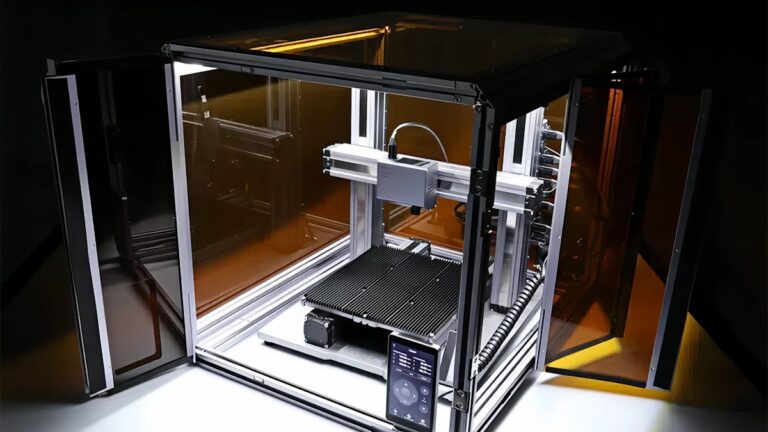
Use an enclosure: For ABS and other high-temp materials, an enclosure is almost mandatory. It traps heat around the print, keeping the ambient temperature high and uniform. You can buy purpose-built enclosures, use an IKEA Lack table hack, or even drape a large cardboard box over your printer (just make sure there’s no fire risk).
Room temperature matters: If your workshop drops below 18°C (65°F) in winter, expect more warping issues. Even PLA can lift in a cold garage. Either heat the room or enclose the printer.
Method 6: Adjust Your Slicer Settings
Several slicer settings can reduce warping beyond the first layer adjustments I mentioned earlier:
Infill pattern: Concentric infill creates long straight lines that contract along their length, increasing stress. Use grid, gyroid, or cubic infill instead — these patterns distribute stress more evenly.
Wall count: More walls mean more material contracting at the edges. If warping is a problem, try reducing your wall count from 4 to 2-3. This reduces the total thermal mass at the perimeter.
Print speed: Faster printing means more heat is being deposited per unit time, which can increase thermal stress. Slowing down your overall speed by 15-20% can help on problem prints.
Cooling: Reduce your fan speed, especially for the lower layers. I usually run 0% fan for layers 1-4, then ramp up to full speed by layer 8. In Cura, you can set “Regular Fan Speed at Layer” to control this.
Method 7: Design Considerations
Sometimes the best fix is changing the design itself. If you’re designing your own parts, keep these anti-warp principles in mind:
Add fillets: Sharp 90° corners at the base are warping magnets. Add a small fillet (2-3mm radius) where vertical walls meet the base. This distributes stress over a curve instead of concentrating it at a point.
Reduce flat contact area: Large, flat bases warp more than small ones. If possible, add a slight chamfer or texture to the bottom surface to break up the continuous flat area.
Mouse ears: These are small discs (8-10mm diameter, 1 layer thick) placed at the corners of your model in the CAD software. They work like a targeted brim, increasing adhesion exactly where warping starts.
Orientation matters: Rotate your part so the largest flat surface isn’t on the build plate. Sometimes printing at an angle with supports gives better results than fighting warping on a large base.
Method 8: Advanced Adhesion Helpers
When standard methods aren’t enough, these advanced techniques can save a print:
Glue stick: Regular washable school glue stick works surprisingly well. Apply a thin, even layer to the bed before printing. It improves adhesion with PLA and PETG and actually acts as a release agent for PETG on glass (preventing permanent bonding).
Hairspray: Unscented, extra-hold hairspray creates a tacky surface that grips filament well. Apply a light coat from about 20cm away. Aqua Net is the classic choice in the 3D printing community. Reapply every few prints.
ABS juice/slurry: Dissolve a few centimeters of ABS filament in acetone to create a thin paste. Paint this onto your glass bed before printing ABS. As the acetone evaporates, it leaves a thin ABS film that chemically bonds with your print.
Magigoo and specialty adhesives: Products like Magigoo are formulated specifically for 3D printing. They cost more than glue sticks but provide more consistent results, especially with difficult materials like nylon and polycarbonate.
Troubleshooting: When Nothing Seems to Work
If you’ve tried everything above and your corners are still lifting, work through this checklist:
- Is your bed actually level? Re-level it. Use a piece of paper and check all four corners plus the center. The nozzle should lightly grip the paper at every point.
- Is your bed clean? Fingerprints contain oils that destroy adhesion. Clean with isopropyl alcohol (90%+ concentration) before every print. For stubborn residue, use acetone on glass beds.
- Is your Z-offset correct? Too high and the first layer doesn’t squish enough. Too low and it’s too thin and tears. Print a single-layer test square and adjust until you see a smooth, solid surface with no gaps.
- Is your bed actually flat? Cheap beds can have significant warping of their own. Use a metal straightedge to check. If it’s bowed, consider upgrading to a glass bed or using mesh bed leveling.
- Is your filament dry? Wet filament produces steam bubbles that disrupt layer adhesion. If you hear popping or crackling from the nozzle, dry your filament before printing.
Material-Specific Quick Reference
Here’s a cheat sheet for the most common materials:
PLA: Bed 60°C, nozzle 200-215°C, brim if needed, fan off for first 3 layers. Usually the easiest to manage.
PETG: Bed 75-80°C, nozzle 230-245°C, brim recommended for large prints, lower fan speed overall (50% max). Watch for stringing as you increase temps.
ABS: Bed 100-110°C, nozzle 230-250°C, enclosure strongly recommended, brim almost always necessary, fan off or very low (10-20%). ABS juice on glass beds is highly effective.
Nylon: Bed 70-90°C, nozzle 240-260°C, enclosure required, Magigoo or glue stick essential, print on garolite or glass with adhesive. Nylon warps aggressively — expect to fight it.
Wrapping Up
Corner lifting and curling is fundamentally a temperature management problem. The closer you can keep your entire print to a uniform temperature during printing, the less warping you’ll see. That means proper bed temperature, controlled cooling, draft elimination, and good first-layer adhesion.
Start with the basics — bed leveling, temperature, and a clean surface. Add a brim for larger prints. Move to an enclosure for difficult materials. And if all else fails, redesign the part to be more warp-resistant. With these tools in your arsenal, warping becomes a solved problem rather than a recurring headache.