Elegoo Centauri Carbon 2 Combo Review 2026: Best Budget Multicolor Printer?
Elegoo Centauri Carbon 2 Combo: The Sub-$500 Multicolor King?
The Elegoo Centauri Carbon 2 Combo landed in early 2026 as the cheapest fully enclosed, multicolor CoreXY printer you can buy. At $449 (discounted from $499), it undercuts the Bambu Lab P1S Combo by a significant margin while matching or exceeding it on paper specs. But does the real-world performance justify the hype?
After extensive testing with PLA, PETG, TPU, and ABS across single-color and multicolor prints, here is our honest assessment.
Key Specifications
| Spec | Value |
|---|---|
| Build Volume | 256 x 256 x 256 mm |
| Max Print Speed | 500 mm/s |
| Max Nozzle Temp | 350°C |
| Max Bed Temp | 110°C |
| Min Layer Height | 0.08 mm |
| Colors | 4 (CANVAS system) |
| Frame | Full metal, enclosed |
| Motion System | CoreXY |
| AI Failure Detection | Yes |
| Weight | 17.65 kg |
| Price | $449 (Combo with CANVAS) |
Unboxing and Assembly
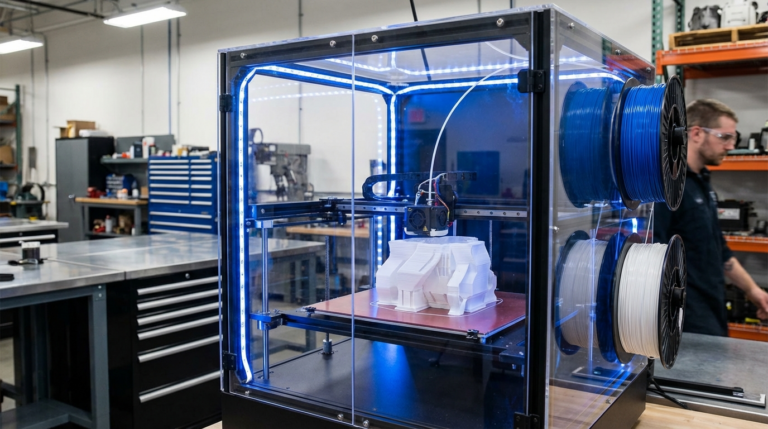
Elegoo ships the Centauri Carbon 2 nearly fully assembled. You attach the CANVAS multi-material unit to the top, load four spools, run the automated calibration, and you are printing within 30 minutes. The build quality is immediately noticeable — solid metal frame, metal side panels, and a glass front door that feels premium for the price.
Print Quality: Single Color
In single-color mode, the Centauri Carbon 2 performs on par with printers costing twice as much. PLA prints at 300 mm/s showed minimal ringing artifacts, thanks to built-in input shaping that runs automatically during first setup.
PLA Results
- Benchy (0.2mm layer, 250 mm/s): Clean hull, sharp bow details, no stringing. 17 minutes.
- Calibration cube: Dimensional accuracy within 0.1 mm on all axes.
- Overhang test: Clean up to 60 degrees without support, acceptable at 65.
PETG Results
PETG required minor tuning — the default profile ran slightly too hot at 245°C for our Overture PETG. Dropping to 235°C eliminated the minor stringing. Otherwise, bed adhesion on the textured PEI sheet was excellent, and parts popped off cleanly after cooling.
TPU Results
The direct drive extruder handled NinjaTek NinjaFlex 85A without issues. We printed at 30 mm/s (the safe default) and achieved clean, flexible parts. The enclosed chamber helped maintain consistent temperature during long TPU prints.
ABS Results
This is where the enclosure really earns its keep. ABS prints showed zero warping on parts up to 150 mm wide — a feat that open-frame printers simply cannot match. The 350°C nozzle also opens the door to printing carbon fiber reinforced nylon and other high-temp materials.
Print Quality: Multicolor (CANVAS System)
The CANVAS system is Elegoo’s answer to Bambu’s AMS. It handles four filament spools and automatically switches between them during multicolor prints.
The Good
- Color transitions are clean after the purge tower handles its job
- Registration between colors is precise — no visible gaps or overlaps
- Setting up multicolor prints in Elegoo’s slicer (based on OrcaSlicer) is intuitive
The Not-So-Good
- Purge waste is significant. A 4-color print generates roughly 30-40% waste material in the purge tower.
- Color changes add time. A print that takes 2 hours in single color might take 3.5 hours in 4 colors.
- Occasional jams on the fourth lane. We experienced two jams on lane 4 during testing, both with PETG.
AI Failure Detection
The Centauri Carbon 2 includes a built-in camera with AI algorithms trained to detect print failures. In our testing, it correctly identified a deliberate adhesion failure within 3 layers, spaghetti from a knocked-over thin tower after 15 minutes, and a filament tangle that caused under-extrusion. The camera works well for catching catastrophic failures that would waste hours of filament.
Noise Levels
During fast PLA printing at 300 mm/s, we recorded approximately 52 dB at one meter — quiet enough for a home office. The enclosed design helps significantly compared to open-frame alternatives.
Best Settings for Elegoo Centauri Carbon 2
PLA
Nozzle: 210°C | Bed: 60°C | Speed: 300 mm/s | Retraction: 0.8mm at 40 mm/s
PETG
Nozzle: 235°C | Bed: 80°C | Speed: 200 mm/s | Retraction: 0.6mm at 35 mm/s
ABS
Nozzle: 250°C | Bed: 100°C | Speed: 250 mm/s | Retraction: 0.6mm at 40 mm/s
TPU (95A)
Nozzle: 225°C | Bed: 50°C | Speed: 30 mm/s | Retraction: 0.5mm at 20 mm/s
Centauri Carbon 2 vs. Bambu Lab P1S Combo
| Feature | Centauri Carbon 2 Combo | Bambu Lab P1S Combo |
|---|---|---|
| Price | $449 | ~$700 |
| Build Volume | 256³ mm | 256 x 256 x 256 mm |
| Max Speed | 500 mm/s | 500 mm/s |
| Colors | 4 (CANVAS) | 4 (AMS) |
| Enclosure | Full metal + glass | Full enclosure |
| AI Detection | Yes | Yes |
| Ecosystem | Growing | Mature |
The Bambu Lab P1S still wins on ecosystem maturity, cloud printing reliability, and community profiles. But the Centauri Carbon 2 matches it on hardware specs at a significantly lower price.
Who Should Buy This Printer?
Buy it if: You want multicolor printing without breaking the bank, need an enclosed printer for ABS or high-temp materials, are comfortable with a newer ecosystem, or want AI failure detection at a budget price point.
Skip it if: You are heavily invested in Bambu Lab’s ecosystem, need more than 4 colors per print, print exclusively PLA without needing an enclosure, or want the most mature community-supported platform.
Verdict
The Elegoo Centauri Carbon 2 Combo is the best value in multicolor 3D printing as of April 2026. For $449, you get a fully enclosed CoreXY printer with 4-color capability, AI failure detection, 350°C nozzle, and build quality that punches well above its price class. Rating: 8.5/10