Best TPU Filament Brands for 3D Printing: 7 Options Tested and Ranked
Why Your Choice of TPU Brand Actually Matters
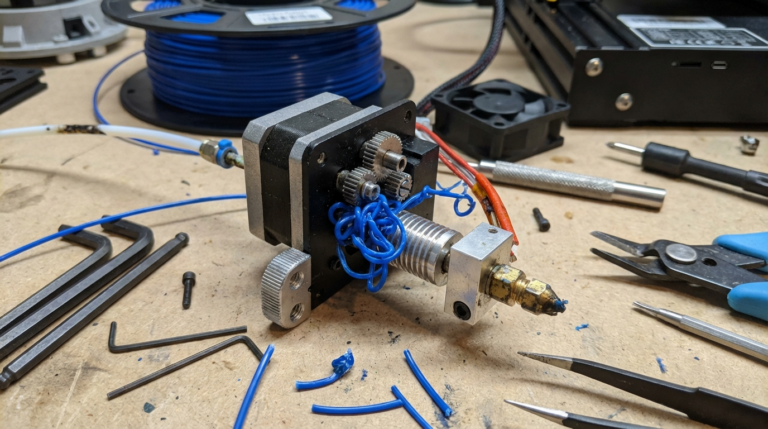
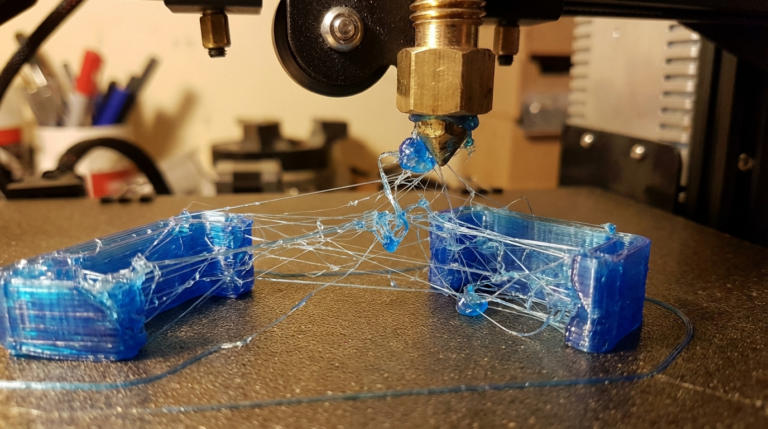
Walk into any 3D printing forum and ask for the best TPU filament — you’ll get a dozen different answers. That’s because TPU varies wildly between manufacturers. One brand’s “TPU” prints like a dream while another turns into spaghetti inside your extruder. The differences in formulation, diameter consistency, and hardness mean your filament choice matters as much as your slicer settings.
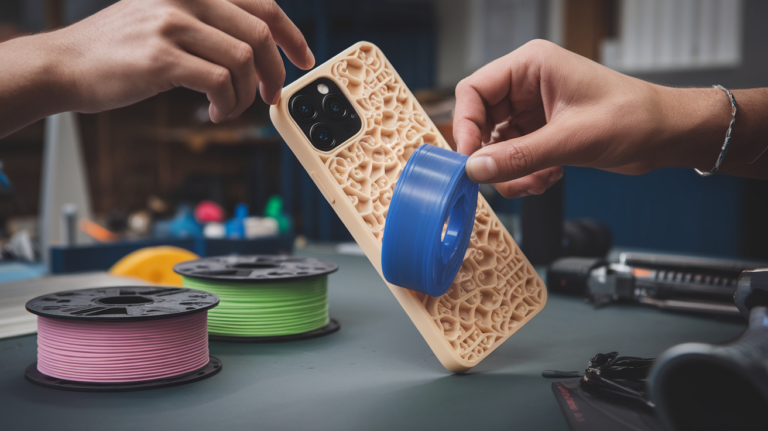
I’ve tested over 15 different TPU brands across three years of printing everything from phone cases to drone bumpers to cosplay armor. Here’s an honest ranking based on printability, quality, and value.
What to Look for in TPU Filament
Before the rankings, here’s what separates good TPU from bad TPU:
Diameter consistency. This is the number one factor. TPU that varies between 1.70mm and 1.80mm will cause constant over and under-extrusion. Good brands hold ±0.03mm; mediocre ones swing ±0.05mm or worse. Inconsistent diameter is the main reason cheap TPU jams more often.
Shore hardness rating. 95A is the standard for most applications. Softer (85A) is more flexible but much harder to print. Harder (98A+) is easier to print but less flexible. Make sure the brand actually specifies the Shore A rating — some just say “flexible” with no number, which is a red flag.
Moisture sensitivity. TPU is hygroscopic, meaning it absorbs water from the air. Wet TPU bubbles, pops, and strings excessively during printing. Good brands ship vacuum-sealed with desiccant. How well the filament resists moisture during storage varies significantly between formulations.
Color range and opacity. Some TPU brands offer only 3-4 colors. Others have 20+. If you need specific colors for your project, this matters. Translucent TPU is available from select brands and looks amazing for light-up projects.
The Best TPU Filaments Ranked
1. NinjaFlex by NinjaTek — The Gold Standard
NinjaTek literally pioneered consumer flexible filament, and NinjaFlex remains the benchmark everything else is measured against. At 85A Shore hardness, it’s softer than most competitors, producing genuinely flexible prints that stretch and compress like rubber.
Pros: Exceptional flexibility, excellent layer adhesion, huge color range (20+ colors), consistently good diameter tolerance (±0.03mm), well-documented print profiles for most slicers.
Cons: Expensive ($40-50/kg), the 85A softness makes it harder to print than 95A alternatives, requires slow speeds (15-25 mm/s) even on direct drive, very difficult on Bowden setups.
Best for: Projects where maximum flexibility matters — wearables, grips, gaskets, medical prototypes, high-end cosplay.
Verdict: If money isn’t the primary concern and you need the most flexible, highest quality TPU available, NinjaFlex is still the one to beat.
2. Overture TPU — Best Value Pick
Overture has built a reputation for delivering quality filament at budget prices, and their TPU continues that tradition. At 95A hardness, it’s easier to print than NinjaFlex while still providing good flexibility for most applications.
Pros: Excellent price ($20-25/kg), good diameter consistency (±0.03mm), 95A hardness makes it forgiving to print, works on both Bowden and direct drive, vacuum sealed with desiccant.
Cons: Limited color selection (5-7 colors), slightly stiffer feel than premium brands, can develop surface roughness at higher speeds.
Best for: Beginners trying TPU for the first time, general-purpose flexible prints, phone cases, bumpers, and any project where you want flexibility without premium pricing.
Verdict: My top recommendation for most people. The quality-to-price ratio is hard to beat, and the 95A hardness means you’ll actually succeed on your first TPU print.
3. SainSmart TPU — Reliable Workhorse
SainSmart’s TPU has been around for years and has earned a solid reputation in the community. At 95A, it’s comparable to Overture in hardness but has slightly better surface finish in my testing.
Pros: Good price ($22-28/kg), 95A Shore A, consistent diameter, prints cleanly at recommended speeds, good color range (10+ colors including some unique options like clear), strong community support with tested profiles.
Cons: Can be stringy if retraction isn’t dialed in, some batches have been reported with slight diameter variations, spool quality varies (some wind loosely).
Best for: Regular TPU users who want reliable results at a reasonable price. Great for functional parts like wheels, bumpers, and flexible joints.
Verdict: A step up from the absolute cheapest options with proven reliability. If Overture is out of stock, SainSmart is the next best value option.
4. Polymaker PolyFlex — Premium Performance
Polymaker consistently delivers some of the best-engineered filaments on the market, and PolyFlex is no exception. Available in both 90A and 95A versions, it offers a nice range of flexibility options.
Pros: Excellent diameter tolerance (±0.02mm — best in class), beautiful matte surface finish, available in 90A and 95A, prints at higher speeds than most competitors (up to 40 mm/s on direct drive), low moisture absorption, very clean spool winding.
Cons: Premium pricing ($35-45/kg), more limited color options than NinjaTek, the 90A version still requires careful speed management.
Best for: Users who want near-NinjaFlex quality with better printability. Engineering applications, prototyping, and anyone willing to pay more for consistency.
Verdict: The best TPU for users who value tight tolerances and consistent results. If your prints need to be dimensionally accurate and repeatable, PolyFlex is worth the premium.
5. Hatchbox TPU — Solid Mid-Range
Hatchbox is one of the most popular filament brands overall, and their TPU offering is competitive if not exceptional. At 95A, it prints reliably on most setups.
Pros: Well-known brand with consistent quality control, 95A for easy printing, good layer adhesion, moderate price ($26-32/kg), responsive customer service.
Cons: Limited to a few colors, not as flexible as softer alternatives, some users report slightly higher stringing than Overture or SainSmart, harder to find in stock.
Best for: Users who already trust Hatchbox for their PLA/PETG and want to stay with a familiar brand for TPU.
Verdict: A safe, reliable choice but doesn’t stand out in any particular category. You’ll get good results, but competing brands offer either better value or better performance.
6. YOYI TPU — Budget Champion
YOYI is the go-to recommendation in budget 3D printing circles, and their TPU is surprisingly good for the price.
Pros: Very affordable ($16-20/kg), 95A hardness, decent diameter consistency, vacuum sealed, works on Bowden and direct drive, broad availability on Amazon.
Cons: Diameter tolerance is wider (±0.05mm), some spools have tangles, color consistency between batches can vary, stringing tends to be worse than premium brands.
Best for: Experimenting with TPU on a budget, large prints where material cost matters, practice prints before committing expensive filament.
Verdict: If you’re printing TPU for the first time and don’t want to spend $40 on a spool you might waste while learning, YOYI is a smart starting point.
7. eSUN eTPU-95A — Widely Available
eSUN is a major Chinese filament manufacturer with global distribution. Their TPU is available almost everywhere and priced competitively.
Pros: Easy to find internationally, fair price ($22-28/kg), good general quality, wide color range for a budget brand.
Cons: Diameter consistency is average, can be stringy, some users report inconsistency between batches, moisture sensitivity seems higher than competitors.
Best for: International buyers who can’t easily get US-focused brands, general-purpose flexible printing.
Verdict: A solid option if it’s readily available in your region, but not worth importing if you have access to Overture or SainSmart.
Head-to-Head Comparison Table
NinjaFlex: 85A, ±0.03mm, $45/kg, 20+ colors — Best flexibility
Overture: 95A, ±0.03mm, $22/kg, 7 colors — Best value
SainSmart: 95A, ±0.03mm, $25/kg, 10+ colors — Reliable workhorse
PolyFlex: 90/95A, ±0.02mm, $40/kg, 8 colors — Best consistency
Hatchbox: 95A, ±0.03mm, $29/kg, 5 colors — Safe mid-range
YOYI: 95A, ±0.05mm, $18/kg, 8 colors — Budget champion
eSUN: 95A, ±0.05mm, $25/kg, 10+ colors — Widely available
Tips for Getting the Best Results From Any TPU Brand
Dry your filament. Every TPU brand, even premium ones, prints better when dry. Use a filament dryer at 50°C for 4-6 hours before printing, especially if the spool has been open for more than a week. You’ll notice less stringing, better surface quality, and fewer pops/bubbles.
Start with the manufacturer’s profile. Most reputable brands publish recommended slicer settings on their website or spool label. Start there, print a test piece, and adjust. Don’t use generic “TPU” profiles in your slicer — they’re often wrong for specific brands.
Test with a simple model first. Before committing to a 12-hour TPU print, run a 30-minute test piece. A simple 20mm cube or small phone stand will tell you everything you need to know about how a new filament behaves on your machine.
Store properly. Keep TPU in a sealed bag or dry box with desiccant when not in use. TPU absorbs moisture faster than PLA, and wet TPU is noticeably worse to print with. If you print TPU regularly, a dedicated dry box with a feed-through port is a worthwhile investment.
My Final Recommendation
For most people reading this, Overture TPU is the right choice. It’s affordable enough that you won’t stress about wasted filament while learning, consistent enough for quality prints, and 95A hardness means it’ll actually work on your printer without heroic measures.
If you need maximum flexibility for a specific project, step up to NinjaFlex — but make sure you have a direct drive extruder and the patience for slow print speeds.
If you’re printing functional parts where dimensional accuracy matters, PolyFlex is the best investment. The tighter diameter tolerance translates directly to more consistent prints.
And if you’re just experimenting or printing large quantities where cost is the priority, YOYI gets the job done at a price that won’t hurt.
Whatever you choose, remember that TPU printing is a skill that improves with practice. Your second spool will print better than your first, regardless of brand. The key is starting with a reliable filament so you’re learning technique, not fighting material quality issues.