3D Printers for ABS Production Jigs in 2026: Chamber Stability, Fume Extraction, Continuous Duty
The Production Jig Use Case Is Different From Hobby ABS Printing
Most ABS guides aimed at desktop 3D printers cover the hobbyist case — print one or two parts, fight warping, vapor-smooth the surface, move on. The production jig case is different. A printer used to make ABS jigs and fixtures for a small manufacturing line runs continuously, prints the same part dozens or hundreds of times, and operates in a workspace where fumes, noise, and reliability matter more than peak quality on a single showpiece. The buying criteria shift accordingly.
This guide is the 2026 buyer’s filter for desktop 3D printers used in ABS production-jig roles. The recommendations apply to small-shop manufacturing, automotive prototyping, electronics assembly fixtures, and any environment where the printer is part of a workflow rather than a hobby workstation.
Chamber Thermal Stability Under Continuous Duty
ABS warping is a thermal stability problem first and a slicer settings problem second. A printer that holds a steady 50-60 C chamber for the duration of a print produces warpage-free ABS parts almost regardless of slicer profile. A printer whose chamber temperature drifts 10 C between the start and end of a long print produces visible warping on tall parts no matter how careful the settings are. For production-jig work, chamber stability under continuous duty is the single most important specification.
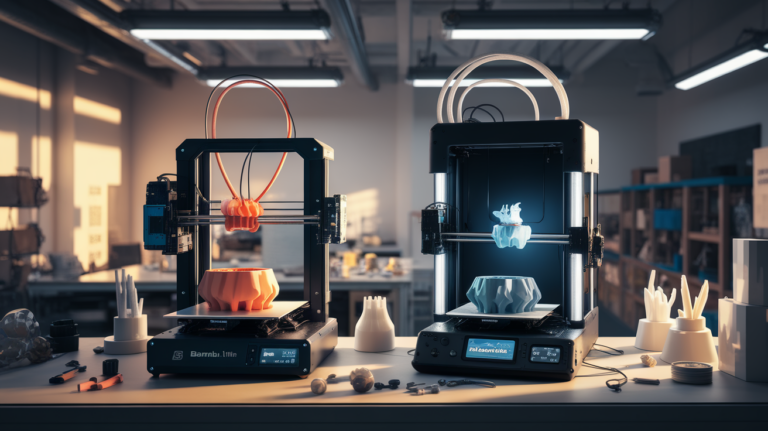
Active heated chambers are the right tool for this. Bambu Lab P1S and X1C maintain chamber temperature passively (heat from the bed and hot end) but do not have an active chamber heater. For PLA, PETG, and short ABS runs, this is fine. For multi-hour ABS production prints, the chamber temperature drops as the print progresses and the bed surface area available to radiate heat decreases. Active-heated alternatives — UltiMaker S5/S7, Raise3D Pro3, BCN3D Epsilon — hold chamber temperature within 2-3 C of setpoint regardless of print duration or part geometry.
Continuous-duty operation also exposes thermal weak points the hobby case rarely sees. Hot end temperature stability over an 18-hour print degrades on printers with undersized heaters, particularly when the print’s extrusion rate varies (thin walls vs solid infill). Bed heater duty cycle that ramps the bed in 30 seconds for a quick PLA print may not maintain 110 C bed temperature when the chamber is also at 60 C and the ambient is variable. Spec-sheet temperatures are achievable on cold-start; production stability requires real testing.
Fume Extraction: HEPA Plus Carbon Plus Exhaust
ABS at 240-250 C extrudes styrene, butadiene, and other VOCs at concentrations that are unacceptable in any occupied workspace. Hobbyist guides often recommend “print in a room with the door closed and a window open” which is non-compliant with most workplace air-quality standards. Production jig work in a real shop requires deliberate fume extraction.
The minimum acceptable system in 2026 is a fully enclosed printer with a HEPA element (for ultrafine particles) and an activated carbon stage (for VOCs and styrene), plus a dedicated exhaust to outside air or to a building HVAC return. The HEPA plus carbon combination handles emissions during normal operation; the exhaust handles the spike during print start-up when the bed and chamber are coming up to temperature and out-gassing is highest.
Snapmaker, UltiMaker, and Raise3D all offer factory enclosure-and-filtration options that meet this bar. Bambu Lab P1S and X1C ship with carbon filtration but no HEPA stage; an aftermarket HEPA addition is straightforward and brings them into compliance. Open-frame printers are fundamentally unsuitable for production ABS work regardless of how good the print quality is, because no enclosure means no fume containment.
Continuous Duty Cycles and Component Wear
A printer running 18 hours per day, 6 days per week, racks up mechanical wear at a rate hobbyist printers never see. Bearings, lead screws, belts, and PTFE bowden tubes that are rated for 5,000 hours of intermittent operation reach end-of-life in a year of continuous duty. The buying decision should account for both initial cost and the maintenance schedule.
For continuous-duty production, the printers that hold up best in 2026 are the industrial-grade desktops — UltiMaker S7, Raise3D Pro3, BCN3D Epsilon W50 — because they are designed for the use case from the start. The bearings, frames, and motion systems are oversized relative to hobbyist printers, the print head designs accommodate quick swaps for maintenance, and the manufacturer support contracts include scheduled component replacement. Total cost of ownership over three years is often lower for these printers than for a stack of three or four cheaper hobbyist printers, because the cheaper printers either fail or require constant maintenance attention that pulls a technician off other work.
Hobbyist printers can still work in production roles if the workflow accounts for their limitations. A small shop running three Bambu Lab P1S units in rotation with a documented 2,000-hour service interval (replace hot end, replace AMS feeder, lubricate lead screws, inspect belt tension) can produce production-grade ABS parts at lower hardware cost than a single industrial unit. The trade is technician time for capital investment.
Repeatability: The Spec That Separates Production From Hobby
A hobbyist printer that produces a great-looking part once is acceptable. A production printer that produces a great-looking first part but a slightly different second part is not, because the downstream assembly process expects every part to fit the same fixture or interface to the same component. Repeatability — the dimensional consistency of the same part printed on the same machine across multiple runs — is the spec that separates the two cases.
Mechanical repeatability is mostly a function of frame rigidity and motion system precision. CoreXY printers with linear rails on every axis (Bambu Lab X1C, Voron 2.4, UltiMaker S7) hold dimensional consistency within 0.1-0.2 mm across runs on 100 mm parts. Bedslinger printers with V-rollers (most Ender variants) often see 0.3-0.5 mm variation across runs as the rollers wear unevenly. For jig work where parts must mate with precision-machined fixtures, the linear-rail CoreXY designs are the right pick.
Thermal repeatability matters too. A printer that prints a part at 245 C with the chamber at 55 C in the morning and the same part at 248 C with the chamber at 62 C in the afternoon will produce two slightly different parts because the layer adhesion and the cooling rate differ. Production machines with active chamber heating and PID-tuned hot end control hold thermal conditions across the workday in a way that passively-heated machines cannot.
Real Cost of Ownership Over Three Years
The all-in cost of ownership for a production ABS printer over three years includes the printer, the consumables (filament, nozzles, build plates, cleaning supplies), the maintenance time, and the cost of failures (scrapped parts, missed deliveries). A $1,500 hobbyist printer that requires four hours of technician time per week and produces 3 percent scrap rate may cost more over three years than a $4,500 industrial unit with monthly maintenance and 0.5 percent scrap.
The break-even depends on labour cost and production volume. For low-volume jig work (under 200 parts per month), hobbyist printers usually win on total cost. For higher volume (1000+ parts per month) or for parts with tight repeatability requirements, industrial printers win. The honest accounting requires actual labour and scrap rate data from a few months of operation, not vendor spec sheets.
Build Plate Choice for ABS Production
Build plate selection has an outsized impact on production-jig reliability that hobbyist guides rarely cover. ABS adheres aggressively to glass with a slurry of ABS dissolved in acetone (the “ABS juice” trick), but the slurry must be reapplied between prints, the application is uneven, and warm bed glass is fragile when handled by a tired operator at the end of a shift. For continuous production, ABS juice on glass is a recipe for occasional first-layer failures that scrap the part and pull the operator off other work.
Spring steel PEI build plates with magnetic mounting solve most of this. The print adheres reliably with bed at 105-110 C, the operator flexes the plate to release the part with no risk of cracking the build surface, and a fresh plate ships back into service in seconds. The trade is consumable cost — a textured PEI plate has a working life of roughly 200-400 ABS prints before the surface texture wears smooth and adhesion drops, after which the plate is replaced rather than refurbished. At $25-50 per plate, this is a manageable consumable for most production environments.
Garolite (G10/FR4) plates are a niche option that earns a place specifically for nylon and CF-nylon production. ABS does not adhere well to garolite, so for pure ABS production it is not the right choice, but shops running mixed ABS and nylon production benefit from keeping a garolite plate in rotation specifically for the nylon work and a PEI plate for ABS.
Print Failure Recovery and Network Reliability
A 16-hour ABS production print that fails at hour 12 is a meaningful operational hit — material wasted, time wasted, and the part no longer available to the downstream assembly process when expected. Two infrastructure choices reduce the failure rate dramatically. The first is a UPS on every production printer. A two-second mains glitch during an ABS print typically loses the chamber temperature, dropping the part below the warping threshold and producing a part that completes but is dimensionally compromised. A modest 600 VA UPS holds the chamber heater and printer logic through nearly any utility glitch.
The second is a reliable network connection between the printer host (Octoprint, Mainsail, or vendor cloud) and the network. Wireless printer connections drop intermittently in busy shop environments, and a dropped network connection can pause a print mid-layer or freeze the toolhead at temperature. Hardwired Ethernet to every production printer eliminates this failure mode entirely and is one of the cheapest reliability upgrades available — a $30 USB Ethernet dongle and a CAT6 patch cable per printer is all the hardware required.