3D Printer Heat Creep: Symptoms, Causes, and Fixes
By Mike Reynolds
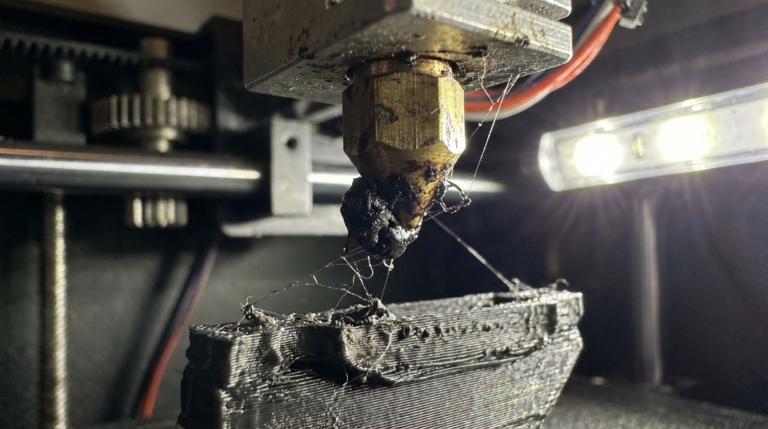
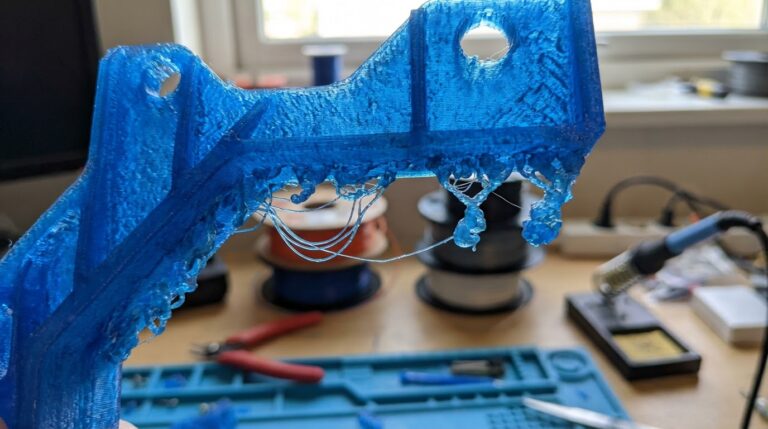
Heat creep is one of those sneaky 3D printing problems that feels like a clogged nozzle, a slipping extruder, and a moody slicer all rolled into one. The printer starts fine, then halfway through the job you hear the extruder clicking, filament grinds, and the hotend stops feeding. You pull the filament and find a swollen, softened section above the heat break. That’s heat creep.
In this guide I’ll show you exactly how to diagnose heat creep, what causes it, and the practical fixes that actually work. I’ve dealt with this on stock Enders, high‑speed CoreXY builds, and everything in between. The pattern is always the same: too much heat moving upward and not enough cooling where it matters.
What Heat Creep Looks Like (Symptoms)
- Print starts fine, then fails after 20–60 minutes.
- Extruder clicking or skipping steps.
- Grinding a divot into the filament.
- Filament is swollen or mushroomed above the heat break.
- Pulling the filament shows a long, tapered plug.
Unlike a simple nozzle clog, heat creep gets worse over time as the hotend warms up. The failure often happens mid‑print, which is why many people blame the slicer or the filament. The key clue is the deformed filament above the heat break.
Why Heat Creep Happens
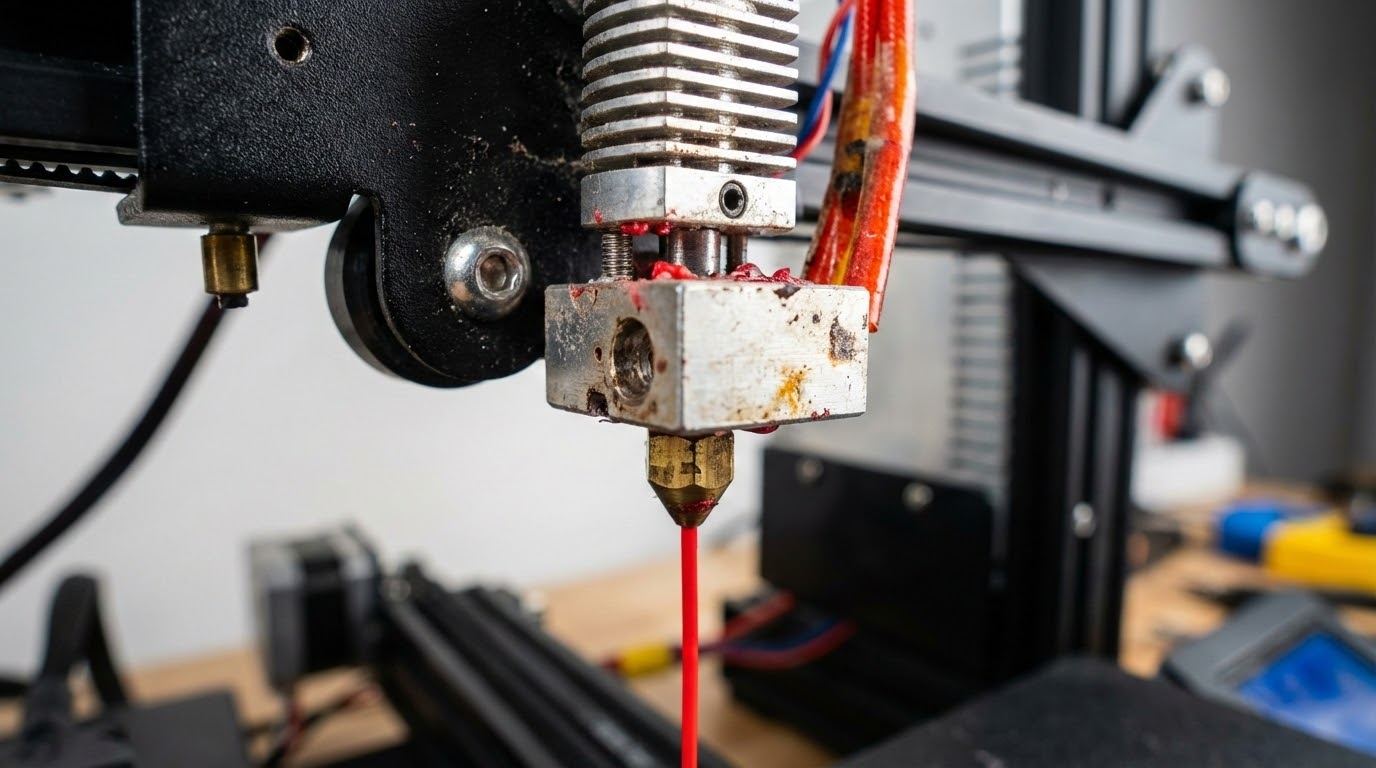
Your hotend is supposed to have a sharp thermal boundary: hot below the heat break, cool above it. When that boundary drifts upward, filament softens too early. Soft filament expands, creates friction, and the extruder can’t push it anymore. That’s heat creep.
The most common causes:
- Insufficient hotend cooling. A weak or dirty fan, blocked airflow, or a shroud that doesn’t aim air at the heat sink.
- Ambient heat. Printing in an enclosure without extra hotend cooling, or in a hot room.
- Slow feed + high temps. Very low speed or long retractions that keep filament sitting in the heat zone.
- All‑metal hotend with sensitive filament. PLA is notorious for heat creep in all‑metal hotends.
- Heat break contamination. Gunk or roughness inside the heat break increases friction.
Quick Diagnosis Checklist
Before you start swapping parts, run these fast checks:
- Is the hotend fan spinning at full speed? Listen for bearing noise or a weak hum.
- Is the fan pointed at the heat sink (not the part)?
- Is the heat sink packed with dust?
- Are you printing PLA above 215–220°C on an all‑metal hotend?
- Did the print fail after a lot of retractions?
Step‑by‑Step Fixes That Actually Work
1) Clean and Restore Hotend Cooling
Heat creep is often just poor airflow. Power down, remove the fan shroud, and clean the heat sink fins with a soft brush or compressed air. Then check the fan itself. If it’s noisy, slow, or intermittent, replace it.
Basic rule: the hotend fan should be on 100% of the time. If it’s wired to the part cooling fan header, fix that immediately. Hotend cooling is not optional.
2) Lower PLA Temperatures
PLA softens early. If you’re running 220–230°C, back down to 200–210°C and see if the failures disappear. High temps improve flow, but they also push heat upward. The sweet spot is the lowest temp that still gives good layer bonding.
3) Reduce Retraction Length for PLA
Long retractions drag molten plastic into the heat break. That plastic cools, expands, and jams. If you’re using 5–6 mm retraction on a Bowden setup, try 3–4 mm. For direct drive, keep it around 0.6–1.2 mm.
4) Increase Travel Speed
When the filament sits still in a hot zone, it softens and sticks. Higher travel speed reduces the time the filament spends in that zone, especially on prints with lots of small moves.
5) Add a Heat Sink Sock or Insulation
A silicone sock around the heater block reduces radiant heat upward and stabilizes temperatures. It’s cheap, and it helps the heat break do its job.
6) Upgrade to a Better Hotend Fan
If you’re printing in a warm room or an enclosure, a stronger fan (or a higher‑quality blower) makes a huge difference. Look for a quality 4010 or 4020 fan with high static pressure rather than just high RPM.
7) Use a Bi‑Metal Heat Break
If you’ve upgraded to an all‑metal hotend, consider a bi‑metal heat break. It creates a sharper thermal transition and is far more forgiving with PLA. It’s one of the most effective upgrades for heat creep.
How Enclosures Make It Worse
Enclosures are great for ABS, but they can destroy PLA reliability. An enclosure can raise ambient temperature around the hotend by 10–20°C. That means your heat sink is starting off warmer, so the boundary shifts upward faster.
If you must print PLA in an enclosure:
- Open the door or lid during PLA prints.
- Add an external fan to move air through the enclosure.
- Reduce nozzle temperature and retraction.
Heat Creep vs. Nozzle Clog: How to Tell the Difference
If a print fails right away, it’s usually a clog or bad bed adhesion. If it fails after a while and the filament is swollen above the heat break, it’s heat creep.
Another clue: after a heat‑creep failure, if you cut the filament above the swollen section and reload, it will print for a while and then fail again. That’s the classic cycle.
Dialing In Slicer Settings to Avoid Heat Creep
Cooling
Hotend cooling is mechanical, but part cooling also matters. For PLA, use decent part cooling (50–100%) to keep the print surface cool, but don’t let that airflow blow directly on the heat block.
Retraction
- Bowden: 3–4 mm at 35–45 mm/s
- Direct drive: 0.6–1.2 mm at 25–35 mm/s
Minimum Layer Time
If your slicer slows down tiny layers too much, the filament sits in the hot zone. Set a minimum layer time that doesn’t force extremely slow speeds. It’s better to use a cooling tower than to crawl at 5–10 mm/s.
Hardware Checks You Shouldn’t Skip
- Heat break installation: There should be no gap between the heat break and the nozzle when tightened hot.
- Thermal paste: On some hotends, a tiny amount of thermal paste between the heat break and heat sink improves heat transfer away from the heat break.
- Fan orientation: Make sure it’s blowing into the heat sink, not pulling away.
- Heat sink alignment: A slightly crooked heat sink can block airflow.
When to Replace Parts
If you’ve cleaned everything and you still get heat creep, consider replacing:
- Hotend fan (cheap and common failure point)
- Heat break (a worn or scratched inner bore increases friction)
- PTFE liner (if using a lined hotend)
FAQ: Heat Creep Troubleshooting
Can heat creep happen with PETG or ABS?
It can, but it’s far more common with PLA because PLA softens at lower temperatures. PETG and ABS are more forgiving.
Do I need an enclosure fan for PLA?
If you print PLA inside an enclosure, yes. Even a simple USB fan blowing fresh air can prevent creep.
Should I switch to a different hotend?
If you’re printing PLA all day, a PTFE‑lined hotend is more forgiving. If you need high‑temp materials, go all‑metal but use a bi‑metal heat break and stronger cooling.
Final Checklist
- Hotend fan on 100% and clean
- Lower PLA temperature
- Shorter retraction
- Keep ambient temp reasonable
- Consider bi‑metal heat break
Heat creep isn’t mysterious once you’ve seen it. It’s just heat going where it shouldn’t. Fix the airflow, tune temps and retractions, and the problem disappears.
Advanced Fixes for Stubborn Heat Creep
If you’ve done the basics and the issue still returns, go deeper. I’ve seen stubborn heat creep on printers with tight cable chains, cramped hotend mounts, or custom fan ducts that look great but starve the heat sink of air. Here’s what to try next.
Re‑route airflow
Remove the fancy duct and test with the stock fan shroud. If the problem disappears, your custom duct is blocking airflow. You want the fan to push air straight through the fins, not swirl around them.
Check heat break tension
On some hotends, overtightening the heat break or heat sink can create a tiny gap at the nozzle interface. That gap traps molten filament, which then creeps upward. Re‑seat the heat break and nozzle while hot: heat to 240°C, snug the nozzle, and then snug the heat break.
Filament path friction
Too much drag in the filament path makes heat creep worse because the extruder has less margin before it skips. Inspect your spool holder, PTFE tube (if Bowden), and any tight bends. A low‑friction path is a low‑stress path.
Test with a slow, simple model
Print a tall, single‑wall tower at moderate speed. If it prints cleanly for an hour, the problem might be slicer‑specific or triggered by heavy retractions. If it still fails, it’s definitely thermal or mechanical.
Maintenance Schedule to Prevent Future Heat Creep
- Weekly: Blow out heat sink dust, verify fan spins freely.
- Monthly: Inspect heat break for debris, re‑tighten nozzle hot.
- Every 3–6 months: Replace the hotend fan if it’s noisy or slowing down.
Most heat creep “mysteries” are just neglected fans. Treat hotend cooling like you treat bed leveling: boring, necessary, and worth doing regularly.