3D Printer Extruder Grinding Filament: Causes and Fixes
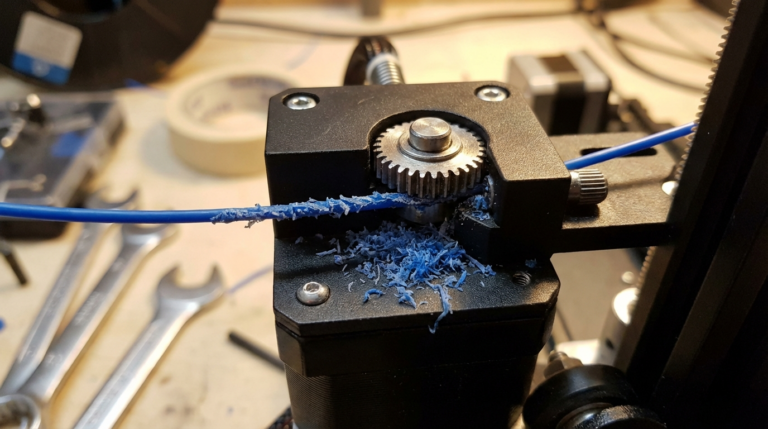
Few things are more frustrating than hearing your 3D printer’s extruder motor clicking and grinding away at the filament instead of smoothly feeding it through the hotend. Extruder grinding — sometimes called “filament chewing” — is one of the most common problems in FDM printing, and it can ruin an otherwise perfect print job. The good news? Once you understand what causes it, the fix is usually straightforward.
In this guide, I’ll walk you through every possible cause of extruder grinding and give you step-by-step solutions to get your printer back on track.
What Does Extruder Grinding Look Like?
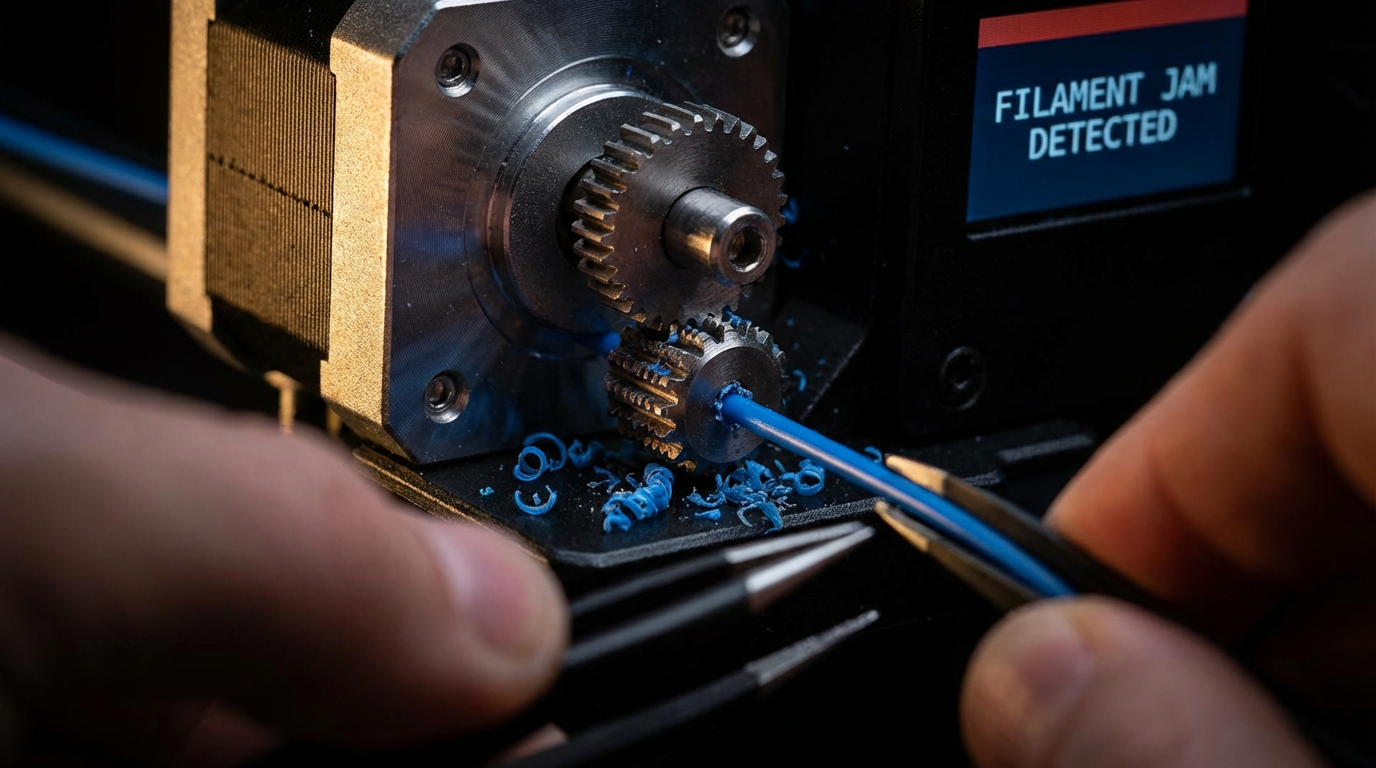
When your extruder grinds filament, you’ll typically notice one or more of these symptoms:
- A repetitive clicking or ticking sound from the extruder motor
- Filament shavings or dust around the drive gear
- A visible groove or flat spot chewed into the filament
- Under-extrusion or gaps in your printed layers
- The filament stops moving entirely despite the motor still turning
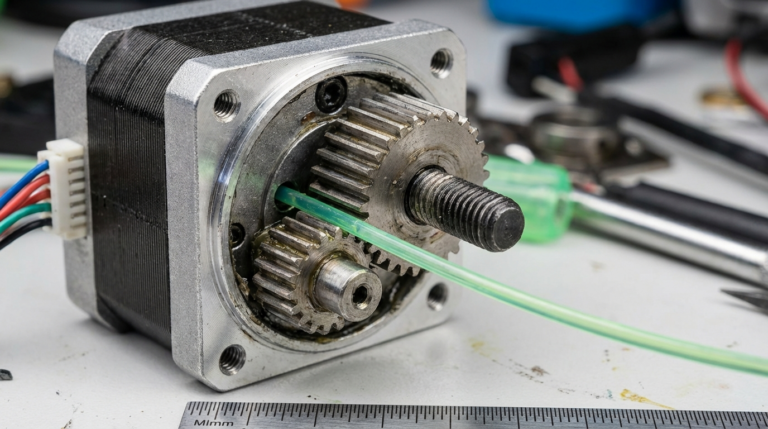
The root cause is always the same: the extruder gear is trying to push filament forward, but something downstream is preventing it from moving. The gear teeth then chew into the stationary filament instead of gripping and pushing it.
Cause #1: Printing Temperature Too Low
This is the single most common reason for extruder grinding. If your hotend temperature isn’t high enough, the filament won’t melt fast enough to flow through the nozzle. The extruder keeps pushing, but the semi-solid filament creates a traffic jam.
How to fix it:
- Increase your printing temperature by 5–10°C increments
- Check the manufacturer’s recommended temperature range on the filament spool
- PLA typically works at 190–220°C, PETG at 220–250°C, ABS at 230–260°C
- Run a temperature tower test to find the sweet spot for your specific filament brand
Cause #2: Print Speed Too Fast
Even if your temperature is correct, printing too fast forces the extruder to push more plastic than the hotend can melt per second. The melt zone has a physical limit on how much filament it can liquefy.
How to fix it:
- Reduce your print speed by 20–30% and test again
- Lower the speed for the first few layers especially
- If you need to print fast, increase temperature slightly to compensate
- Consider upgrading to a high-flow hotend if you regularly need high speeds
Cause #3: Clogged or Partially Blocked Nozzle
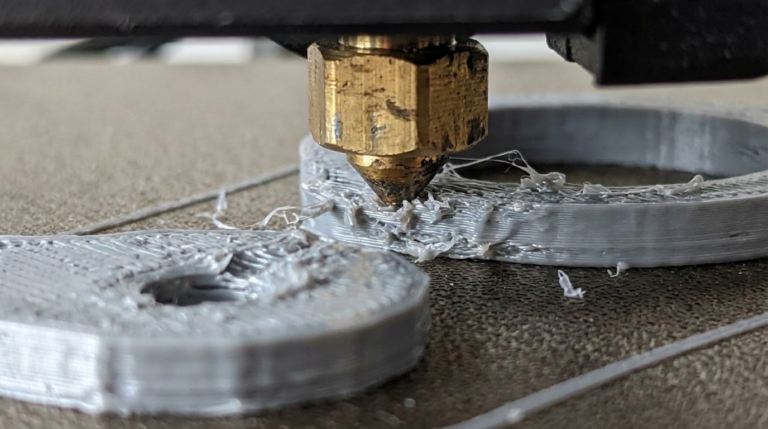
A partial clog creates back-pressure that the extruder can’t overcome. Clogs happen from burnt filament residue, contamination, or heat creep.
How to fix it:
- Perform a cold pull (also called an atomic pull) — heat the nozzle to printing temp, push filament through, cool to 90°C for PLA, then yank it out firmly
- Use a 0.4mm acupuncture needle or nozzle cleaning needle while the nozzle is hot
- If the clog is severe, remove the nozzle and soak it in acetone (for ABS) or heat it with a torch
- Replace the nozzle — brass nozzles are cheap and should be considered consumables
Cause #4: Retraction Settings Too Aggressive
Retraction pulls filament back to prevent stringing. But if your retraction distance is too long or retraction speed too high, the filament can get chewed up in the drive gear area, especially with softer materials like PETG or TPU.
How to fix it:
- For direct drive extruders: keep retraction distance between 0.5–2mm
- For Bowden setups: 3–6mm is typical, but rarely exceed 7mm
- Reduce retraction speed to 25–40 mm/s
- Lower the “maximum retraction count” in your slicer to prevent repeatedly grinding the same spot
Cause #5: Tension on the Drive Gear
Most extruders have an adjustable idler or spring tension mechanism that presses the filament against the drive gear. Too little tension and the gear can’t grip. Too much tension and it crushes the filament.
How to fix it:
- Adjust the idler tension screw — tighten in quarter-turn increments
- The filament should have a slight indent from the gear teeth but shouldn’t be visibly deformed
- Check that the idler bearing spins freely
- Replace worn drive gears — the teeth dull over time
Cause #6: Heat Creep
Heat creep occurs when heat from the hotend travels up into the cold end of the extruder, softening the filament before it reaches the melt zone. The soft filament expands and jams in the heat break or PTFE tube.
How to fix it:
- Make sure your hotend cooling fan is working at 100% — this fan cools the heat sink, not the print
- Check that the heat sink isn’t clogged with dust
- Apply thermal paste between the heat break and heat sink if they’re not already using it
- Avoid long idle periods with the hotend at temperature — the heat slowly travels upward
Cause #7: Filament Quality Issues
Cheap or old filament can have inconsistent diameter, moisture contamination, or internal air bubbles. Any of these can cause intermittent feeding problems.
How to fix it:
- Measure your filament diameter with calipers at several points — it should be within ±0.02mm of the stated 1.75mm
- Dry your filament if you suspect moisture (PLA: 45°C for 4h, PETG: 65°C for 4h)
- Store filament in sealed bags with desiccant
- Try a different spool to rule out a bad batch
Cause #8: Bowden Tube Problems
If you’re running a Bowden setup, any gap or deformation in the PTFE tube creates friction that the extruder has to fight against. Over time, the tube end near the hotend can degrade from heat exposure.
How to fix it:
- Cut the PTFE tube end flat with a tube cutter (not scissors)
- Make sure the tube is seated flush against the nozzle with no gap
- Replace Capricorn tubing if it’s deformed or discolored
- Check the pneumatic fittings — worn fittings allow the tube to slip
Prevention: A Simple Maintenance Routine
Most extruder grinding problems are preventable with basic maintenance:
- Clean the drive gear teeth with a small brush every 50 print hours
- Check nozzle condition and perform a cold pull every 100 hours
- Inspect the PTFE tube end every filament change
- Keep filament dry and sealed when not in use
- Recalibrate your e-steps after any hardware changes
When to Upgrade Your Extruder
If you’re constantly fighting grinding issues with a stock extruder, it might be time for an upgrade. Dual-gear extruders grip filament from both sides, dramatically reducing grinding. Popular options include the Bondtech BMG, the E3D Hemera, and the Creality Sprite series. These extruders provide much more consistent grip force and handle flexible filaments far better than single-gear designs.
Extruder grinding is annoying, but it’s almost always solvable by working through these causes systematically. Start with temperature and speed — the two most likely culprits — and work your way down the list. With a little patience, you’ll have your printer feeding smoothly again in no time.