PETG Bed Adhesion Problems: Causes and Solutions Guide
PETG is supposed to be the “best of both worlds” filament — stronger than PLA, easier than ABS. And for the most part, that’s true. But there’s one area where PETG can drive you absolutely crazy: getting that first layer to stick properly to the bed.
PETG has a love-hate relationship with bed adhesion. On some surfaces it sticks too well (ripping chunks of PEI off your build plate), and on others it won’t stick at all. In this guide, I’ll break down exactly why PETG adhesion is tricky and how to nail it every time.
Why PETG Bed Adhesion Is Different from PLA
PLA is forgiving. You can print it on almost any surface at almost any temperature and it’ll stick fine. PETG is pickier for several reasons:
- Higher printing temperature: PETG prints at 220–250°C, which means the material is more fluid when it hits the bed
- Different shrinkage rate: PETG shrinks more than PLA as it cools, pulling edges up from the bed
- Stickier when molten: PETG bonds aggressively to some surfaces — sometimes too aggressively
- More sensitive to Z-offset: Too close and it fuses to the bed permanently. Too far and it balls up
The Perfect Z-Offset for PETG
This is the single most important factor for PETG bed adhesion. With PLA, you want the nozzle close enough to squish the first layer. With PETG, you need a tiny bit more gap.
The rule: Your first layer should look slightly rounded on top, not completely flat-squished. If you can see individual lines with tiny gaps between them, you’re actually in the sweet spot for PETG.
A good starting point is to level your bed for PLA, then raise the Z-offset by 0.02–0.05mm. That small additional gap prevents PETG from bonding too aggressively while still providing adequate adhesion.
Best Bed Surfaces for PETG
1. Textured PEI Sheet (Best Overall)
A textured PEI sheet is the gold standard for PETG. The texture provides mechanical grip without the chemical bonding that makes smooth PEI problematic. Prints stick well during printing and pop off easily when cooled.
2. Glass Bed with Glue Stick
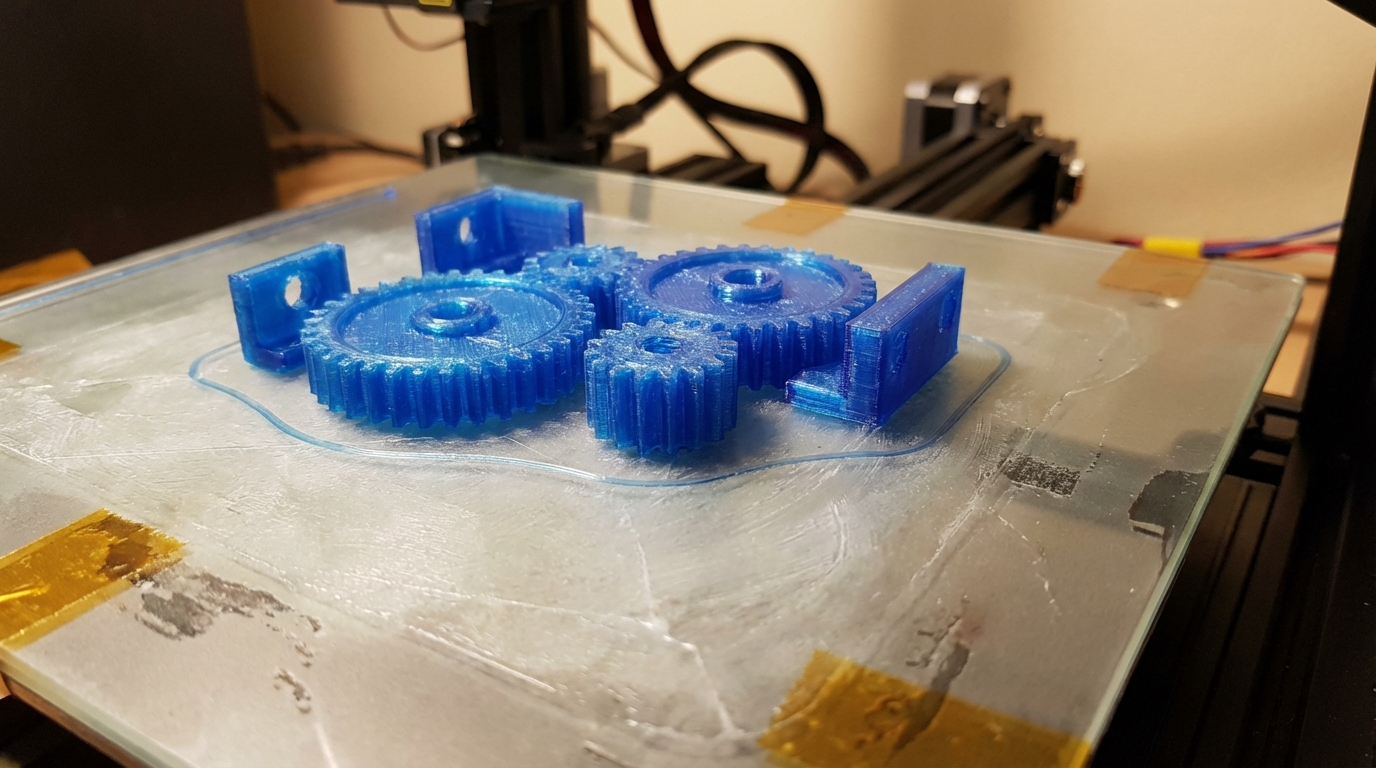
This is a classic combo that works reliably. The glue stick (regular Elmer’s or similar PVA-based glue) serves a dual purpose: it helps adhesion AND acts as a release agent, preventing PETG from fusing directly to the glass. Apply a thin, even layer and reapply every 3–5 prints.
3. Smooth PEI with Glue Stick
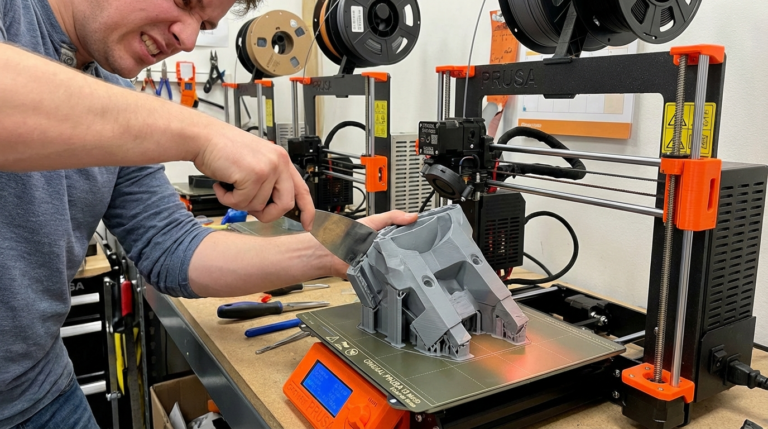
If you have a smooth PEI sheet, always use a glue stick barrier with PETG. Without it, PETG will chemically bond to smooth PEI and tear chunks out of the sheet when you try to remove the print. I’ve destroyed two PEI sheets learning this lesson the hard way.
4. Painter’s Tape (Blue Tape)
Blue painter’s tape still works in a pinch. It provides decent adhesion for PETG and is easy to replace when it wears out. Not ideal for large prints but fine for smaller objects.
5. BuildTak / FlexPlate
Flexible build plates with a magnetic base work well for PETG. The flex action makes removal easy even if the adhesion is strong. Just don’t flex while the print is still warm.
Bed Temperature Settings
Bed temperature is the second most critical factor. Here’s what works:
- First layer: 80–85°C
- Remaining layers: 70–80°C (you can drop 5°C after the first layer for faster cooling)
- Too hot (90°C+): PETG becomes too soft at the base, leading to elephant’s foot and difficulty removing prints
- Too cold (below 65°C): Poor adhesion, corners lift, especially on larger prints
First Layer Settings That Actually Work
Speed
Slow down your first layer to 15–20 mm/s. PETG needs time to bond to the bed surface. Racing through the first layer at 40 mm/s is asking for trouble.
Line Width
Use a wider first layer line width — 120–150% of your nozzle diameter. This gives more surface area for adhesion. In Cura, look for “Initial Layer Line Width.” In PrusaSlicer, it’s “First layer extrusion width.”
Fan Speed
Turn the part cooling fan OFF for the first 2–3 layers. PETG needs to stay warm to bond properly. After layer 3, ramp the fan up to 50–70% (not 100% like PLA — PETG doesn’t like aggressive cooling).
Flow Rate
Bump your first layer flow rate to 105–110%. The slight over-extrusion ensures good contact between the filament and the bed surface.
Fixing Common PETG Adhesion Problems
Problem: First layer won’t stick at all
- Clean your bed with 90%+ isopropyl alcohol — fingerprints are the #1 adhesion killer
- Increase bed temperature by 5°C
- Lower Z-offset (bring nozzle slightly closer)
- Apply glue stick or hairspray
- Slow down first layer speed
Problem: First layer sticks but print detaches mid-print
- Add a brim (5–10mm) to increase the adhesion footprint
- Check for drafts near your printer — even a slight breeze can cause differential cooling
- Increase bed temperature for the entire print, not just the first layer
- Consider an enclosure for large PETG prints
Problem: Print sticks TOO well — can’t remove it
- Let the bed cool completely to room temperature before attempting removal
- On flexible beds: flex the plate — prints should pop off
- On glass: place the glass plate in the freezer for 10 minutes — thermal contraction will release the print
- For next time: add a glue stick layer as a release agent, or increase Z-offset slightly
Problem: Elephant’s foot on first layer
- Your nozzle is too close or bed is too hot
- Raise Z-offset by 0.02mm
- Reduce bed temperature to 70–75°C
- Enable “Elephant Foot Compensation” in your slicer (usually 0.1–0.2mm)
The Clean Bed Protocol
Before every PETG print, follow this routine:
- Wipe the bed with isopropyl alcohol (90% or higher) using a lint-free cloth
- Let it evaporate completely (10 seconds)
- Apply a thin glue stick layer if using glass or smooth PEI
- Preheat the bed for 3–5 minutes before starting the print
Every 10–15 prints, do a deep clean: wash the build plate with warm water and dish soap to remove any accumulated residue, then re-apply your adhesion method.
My Go-To PETG Profile
After years of tweaking, here’s my reliable PETG first-layer setup:
- Bed temp: 80°C first layer, 75°C remaining
- Nozzle temp: 235°C first layer, 230°C remaining
- First layer speed: 20 mm/s
- First layer width: 140% nozzle diameter
- First layer flow: 107%
- Fan: OFF for layers 1–3, then 60%
- Z-offset: +0.03mm from PLA baseline
- Surface: Textured PEI, no adhesive needed
PETG bed adhesion is one of those things that’s finicky until you figure it out, then it’s completely consistent. Take the time to calibrate your Z-offset properly, use the right bed surface, and keep everything clean. Once you’ve dialed it in, PETG becomes an incredibly reliable, strong material that you’ll reach for more and more often.