Best Filament Storage Solutions: Dry Boxes, Containers, and DIY Options
Why Filament Storage Actually Matters
Here’s a truth most beginners learn the hard way: that spool of PETG you left on your desk for two weeks isn’t the same filament it was when you opened it. Moisture is the silent killer of 3D print quality. Nylon can absorb enough water in a single day to become unprintable. Even PLA — the most forgiving filament out there — degrades noticeably after prolonged humidity exposure.
Proper filament storage isn’t expensive or complicated, but it does require some intentional choices. In this guide, I’ll cover every practical storage solution from budget DIY setups to premium commercial options, so you can pick what works for your space and wallet.
How Moisture Ruins Your Filament
3D printing filaments are hygroscopic — they absorb moisture from the air. When you print with wet filament, that moisture turns to steam inside the hot end. The result is a collection of problems that can drive you crazy if you don’t know the cause:
- Popping and crackling sounds during printing (steam bubbles escaping)
- Stringing and oozing that no retraction setting can fix
- Rough, bubbly surface finish with visible pockmarks
- Poor layer adhesion — steam disrupts the bonding between layers
- Brittle parts that snap instead of flexing
- Inconsistent extrusion with random under-extrusion patches
Different materials absorb moisture at wildly different rates:
- Nylon (PA): Extremely hygroscopic. Needs drying before every print session
- PETG: Moderately hygroscopic. Shows symptoms within 1-2 weeks of open exposure
- TPU: Moderately hygroscopic. Becomes stringy and unpredictable
- PLA: Mildly hygroscopic. Can tolerate weeks of exposure but degrades over months
- ASA/ABS: Low to moderate absorption. More tolerant but not immune
The Budget Option: Vacuum Bags with Desiccant
The simplest and cheapest storage solution is a vacuum-sealed bag with silica gel desiccant packets. You can get vacuum bags designed for clothing storage (the ones with the valve for a vacuum cleaner) and they work perfectly for filament spools.
Cost: About $15-20 for a pack of bags plus $10 for a bulk pack of silica gel packets.
Pros: Dirt cheap, takes up minimal space, works surprisingly well for long-term storage.
Cons: You have to break the seal every time you want to use a spool. Not practical for filament you’re actively printing with.
Pro tip: Buy color-indicating silica gel (orange when dry, green when saturated). You can recharge them in an oven at 250°F (120°C) for 2-3 hours indefinitely.
The Cereal Container Method
Large airtight cereal containers from your local kitchen store are surprisingly effective filament storage. The tall, rectangular ones from brands like OXO or Rubbermaid fit standard 1kg spools perfectly.
Cost: $10-15 per container
Setup: Drop in 2-3 silica gel packets (50g each), place your spool inside, seal the lid. Some makers drill a small hole in the lid with a PTFE tube fitting so they can feed filament directly to the printer without opening the container.
Pros: Cheap, readily available, clear so you can see your filament colors, stackable.
Cons: Not as airtight as vacuum bags. The seal degrades over time. One spool per container.
Airtight Plastic Bins (The Sweet Spot)
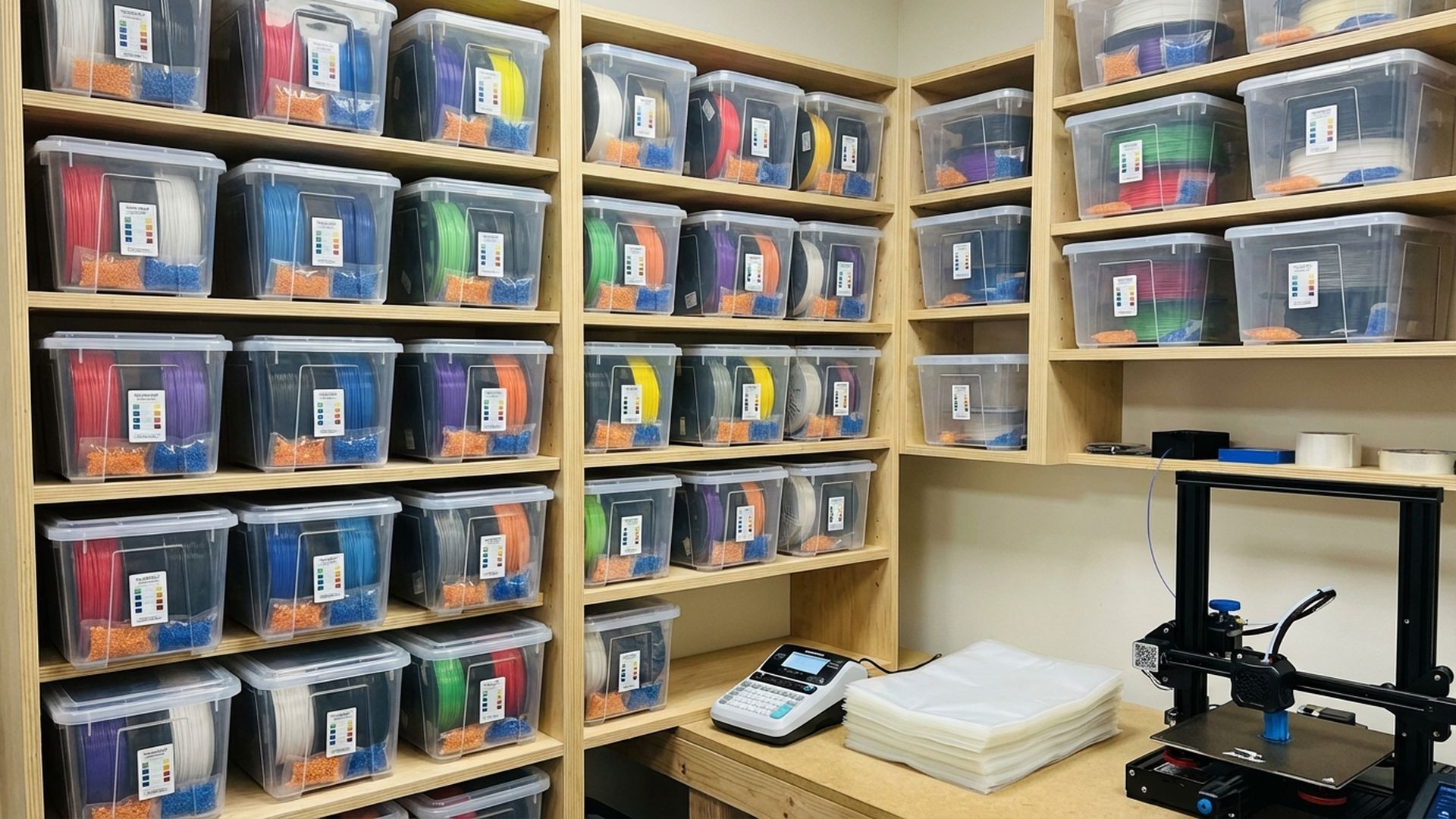
This is what most serious hobbyists settle on. Large, gasketed storage bins from brands like IRIS or Really Useful Boxes give you a great balance of capacity, airtightness, and cost.
Best options:
- IRIS Weathertight boxes (19qt/44qt): Excellent gasket seal, clear, stackable. The 19qt fits 2-3 spools, the 44qt fits 6-8
- Really Useful Boxes (19L/35L): Great latching mechanism, very durable
- Sterilite Gasket boxes: Budget alternative with decent seals
Cost: $15-30 per bin, stores multiple spools
Adding a Hygrometer
A small digital hygrometer inside your storage container lets you monitor the actual humidity level. You want to keep it below 15% relative humidity for optimal filament preservation. Below 20% is acceptable for most materials.
Mini hygrometers with external probes cost about $8-12 and can be mounted inside the lid of your container. Some makers 3D print mounting brackets for them (meta, I know).
If your hygrometer consistently reads above 25%, you need more desiccant or your container isn’t sealing properly.
Commercial Dry Boxes
Several companies now make purpose-built filament dry boxes. The main advantage is that they let you print directly from the box, keeping the filament dry even during long prints:
Sunlu FilaDryer S2: The most popular budget option (~$50). Heats the spool to drive out moisture while feeding filament to the printer. Effective for maintaining already-dry filament, less effective for deeply saturated spools.
eSun eBOX Lite: Similar concept to the Sunlu, with temperature control up to 55°C. Good for PLA and PETG, might not get hot enough for nylon.
PrintDry Pro: Higher-end option with precise temperature control up to 70°C and better insulation. Actually capable of drying nylon and other demanding materials.
Polymaker PolyBox: Passive (no heating) but well-sealed with built-in hygrometer and desiccant compartment. Good for storage, not for active drying.
The DIY Heated Dry Box
If you’re handy, you can build a heated dry box using a food dehydrator base, a large container, and a PID temperature controller. Several excellent designs are available on Printables and Thingiverse.
The basic concept: mount a food dehydrator heating element or a reptile heat pad inside a sealed container, add a temperature controller and hygrometer, and print a spool holder with bearing. Total cost is usually $40-60 and the result often outperforms commercial options.
Best Practices for Filament Storage
Regardless of which storage method you choose, follow these guidelines:
- Always reseal filament after use. Don’t leave spools on your printer for days between prints
- Use color-indicating desiccant so you know when to recharge it
- Buy desiccant in bulk. A 2lb bag of indicating silica gel costs about $15 and will last years
- Label your containers with material type, brand, and the date you opened the vacuum seal
- Dry filament before storing. Putting wet filament in an airtight container just preserves the moisture. Dry it first, then seal it
- Keep storage away from windows. UV light degrades many filaments even through sealed containers
- FIFO rotation. Use older spools before newer ones to prevent long-term degradation
Drying Temperatures by Material
If your filament has already absorbed moisture, you need to dry it before use. Here are the recommended drying temperatures and times for common materials:
- PLA: 45-50°C for 4-6 hours
- PETG: 60-65°C for 4-6 hours
- ABS: 65-70°C for 4-6 hours
- ASA: 65-70°C for 4-6 hours
- Nylon: 70-80°C for 8-12 hours
- TPU: 50-55°C for 4-6 hours
- Polycarbonate: 70-80°C for 8-12 hours
Important: never exceed the glass transition temperature of your filament, or the spool will deform and the filament may fuse together.
How Long Can Filament Sit Out?
This depends heavily on your local humidity, but here are rough guidelines:
- Low humidity (<30% RH): Most filaments are fine for weeks. Nylon should still be sealed when not in use
- Moderate humidity (30-60% RH): PLA is okay for a week or two. PETG and ABS should be sealed within a few days. Nylon and TPU should be stored immediately after use
- High humidity (>60% RH): Everything should be sealed when not actively printing. Consider printing from a dry box
My Recommendation
For most hobbyists, I recommend the gasketed storage bin approach with bulk silica gel and a hygrometer. It’s cost-effective, scales well as your filament collection grows, and actually works. Save the commercial dry box for your most moisture-sensitive materials like nylon and TPU.
The key is consistency. Pick a system and actually use it. The best storage solution in the world doesn’t help if your filament spends more time on the printer than in the box.