Best Enclosed 3D Printers for ABS in 2026: Budget to Premium
Why You Need an Enclosed 3D Printer for ABS
If you’ve ever tried printing ABS on an open-frame printer, you already know the pain: warped corners, cracked layers, parts popping off the bed mid-print, and that unmistakable chemical smell filling your workspace. ABS is a fantastic engineering material — tough, heat-resistant, and acetone-smoothable — but it demands environmental control that open printers simply can’t provide.
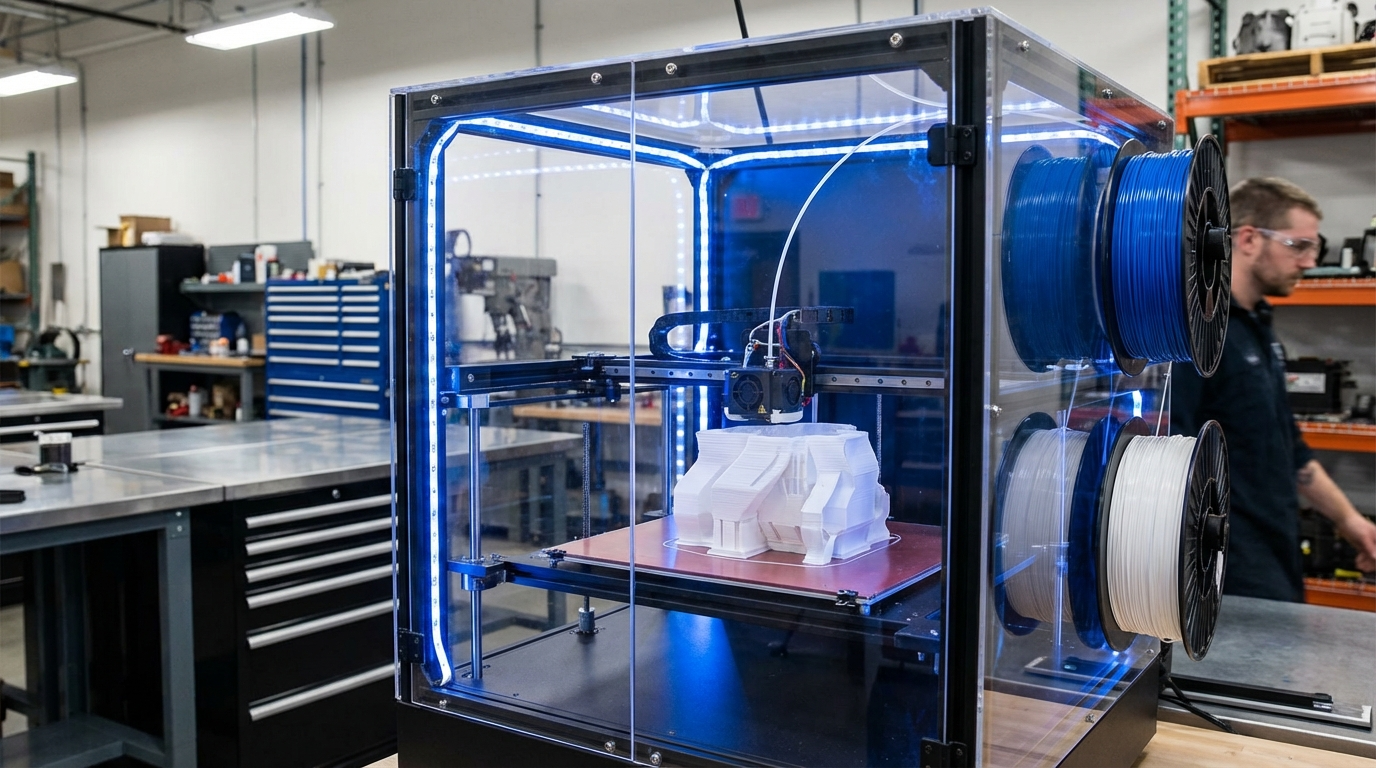
An enclosed 3D printer surrounds the build volume with walls (and ideally a top) that trap heat and eliminate drafts. This stable thermal environment is what ABS needs to print reliably. And while ABS is the poster child for enclosed printing, other materials like ASA, polycarbonate, and nylon also benefit enormously from an enclosure.
In this guide, I’ll cover what makes a great enclosed printer, review the best options available in 2026 across different budgets, and explain what to look for when choosing one.
What Makes a Good Enclosure for ABS Printing?
Not all enclosures are created equal. Here’s what actually matters:
Active vs. Passive Heating
Passive enclosures rely on heat from the heated bed and hotend to warm the chamber. They typically reach 35-50°C, which is enough for ABS in most cases. Most consumer enclosed printers use this approach.
Actively heated chambers use dedicated heaters to reach 60-80°C+. This is ideal for polycarbonate, nylon, and large ABS parts. You’ll mostly find active heating in industrial and prosumer machines.
Sealed vs. Semi-Enclosed
A truly sealed enclosure maintains consistent temperatures with minimal air exchange. Some printers have enclosures with gaps, vents, or unsealed doors that allow heat to escape. For ABS, even a semi-enclosed design is usually sufficient — but polycarbonate and nylon really benefit from a tighter seal.
Filtration
ABS emits styrene fumes during printing, which aren’t great to breathe. A good enclosed printer should include activated carbon filtration or at least support adding a filter. HEPA+carbon filter combinations are the gold standard, capturing both particulates (UFPs) and volatile organic compounds (VOCs).
Best Enclosed 3D Printers for ABS in 2026
Budget: Under $400
Creality K1
The K1 redefined what budget enclosed printing looks like. With speeds up to 600mm/s, a fully enclosed build chamber, and a direct-drive extruder that handles ABS well, it’s hard to argue with the value proposition.
- Build Volume: 220 × 220 × 250mm
- Max Speed: 600mm/s
- Chamber: Passive, reaches ~40-45°C
- Filtration: Activated carbon filter included
- ABS Performance: Good for small to medium parts. Large flat ABS prints may still need a brim
- Price: ~$350
Verdict: Best entry point for enclosed ABS printing. The enclosure isn’t the most thermally efficient, but it’s enough for most ABS jobs.
Sovol SV08
An open-source Voron-inspired design with an enclosure option. Fast, capable, and hackable. The community has developed excellent enclosed modifications.
- Build Volume: 350 × 350 × 400mm
- Max Speed: 700mm/s
- Chamber: Requires aftermarket enclosure panels (available from Sovol)
- ABS Performance: Excellent with enclosure panels installed
- Price: ~$380 (plus $50 for enclosure kit)
Mid-Range: $400–$1,000
Bambu Lab P1S
The P1S is essentially the P1P with a proper enclosure — and that enclosure transforms its ABS capabilities. Bambu’s ecosystem (AMS, Bambu Studio, cloud printing) is polished and beginner-friendly.
- Build Volume: 256 × 256 × 256mm
- Max Speed: 500mm/s
- Chamber: Well-sealed passive enclosure, reaches ~45°C
- Filtration: Activated carbon filter included
- ABS Performance: Excellent. Reliable ABS printing out of the box
- Price: ~$600
Verdict: The best “just works” option for ABS. If you want to print ABS without fiddling, the P1S is hard to beat.
Qidi X-Max 3
Qidi has quietly become one of the best value brands for engineering materials. The X-Max 3 features a genuine heated chamber and comes ready for serious material printing.
- Build Volume: 325 × 325 × 315mm
- Max Speed: 600mm/s
- Chamber: Active heating to ~60°C
- Filtration: HEPA + activated carbon
- ABS Performance: Outstanding. The active chamber heating eliminates warping even on large flat parts
- Price: ~$800
Verdict: Best mid-range option if you print a lot of ABS and engineering materials. The active chamber is a genuine game-changer.
Premium: $1,000+
Bambu Lab X1 Carbon
Bambu’s flagship combines speed, multi-material capability (via AMS), and a well-engineered enclosure. The X1C handles everything from PLA to PA-CF with equal competence.
- Build Volume: 256 × 256 × 256mm
- Max Speed: 500mm/s
- Chamber: Sealed passive enclosure with aux fan control
- Features: Lidar bed leveling, AMS support, hardened nozzle, camera monitoring
- ABS Performance: Excellent, with per-material profiles that dial in ABS perfectly
- Price: ~$1,200
Voron 2.4 (Kit/Self-Build)
The Voron 2.4 is the gold standard for DIY enclosed CoreXY printers. It’s not a product you buy — it’s a project you build. But the result is one of the most capable ABS printers available at any price.
- Build Volume: Up to 350 × 350 × 350mm
- Max Speed: 500mm/s+ (depends on build quality)
- Chamber: Fully sealed, designed for active heating mods
- ABS Performance: Best-in-class for DIY. The enclosed design was specifically created for ABS/ASA printing
- Price: $800–1,500 depending on kit source and options
Verdict: If you enjoy building and tinkering, a Voron 2.4 will outperform printers costing 3-4x as much. But budget 40+ hours for the build.
ABS Print Settings for Enclosed Printers
Even with an enclosure, ABS needs specific settings to print well:
- Nozzle Temperature: 240-260°C
- Bed Temperature: 100-110°C
- Chamber Temperature: 40-60°C (if actively heated)
- Part Cooling Fan: OFF for the first 5-10 layers, then 0-20% maximum
- Speed: 40-60mm/s for perimeters, up to 100mm/s for infill
- Enclosure: Keep the door closed during printing — don’t open it to check on things
- Bed Adhesion: PEI sheet (textured) works best. Apply thin ABS slurry (ABS dissolved in acetone) for large parts
DIY Enclosure: Is It Worth It?
If you already own an open-frame printer like an Ender 3 or Prusa MK4, building a DIY enclosure is absolutely viable for ABS printing. Popular approaches include:
- IKEA Lack enclosure — Two LACK tables ($10 each) stacked, with acrylic panels. Total cost ~$50. Reaches 35-40°C passively.
- Foam board / coroplast enclosure — Cheap, easy to cut, decent insulation. $20-30.
- Acrylic/polycarbonate panels — More professional look, better visibility. $50-80 for a full set.
A DIY enclosure won’t match the thermal performance of a purpose-built enclosed printer, but it’s often good enough for ABS on smaller parts. The key is eliminating drafts — even a partial enclosure that blocks airflow from windows and air conditioning can make ABS printable.
Safety Considerations
Printing ABS in an enclosure concentrates fumes inside the machine — which is good for your lungs but creates other concerns:
- Always use carbon filtration or vent the enclosure exhaust outside
- Don’t print ABS in bedrooms or poorly ventilated spaces, even with an enclosure
- Monitor for electronics overheating — some stepper drivers and mainboards don’t handle sustained 50°C+ ambient temperatures well. Move electronics outside the enclosure if possible
- Fire safety: Keep a smoke detector near your printer, never print unattended without a camera, and use a fire-resistant enclosure base
Final Thoughts
An enclosed printer turns ABS from a frustrating material into a reliable one. If you print ABS regularly, investing in a proper enclosed machine will pay for itself in saved time, wasted filament, and reduced stress. The Bambu Lab P1S offers the best plug-and-play experience, while the Qidi X-Max 3’s active chamber heating makes it the serious enthusiast’s choice. And if you love building things, a Voron 2.4 remains the ultimate ABS machine for those willing to put in the assembly time.