Best 3D Printer for PETG in 2026: Budget to Premium Picks Compared
Why PETG Needs Specific Printer Features
PETG is often called the sweet spot between PLA and ABS — stronger and more heat-resistant than PLA, easier and safer to print than ABS. But printing PETG well requires a printer that can handle a few things that PLA doesn’t care about: higher nozzle temperatures (220-260°C), moderate bed temperatures (70-85°C), decent part cooling control, and ideally an all-metal hotend. Not every printer handles all of these gracefully.
If you’ve been printing PLA and want to step up to PETG, or if PETG is going to be your primary material for functional parts, picking the right printer makes the difference between effortless printing and a frustrating fight with stringing, poor adhesion, and heat creep. Here’s what to look for, and the best options at every budget in 2026.
What to Look For in a PETG-Capable Printer
All-Metal Hotend
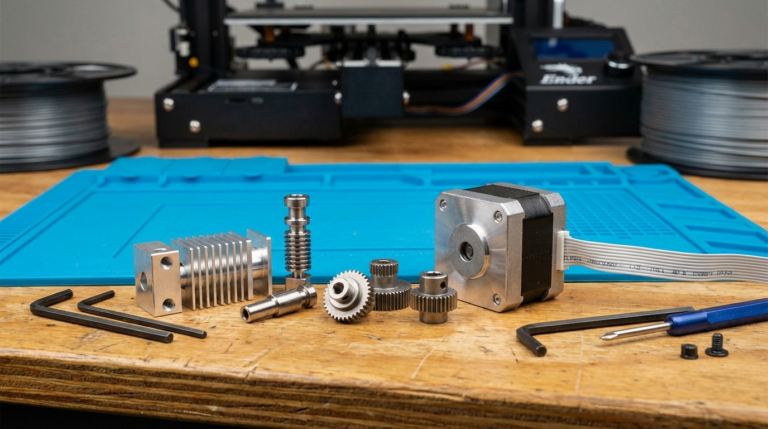
This is the single most important feature for reliable PETG printing. Standard hotends use a PTFE-lined heatbreak that degrades above 240°C and can cause heat creep with PETG. An all-metal hotend has no PTFE in the melt zone, allowing you to safely print at the higher temperatures PETG occasionally needs (especially for maximum layer adhesion).
Many modern printers ship with all-metal hotends stock. If yours doesn’t, it’s usually a $15-30 upgrade, but it’s much easier to just buy a printer that comes with one.
Heated Bed That Reaches 80°C+
PETG needs a bed temperature of 70-85°C for reliable adhesion without warping. Almost all modern heated beds can hit this range, but some very cheap printers have underpowered bed heaters that struggle above 60°C or take 15+ minutes to reach 80°C. Check reviews for actual heat-up times.
Adjustable Part Cooling
PETG has a love-hate relationship with cooling. Too much fan and you get poor layer adhesion and brittleness. Too little and you get stringing and poor overhangs. The ideal is usually 30-60% fan speed, but the ability to fine-tune this (and ideally control it per-layer in your slicer) is important. Printers with good radial cooling fans give you more precise control than those with weak axial fans.
Direct Drive Extruder (Preferred)
PETG is slightly more flexible than PLA and more prone to stringing. A direct drive extruder gives you tighter control over retraction — shorter, faster retractions that reduce stringing without causing clogs. Bowden setups can work, but they need longer retractions (4-6mm vs. 0.5-2mm for direct drive), which increases print time and the risk of jams.
PEI Build Surface
PETG sticks to PEI like it was designed for it — which is great for adhesion, but can be problematic for removal. A textured PEI sheet is the ideal PETG surface: prints stick well during printing and release easily when the bed cools. Smooth PEI can bond too aggressively with PETG, sometimes pulling chunks from the surface when you remove the print. If your printer has smooth PEI, use a light layer of glue stick as a release agent.
Best 3D Printers for PETG in 2026
Budget: Creality Ender-3 V3 SE (~$200)
The Ender-3 V3 SE comes with a direct drive extruder and an all-metal hotend out of the box — two features that used to require upgrades on older Ender models. The heated bed reaches 80°C without issues, and the PEI spring steel sheet works well with PETG. At around $200, it’s the cheapest way to get reliable PETG printing without any modifications.
Pros: Direct drive, all-metal hotend, auto bed leveling, great community support.
Cons: Open frame (no enclosure), mediocre cooling fan setup, slower print speeds than pricier options.
Mid-Range: Bambu Lab A1 (~$370)
The A1 punches way above its price. It comes with a 4-fan cooling system that gives you excellent control over PETG cooling, an all-metal hotend, and direct drive extrusion. Print speeds of 500mm/s are available, though you’ll typically run PETG at 60-100mm/s for best results. The textured PEI plate works perfectly with PETG out of the box.
Pros: Excellent cooling control, fast, great slicer integration, reliable out of box.
Cons: No enclosure (bed slinger design), proprietary ecosystem, limited community firmware mods.
Best Value: Bambu Lab P1S (~$600)
The P1S is essentially the sweet spot for PETG. It has everything the A1 offers plus a full enclosure, which helps with temperature stability (not strictly necessary for PETG but helps with consistency). The enclosed design also means less stringing from ambient air drafts — a common PETG annoyance in open-frame printers near windows or vents.
Pros: Enclosed, fast, all-metal hotend, excellent PETG results with default profiles, AMS compatible for multi-material.
Cons: Price is higher than fully open-source alternatives, proprietary system.
Premium: Prusa MK4S (~$800)
Prusa has always been one of the gold standards for PETG printing. The MK4S comes with a Nextruder direct drive system, all-metal hotend, and some of the best PETG profiles in PrusaSlicer. What sets Prusa apart is the reliability and support — their profiles are extensively tested, and PETG settings work right out of the box with minimal tweaking.
Pros: Exceptional community, open-source, reliable, great default profiles, input shaper for quality at speed.
Cons: Slower max speeds than Bambu, no enclosure (Prusa Enclosure is a separate purchase), higher price for comparable features.
Enthusiast: Voron 2.4 (Kit, ~$700-1200)
For those who want maximum control and don’t mind building their printer, the Voron 2.4 is a CoreXY design with a full enclosure, and you spec every component yourself. Choose your hotend, extruder, and cooling setup to perfectly match your PETG needs. Running Klipper firmware gives you pressure advance and input shaping for exceptional print quality at high speeds.
Pros: Fully customizable, enclosed, CoreXY (stationary bed), massive community, Klipper ecosystem.
Cons: DIY build (8-20 hours), requires technical knowledge, quality depends on your sourced components.
Best Settings for PETG on Any Printer
Regardless of which printer you choose, these baseline settings will get you started with PETG:
- Nozzle temperature: 230-240°C (start at 235°C)
- Bed temperature: 75-80°C
- Print speed: 50-80 mm/s (slower is better for your first PETG prints)
- Retraction: 0.8-2mm (direct drive) or 4-6mm (Bowden)
- Part cooling fan: 30-50% (lower for first few layers, increase after layer 3)
- First layer speed: 20-30 mm/s
- Z-offset: Back off slightly compared to PLA — PETG doesn’t like being squished as hard
Common PETG Issues and Quick Fixes
Stringing
The eternal PETG struggle. Lower your nozzle temperature by 5°C, increase retraction by 0.5mm, and enable wipe/coasting in your slicer. Some stringing is normal with PETG — a heat gun on low quickly cleans it up post-print.
First Layer Won’t Stick
Increase bed temp to 80°C, slow first layer to 20mm/s, and make sure the bed is clean (IPA wipe). If using smooth PEI, add a thin layer of glue stick.
Prints Stick Too Well
Let the bed cool completely to room temperature before removing. Use a textured PEI sheet instead of smooth. If the print still won’t come off, put the plate in the freezer for 5 minutes.
Poor Layer Adhesion
Increase nozzle temperature by 5°C and reduce part cooling fan to 20-30%. PETG needs more heat between layers than PLA for proper bonding.
The Bottom Line
Any modern 3D printer with an all-metal hotend and a heated bed can print PETG. But the difference between “can print” and “prints well consistently” comes down to cooling control, direct drive extrusion, and a good build surface. For most people, the Bambu Lab A1 or P1S offers the best out-of-box PETG experience in 2026. If budget is tight, the Ender-3 V3 SE does the job with a bit more tuning. And if you want maximum control, building a Voron gives you a PETG machine that’s exactly what you need — nothing more, nothing less.