Best 3D Printer for TPU Flexible Filament (2025 Guide)
Why TPU Needs a Different Kind of Printer
Printing with TPU (thermoplastic polyurethane) is where FDM 3D printing gets interesting. Flexible phone cases, drone bumpers, shoe insoles, gaskets, vibration dampeners — TPU opens up a whole category of functional prints that rigid filaments simply can’t do. But it also introduces a whole category of printing challenges that can drive you crazy if your hardware isn’t up to the task.
The fundamental issue: TPU is flexible. That means it compresses, stretches, and buckles in the filament path where rigid PLA would just push straight through. The wrong printer will jam, skip, grind, and produce inconsistent extrusion that makes your prints look terrible. The right printer handles TPU like it’s no big deal. Let’s figure out which is which.
Direct Drive vs Bowden: The Critical Choice
If there’s one factor that determines TPU printing success above all others, it’s your extruder type.
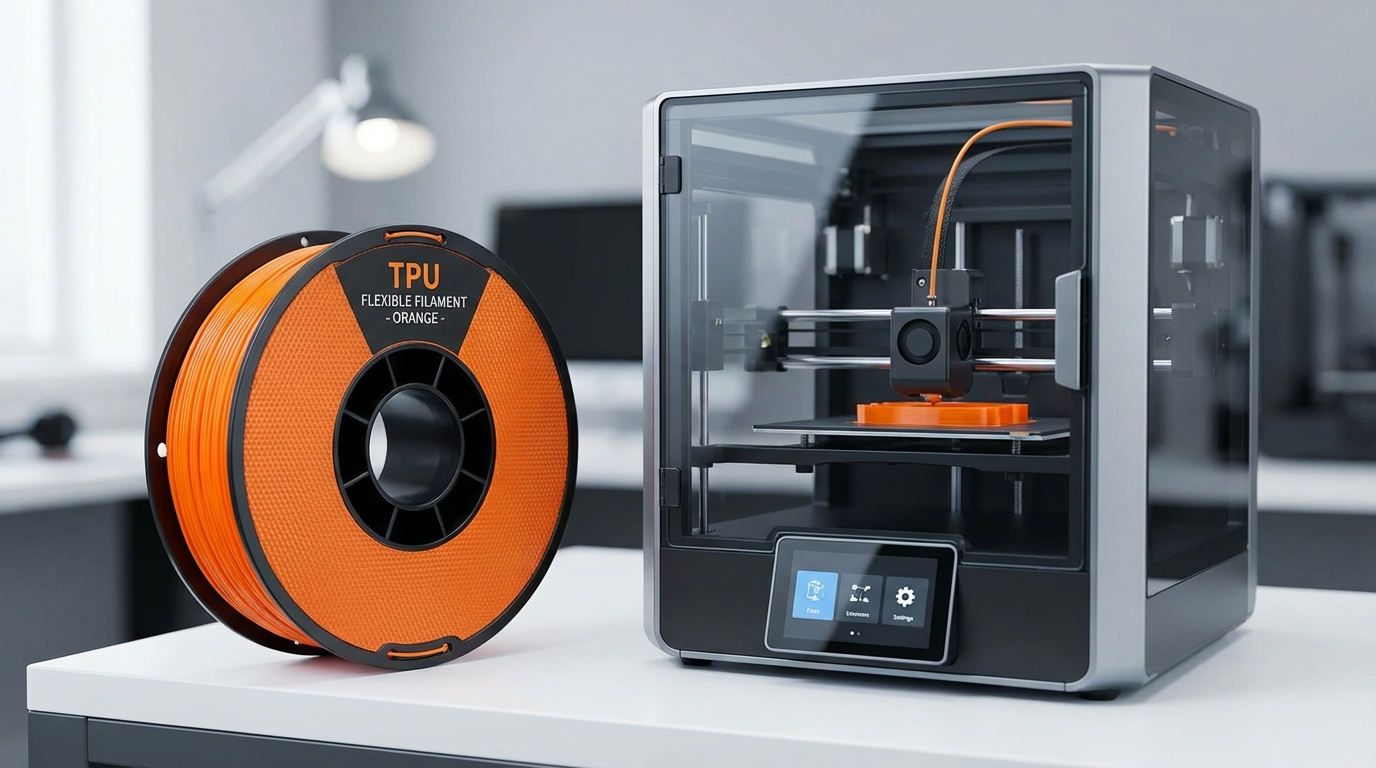
Direct drive extruders mount the motor directly on the printhead, giving a short, constrained filament path from gear to nozzle. TPU has minimal room to buckle or compress. This is why every serious TPU printer uses direct drive — it’s the single most important feature.
Bowden tube extruders push filament through a long PTFE tube to reach the hotend. With rigid PLA, this works fine. With flexible TPU, the filament compresses and stretches inside the tube like a spring, causing massive retraction problems, inconsistent extrusion, and frequent jams. Can you print TPU on a Bowden printer? Technically yes, with Shore 95A hardness and very slow speeds. But anything softer or faster will fight you every step of the way.
If you’re buying a printer specifically for TPU, direct drive is non-negotiable. If you already have a Bowden machine, a direct drive conversion kit (available for most popular printers) is a worthwhile investment if TPU is something you plan to print regularly.
Best 3D Printers for TPU in 2025
Best Overall: Bambu Lab P1S
The P1S has become the default recommendation for TPU printing, and for good reason. Its direct drive extruder with a dual-gear mechanism grips flexible filament firmly without grinding. The enclosed build chamber helps with temperature consistency, and the auto-calibration handles the different flow characteristics of TPU without manual tuning.
Key specs for TPU:
- Direct drive dual-gear extruder
- Enclosed chamber
- All-metal hotend (prints up to 300°C)
- Auto bed leveling and flow calibration
- Reliable at 30-40mm/s with TPU 95A, manageable at 20mm/s with softer grades
The P1S isn’t the cheapest option at around $600, but the time you save not troubleshooting TPU issues pays for itself quickly. It also excels with every other filament type, making it an excellent all-rounder.
Best Budget: Creality Ender 3 S1 Pro
Creality’s Ender 3 S1 Pro brought direct drive to the budget segment, and it handles TPU surprisingly well. The “Sprite” direct drive extruder has a constrained filament path that prevents buckling, and the all-metal hotend handles the higher temperatures some TPU brands require.
At around $300-350, it’s the cheapest direct drive option that doesn’t require modification for TPU printing. It won’t match the P1S for speed or convenience, but it produces excellent TPU prints at 20-30mm/s.
Limitations: no enclosure (add one for consistent results), manual bed leveling (the CR Touch probe helps but isn’t perfect), and slower overall than more premium machines. For the price, though, it’s hard to beat.
Best for Soft TPU (Shore 80A-90A): Prusa MK4S
When you move beyond standard 95A TPU into softer grades like NinjaTek Chinchilla (75A) or Recreus Filaflex (82A), most printers struggle. The Prusa MK4S handles them thanks to its Nextruder — a purpose-built direct drive system with an extremely short filament path and tight tolerances that prevent even the softest filaments from buckling.
The MK4S costs around $450 for the kit or $600 assembled. The open-source firmware and excellent documentation mean you’ll never be stuck on a problem without a solution. The community has tested virtually every TPU brand on this machine and shared their profiles.
If you regularly print Shore hardness below 90A, the MK4S’s Nextruder design makes it the most reliable option short of industrial printers.
Best Premium: Bambu Lab X1 Carbon
The X1 Carbon is the P1S’s bigger sibling with features that matter for advanced TPU work: a hardened steel nozzle (for abrasive TPU blends), built-in camera for remote monitoring, and the AMS (Automatic Material System) for multi-material prints — though the AMS struggles with very soft TPU and is best used with 95A and harder grades.
At around $1100-1200, it’s a significant investment. But if you’re printing TPU regularly and value speed, reliability, and quality monitoring, it’s the best consumer option available. The hardened nozzle is particularly important if you’re using carbon-fiber reinforced TPU blends, which chew through brass nozzles in hours.
Best for Beginners on a Budget: Artillery Sidewinder X4 Plus
Artillery’s Sidewinder X4 Plus offers direct drive extrusion in a large-format printer at a competitive price point around $350. The build volume of 300×300×400mm means you can print larger TPU parts (cosplay armor, large gaskets, full-size shoe insoles) that wouldn’t fit on smaller machines.
The direct drive extruder handles 95A TPU reliably at moderate speeds. It’s not as polished as the Bambu Lab or Prusa options — expect more manual tuning — but the large build volume at this price is unique.
Best CoreXY: Voron 2.4 (Self-Built)
For makers who want the ultimate TPU machine and don’t mind building it themselves, the Voron 2.4 CoreXY platform delivers. Its enclosed design, lightweight direct drive toolhead, and Klipper firmware with pressure advance make it exceptional for TPU. The reduced moving mass compared to bed-slingers means less ringing at speed, and Klipper’s pressure advance handles TPU’s non-linear extrusion characteristics better than Marlin.
Cost varies ($500-1000+ depending on parts) and you’ll spend 40-60 hours building and tuning. But the result is a machine that prints TPU at speeds that would destroy lesser printers, with quality that rivals industrial machines.
Key Features to Look For
Beyond the specific models, here’s what matters when evaluating any printer for TPU:
Constrained filament path. The path from extruder gear to nozzle should have no gaps where flexible filament can escape. Some direct drive extruders have a visible gap between the gear and the hotend entry — this is where soft TPU loves to buckle and jam. Look for designs where the filament is continuously guided.
Dual-gear or high-grip extruder. Single-gear extruders with a smooth idler bearing can’t grip slippery TPU well enough. Dual-gear designs (where both the drive gear and idler are toothed) provide consistent grip without excessive pressure that would deform the filament.
All-metal hotend. While most TPU prints at 220-240°C (within PTFE-lined hotend limits), some specialty TPU blends need higher temperatures. An all-metal hotend gives you the flexibility to print any TPU without worrying about PTFE degradation.
Adjustable tension. An extruder with adjustable spring tension lets you fine-tune the grip pressure for different TPU hardnesses. Too much tension deforms soft TPU and causes inconsistent extrusion. Too little and the filament slips.
Enclosed build chamber. Not strictly required for TPU (it doesn’t warp like ABS), but an enclosure provides temperature consistency that improves inter-layer adhesion and surface quality. Drafts and temperature swings are more noticeable with TPU than rigid filaments.
TPU Printing Tips (Regardless of Printer)
Even with the perfect printer, TPU has quirks:
Print slow. 20-40mm/s for outer walls, 30-50mm/s for infill. Speed is the enemy of flexible filament. Your printer might handle rigid PLA at 150mm/s, but pushing TPU that fast is asking for trouble.
Disable or minimize retraction. TPU compresses during retraction, and that compression takes time to release on the next extrusion. Long retractions cause gaps at the start of each line. For direct drive, try 0.5-1.0mm retraction at 20-25mm/s. For Bowden (if you must), 2-3mm maximum.
Reduce cooling. TPU benefits from slower cooling that allows layers to bond properly. Start with 40-60% fan speed and increase only if you see drooping on overhangs.
Use a dry filament. TPU absorbs moisture aggressively. Wet TPU produces bubbling, popping, stringing, and rough surfaces. Store it with desiccant and dry it at 50°C for 4-6 hours before printing if it’s been exposed to air.
Avoid retractions on travel. Enable “combing” or “avoid crossing perimeters” in your slicer to reduce the number of retractions. Each retraction is a chance for TPU to compress and cause issues.
Comparison Table
Here’s a quick summary to help you decide:
- Bambu Lab P1S (~$600) — Best overall, direct drive, enclosed, auto-calibration. Handles 95A easily.
- Creality Ender 3 S1 Pro (~$330) — Budget direct drive, good TPU at slow speeds, needs enclosure for best results.
- Prusa MK4S (~$450-600) — Best for soft TPU (<90A), Nextruder design, excellent community support.
- Bambu Lab X1 Carbon (~$1150) — Premium features, hardened nozzle, camera monitoring, fast and reliable.
- Artillery Sidewinder X4 Plus (~$350) — Large build volume, direct drive, good value for bigger TPU parts.
- Voron 2.4 (~$500-1000) — DIY CoreXY, Klipper firmware, ultimate performance, requires build skills.
Final Recommendation
For most people, the Bambu Lab P1S is the answer. It prints TPU reliably out of the box, requires minimal tuning, and performs excellently with every other filament too. If budget is tight, the Ender 3 S1 Pro gets you 90% of the capability at half the price. And if you’re printing soft, specialty TPU regularly, the Prusa MK4S is worth every penny for its Nextruder design.
Whatever you choose, remember the golden rule of TPU printing: slow down, dry your filament, and keep that filament path constrained. The right printer makes it easier, but good technique matters just as much.