Best 3D Printers for Speed in 2026: Fast Printing Machines Ranked and Compared
Speed Printing Has Changed Everything
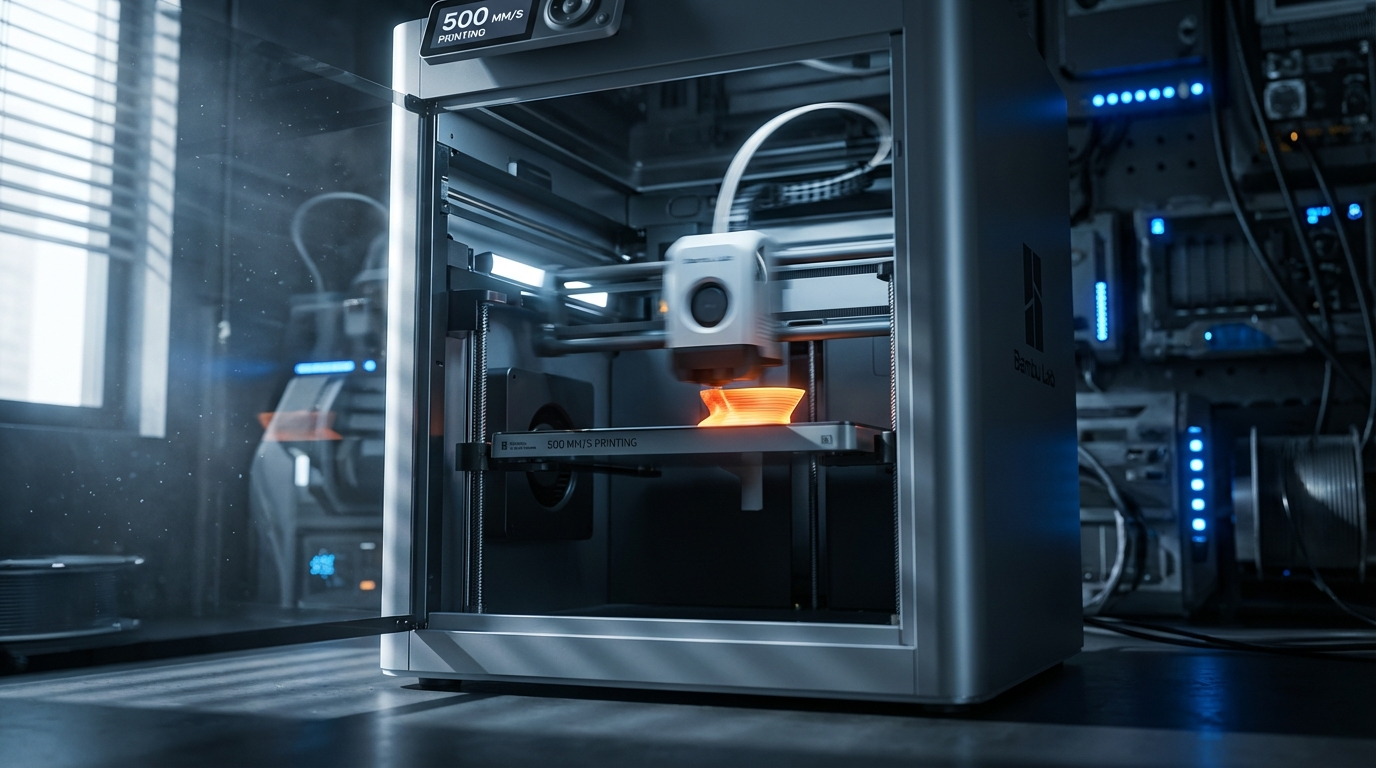
Three years ago, printing at 150 mm/s was considered fast. Today, Bambu Lab printers routinely hit 500 mm/s, Creality’s K1 series cruises at 600 mm/s, and machines like the Voron Trident can sustain 300+ mm/s with stunning quality. The high-speed 3D printing revolution isn’t coming — it’s already here, and if you’re still printing at 50 mm/s on an Ender 3, you’re leaving massive productivity gains on the table.
But not all fast printers are created equal. Raw speed numbers mean nothing without the acceleration, cooling, and input shaping to back them up. A printer that can technically move at 500 mm/s but takes half the bed to accelerate to that speed prints most real-world parts no faster than one rated for 300 mm/s with better acceleration.
What Makes a 3D Printer Actually Fast
Speed in 3D printing is a product of four factors, and most marketing only talks about one of them:
1. Maximum Travel Speed
This is the headline number — “up to 500 mm/s!” — and the least important for actual print times. Travel speed only matters when the nozzle is moving without extruding. For most prints, travel accounts for 10–20% of total time.
2. Maximum Print Speed
How fast the nozzle moves while actually depositing filament. This is limited by how quickly you can melt and push plastic through the hotend. A standard 40W heater with a short melt zone maxes out around 200 mm/s before the filament can’t absorb enough heat to fully melt. High-flow hotends (like the Bambu Lab or Rapido UHF) with 60–80W heaters and extended melt zones push this to 300–500 mm/s.
3. Acceleration
This is the actual speed king for real-world prints. Acceleration determines how quickly the print head reaches its target speed. A printer with 20,000 mm/s² acceleration spends most of its time at or near max speed. A printer with 3,000 mm/s² never reaches its theoretical maximum on typical print geometries because it’s always speeding up or slowing down for corners and direction changes.
For context: a standard Ender 3 runs at 500–1,000 mm/s² acceleration. A Bambu Lab P1S runs at 20,000 mm/s². A tuned Voron can hit 10,000–20,000 mm/s². That 10–20x difference in acceleration is why a P1S prints Benchys in 15 minutes and an Ender 3 takes 2 hours.
4. Input Shaping
When you push acceleration this high, the printer frame vibrates, and those vibrations show up as ghosting and ringing artifacts on print surfaces. Input shaping is firmware-level vibration compensation that pre-adjusts motor commands to cancel resonant frequencies. Without it, printing above 5,000 mm/s² acceleration produces garbage quality. With it, you can push 20,000+ mm/s² and maintain excellent surface finish.
Best High-Speed 3D Printers in 2026
Bambu Lab P1S — Best Overall Value
Price: ~$600 | Max Speed: 500 mm/s | Acceleration: 20,000 mm/s² | Build Volume: 256×256×256 mm
The P1S is the printer that made high-speed printing mainstream. CoreXY kinematics, active chamber heating (up to 40°C ambient), built-in input shaping, and a high-flow hotend that actually delivers on speed promises. It prints a Benchy in under 16 minutes with excellent quality.
The enclosed design handles ABS and ASA without warping, and the 7000 RPM auxiliary cooling fan manages PLA overhangs at speed. LiDAR first-layer inspection catches failures early. The AMS (Automatic Material System) adds multi-color capability if you spring for the $350 add-on.
Best for: Anyone who wants fast, reliable, multi-material printing without spending weekends tuning.
Bambu Lab X1 Carbon — Premium Speed Machine
Price: ~$1,200 | Max Speed: 500 mm/s | Acceleration: 20,000 mm/s² | Build Volume: 256×256×256 mm
The X1C adds hardened steel nozzle (prints carbon fiber and glass-filled filaments), higher chamber temperatures (60°C), and micro-LiDAR for spaghetti detection. Same blazing speed as the P1S with broader material compatibility. The price premium is justified if you print engineering materials.
Best for: Engineers, product designers, and anyone printing abrasive or high-temp filaments at speed.
Creality K1 Max — Large Format Speed
Price: ~$550 | Max Speed: 600 mm/s | Acceleration: 20,000 mm/s² | Build Volume: 300×300×300 mm
Creality’s answer to the Bambu Lab dominance offers a larger build volume at a lower price. The K1 Max genuinely hits its speed claims thanks to a lightweight carbon fiber composite toolhead and Klipper-based firmware with built-in input shaping. AI camera for print monitoring and a flexible PEI build plate come standard.
The trade-off? Build quality and fit-and-finish don’t match Bambu Lab’s polish. Some units need belt tensioning out of the box, and the touchscreen UI is less refined. But for raw speed-per-dollar, especially if you need the larger bed, the K1 Max is hard to beat.
Best for: Large prints where speed matters and you’re willing to do minor initial setup.
Bambu Lab A1 Mini — Budget Speed King
Price: ~$250 | Max Speed: 500 mm/s | Acceleration: 20,000 mm/s² | Build Volume: 180×180×180 mm
The A1 Mini proves you don’t need to spend $600+ for high-speed printing. Despite its budget price and bed-slinger design, it leverages Bambu Lab’s excellent motion system and input shaping to deliver genuine speed. The smaller build volume is the main limitation, but for miniatures, small parts, and rapid prototyping, it’s an absolute steal.
The open frame means ABS printing isn’t practical, but for PLA and PETG at speed, the A1 Mini matches printers costing twice as much. AMS Lite compatibility adds multi-color at a lower cost than the full AMS system.
Best for: Hobbyists, educators, and anyone wanting speed on a tight budget.
Voron Trident — DIY Speed Demon
Price: $600–1,200 (kit) | Max Speed: 350+ mm/s | Acceleration: 10,000–20,000 mm/s² | Build Volume: Configurable (250³ or 350³ typical)
The Voron Trident is an open-source CoreXY kit that, when properly built and tuned, rivals or exceeds commercial speed printers. Running Klipper firmware with resonance compensation, a well-tuned Trident sustains 300+ mm/s with accelerations over 10,000 mm/s² and print quality that makes people double-check the print time.
The catch: you build it yourself from a kit (or self-source parts). Assembly takes 20–40 hours for a first build. Tuning takes another 5–10 hours. The community is excellent, but this is not a plug-and-play experience.
Best for: Tinkerers, enthusiasts who enjoy the build process, and anyone who wants complete control over their machine.
Prusa XL — Multi-Tool Speed Workhorse
Price: $2,000–3,500 | Max Speed: 350 mm/s | Acceleration: 15,000 mm/s² | Build Volume: 360×360×360 mm
Prusa’s flagship isn’t the fastest on paper, but it’s the most versatile. Up to five independent toolheads (each with its own hotend) enable true multi-material printing without purge towers. The CoreXY frame with input shaping delivers solid speed, and the massive build volume handles parts other printers can’t.
The price is steep, especially in a 5-tool configuration. But for production environments running multi-material parts, the time saved by eliminating material-change purging (which wastes 30–40% of print time on traditional multi-material setups) makes the math work.
Best for: Small businesses, production environments, and serious multi-material work.
Speed vs. Quality: What Are You Actually Giving Up?
Printing faster doesn’t automatically mean worse quality — but it changes which quality problems you encounter:
- Ringing/Ghosting: The primary speed artifact. Input shaping handles most of it, but extremely high accelerations still produce visible ripples on curved surfaces.
- Overhangs: Faster printing means each layer has less time to cool before the next one lands. Parts cooling fans need to keep up, or overhangs droop.
- Fine detail: Very small features (text, thin pins, decorative elements) suffer at high speed because the nozzle can’t slow down fast enough for tiny movements. Use speed modifiers for perimeters.
- Layer adhesion: Slightly reduced at extreme speeds because the filament has less time to bond to the previous layer. Bump temperature 5–10°C for speed printing to compensate.
Speed Printing Settings That Actually Work
The 80/20 Speed Rule
For most printers, the sweet spot is about 80% of the advertised maximum speed. A printer rated for 500 mm/s typically produces its best quality-to-speed ratio at 350–400 mm/s. The last 20% of speed gives a marginal time reduction but a significant quality hit.
Acceleration Over Max Speed
If you have to choose between tuning acceleration or max speed, always choose acceleration. Going from 5,000 to 10,000 mm/s² acceleration has a bigger impact on real print times than going from 300 to 500 mm/s max speed. Most print moves are too short for the nozzle to ever reach max speed anyway.
Variable Speed Settings
Don’t use one speed for everything:
- External perimeters: 60–70% of max speed (these are visible surfaces)
- Internal perimeters: 80–90% of max speed
- Infill: 100% max speed (nobody sees this)
- Top/bottom solid layers: 70–80% of max speed
- Overhangs: 50–60% of max speed
- Bridges: 80–100% max speed (counterintuitive, but faster bridges sag less)
- Small perimeters: 40–50% of max speed (prevents ringing on small details)
Hotend Bottleneck: The Real Speed Limiter
Your hotend determines maximum volumetric flow rate — how many cubic millimeters of plastic per second you can push through the nozzle. The math is simple: flow rate = speed × layer height × line width.
A standard E3D V6 hotend maxes out around 15 mm³/s. At 0.2 mm layer height and 0.4 mm width, that’s a theoretical max of 187 mm/s — regardless of what your motion system can do.
High-flow hotends change the equation:
- Bambu Lab stock hotend: ~24 mm³/s
- Rapido UHF: ~40 mm³/s
- Volcano/CHT nozzle: ~30 mm³/s
- Goliath hotend: ~50+ mm³/s
If you’re upgrading an existing printer for speed, the hotend upgrade often matters more than motion system changes.
Should You Upgrade or Buy New?
This depends entirely on your starting point:
If you have a bed-slinger (Ender 3, Prusa i3): Buy new. The fundamental kinematics limit acceleration to ~3,000–5,000 mm/s² because the heavy bed moves on the Y axis. No amount of upgrades changes this physics. A $250 Bambu Lab A1 Mini outperforms any modified Ender 3.
If you have a CoreXY (Voron, RatRig): Upgrade. New hotend (Rapido/CHT), Klipper firmware with input shaping, and proper belt tensioning can unlock dramatic speed improvements. You might spend $100–200 on upgrades and double your print speed.
If you have a Bambu Lab or Creality K1: You’re already fast. Focus on optimizing slicer settings rather than hardware changes. The speed ceiling is software-limited, not hardware-limited.
Final Verdict
The best high-speed 3D printer in 2026 depends on your budget and use case. For most people, the Bambu Lab P1S at $600 delivers the best combination of speed, quality, and ease of use. Budget buyers should look at the A1 Mini. Large format needs point to the K1 Max. And if you want the ultimate custom machine, build a Voron.
One thing is clear: there’s no reason to wait 4 hours for a print that could finish in 30 minutes. High-speed printing has matured from a bleeding-edge novelty to the new standard, and the machines are more affordable than ever.