Best Multi-Color 3D Printers in 2026: AMS, MMU, and Tool Changers Compared
Multi-Color 3D Printing Has Finally Grown Up
Two years ago, multi-color 3D printing was a novelty reserved for tinkerers willing to babysit their machines through endless filament jams. In 2026, it’s become genuinely practical. Multiple manufacturers now offer reliable multi-material systems, and the technology has split into three distinct approaches: automated material systems (AMS), multi-material units (MMU), and tool changers.
Each approach has real trade-offs. This guide breaks down the best multi-color 3D printers available right now, what each technology does well, where each falls short, and which one actually makes sense for your workflow.
Understanding the Three Approaches
AMS (Automated Material System)
Pioneered by Bambu Lab, AMS systems use a single hotend with an automated filament switching mechanism. When the printer needs to change colors, it retracts the current filament, loads the next one, and purges the transition material into a waste tower or purge block.
Pros: Simplest to use, lowest cost of entry, reliable with supported materials, excellent software integration.
Cons: Significant material waste from purging (often 30-50% more filament than single-color prints), slow color changes, limited to materials with similar printing temperatures.
MMU (Multi-Material Unit)
Prusa’s approach uses a selector mechanism that feeds different filaments into a single hotend, similar in concept to AMS but with a different mechanical design. The MMU3 represents the latest refinement of this technology.
Pros: Works with existing Prusa printers as an upgrade, good reliability in latest version, strong community support.
Cons: Same purge waste issues as AMS, historically reliability-challenged (though MMU3 improved significantly), limited to Prusa ecosystem.
Tool Changers
Tool changers use multiple independent hotends mounted on a docking system. The printer physically picks up and puts down different print heads, each pre-loaded with a different material. No purging needed since each tool has its own dedicated filament.
Pros: Zero purge waste, can mix very different materials (PLA + TPU, PETG + PVA), fastest color changes, true multi-material capability.
Cons: Most expensive, reduced build volume per tool, more complex calibration, fewer consumer-ready options.
Best Multi-Color Printers by Category
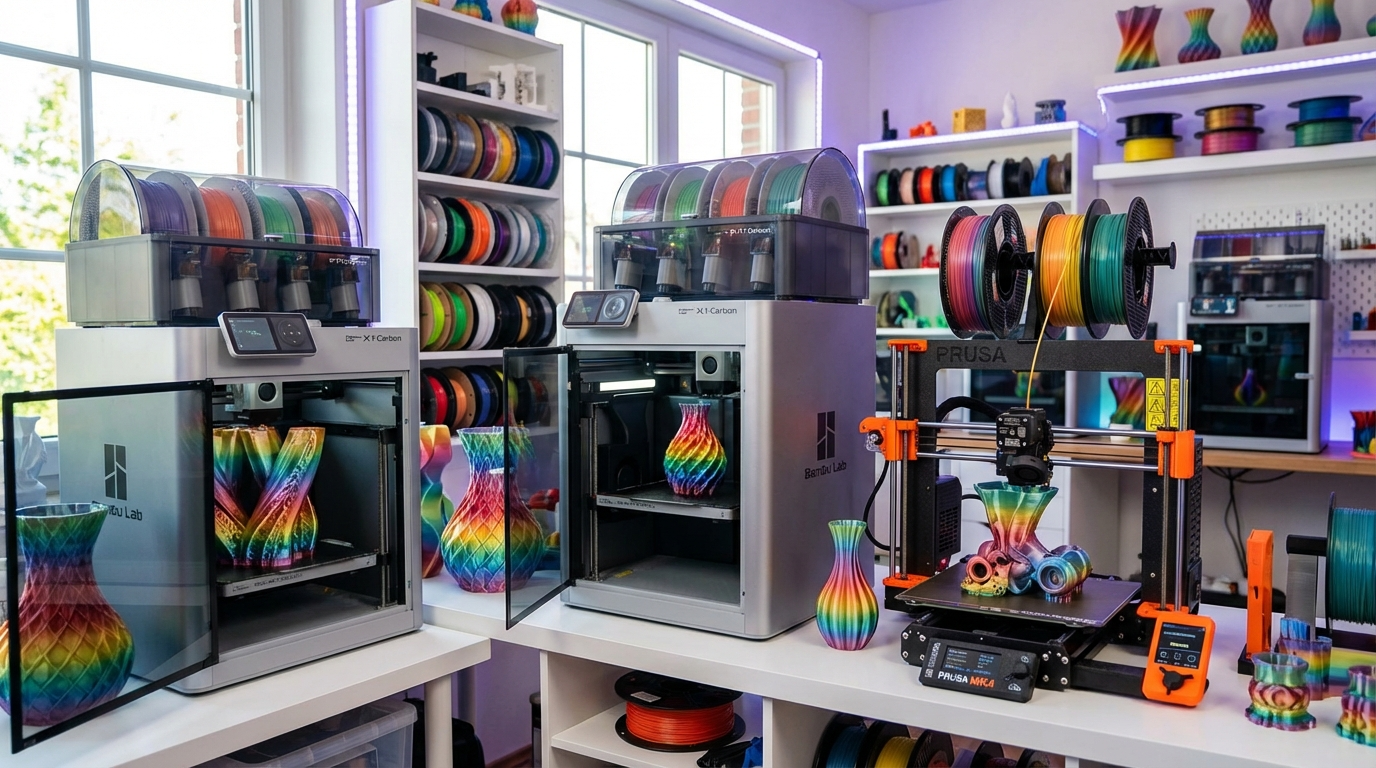
Best Overall: Bambu Lab X1 Carbon Combo
The X1 Carbon with AMS remains the benchmark for consumer multi-color printing in 2026. It just works. The AMS Lite 2 (second generation) improved filament detection and reduced jam rates to near-zero for PLA and PETG. Bambu Studio handles multi-color slicing with drag-and-drop simplicity, and the printer’s CoreXY speed means color changes don’t tank your total print time as badly as on slower machines.
Key specs:
- Up to 16 colors (4 AMS units × 4 slots)
- Build volume: 256 × 256 × 256mm
- Print speed: up to 500mm/s
- Enclosed, heated chamber
- Price: ~$1,199 with one AMS unit
Best for: Users who want the easiest multi-color experience with minimal fiddling. The ecosystem integration between hardware, software, and filament profiles is unmatched.
Best Budget: Bambu Lab A1 with AMS Lite
Bambu’s budget offering brings multi-color to a much lower price point. The A1’s bed-slinger design is slower than the X1 Carbon’s CoreXY, but for multi-color prints where color change time dominates, the difference matters less than you’d think. The AMS Lite handles 4 colors and is remarkably reliable for its price.
Key specs:
- Up to 4 colors (1 AMS Lite)
- Build volume: 256 × 256 × 256mm
- Print speed: up to 500mm/s
- Open frame design
- Price: ~$399 with AMS Lite
Best for: Beginners and hobbyists who want to try multi-color without a major investment. The A1 is also an excellent single-color printer, so you’re not buying a one-trick pony.
Best for Reliability: Prusa MK4S + MMU3S
Prusa took years of MMU pain, listened to user feedback, and delivered the MMU3S — a unit that actually works consistently. The filament sensor array catches failures before they become spaghetti, and the redesigned selector mechanism handles flexible filaments better than any previous version.
Key specs:
- Up to 5 colors
- Build volume: 250 × 210 × 220mm
- Print speed: up to 300mm/s (with Input Shaper)
- Open-source firmware and hardware
- Price: ~$1,099 (printer + MMU3S bundle)
Best for: Users who value open-source, repairability, and long-term support. Prusa’s track record of supporting older hardware with firmware updates is unmatched in the industry.
Best Tool Changer: Prusa XL Multi-Tool
The Prusa XL with up to 5 tool heads is the most accessible tool changer on the market. Each tool head is independently calibrated with automatic first-layer calibration for each tool. The zero-purge advantage is massive for large multi-color prints — you can save 30-50% in filament costs compared to AMS-based systems on material-heavy prints.
Key specs:
- Up to 5 independent tool heads
- Build volume: 360 × 360 × 360mm
- Zero purge waste
- Mix different materials freely
- Price: ~$3,499 (5-head configuration)
Best for: Power users, small businesses, and anyone printing large multi-color objects where purge waste adds up. Also the best choice when you need true multi-material (different material types, not just colors).
Best for Enthusiasts: Voron Tap Changer
The Voron community’s tool-changer design has matured significantly. Several vendors now sell complete kits or assembled units based on the Tap Changer system. It’s the fastest tool changer available, with sub-second tool swaps, and inherits Voron’s legendary print speed.
Key specs:
- 2-5 tool heads (community designs vary)
- Build volume: varies by build (typically 300 × 300 × 300mm)
- CoreXY speed: 500mm/s+
- Fully open-source
- Price: $800-2,000 depending on configuration and sourcing
Best for: Experienced builders who want maximum performance and are comfortable with DIY assembly and calibration.
Purge Waste: The Hidden Cost
AMS and MMU systems create a purge tower — a block of wasted filament printed alongside your model to flush the old color from the nozzle. For a typical 4-color print, this waste adds 30-50% to your filament usage. On a complex 16-color print, waste can exceed the model’s own filament usage.
Strategies to minimize waste:
- Purge into infill: Some slicers can route transition material into the model’s infill instead of a separate tower, reducing waste significantly
- Color ordering: Arrange color changes to go from light to dark, requiring less purge per transition
- Minimize color changes: Design models with fewer color boundaries per layer
- Use a tool changer: Zero purge waste eliminates this problem entirely
Which Technology Should You Choose?
Here’s the decision framework:
- Just want easy multi-color? → Bambu Lab AMS (X1 Carbon or A1)
- Value open-source and repairability? → Prusa MK4S + MMU3S
- Print large multi-color objects regularly? → Tool changer (Prusa XL or Voron)
- Need true multi-material (different plastics)? → Tool changer, no question
- On a tight budget? → Bambu A1 with AMS Lite at $399 is unbeatable
What to Expect in Practice
Multi-color printing is slower than single-color. A 4-color print takes roughly 1.5-2x longer than the same model in one color due to tool changes and purging. Color registration — how accurately colors line up — varies by printer. The Bambu X1 Carbon achieves ±0.1mm registration, while most tool changers hit ±0.05mm after calibration.
Material compatibility matters more than you’d expect. AMS and MMU systems work best when all filaments have similar temperature requirements. Mixing PLA (200°C) with PETG (240°C) in a single-nozzle system is technically possible but creates temperature cycling that slows the print further and can affect quality.
The bottom line: multi-color 3D printing in 2026 works. The question isn’t whether the technology is ready — it’s which trade-offs matter most to you.