Carbon Fiber Filament 3D Printing: Complete Guide and Settings
Carbon fiber filament sounds exotic — and it kind of is. Adding chopped carbon fibers to a base polymer creates a composite material that’s stiffer, lighter, and more dimensionally stable than the base material alone. It’s the filament you reach for when PLA is too weak, PETG is too flexible, and you need something that just doesn’t bend.
But carbon fiber filament also eats brass nozzles for breakfast, requires specific slicer settings, and costs more than standard materials. In this guide, I’ll cover everything you need to know to print with carbon fiber composites successfully — from hardware requirements to dialed-in settings.
What Is Carbon Fiber Filament, Exactly?
Let’s clear up a common misconception: carbon fiber filament is not solid carbon fiber. It’s a standard thermoplastic (usually PLA, PETG, Nylon, or ABS) filled with tiny chopped carbon fibers, typically 10-20% by weight.
These short fibers — usually 0.1-0.5mm long — reinforce the base material, dramatically increasing its stiffness and reducing warping. Think of it like rebar in concrete: the base material provides the shape, and the carbon fibers provide the strength.
Carbon Fiber PLA
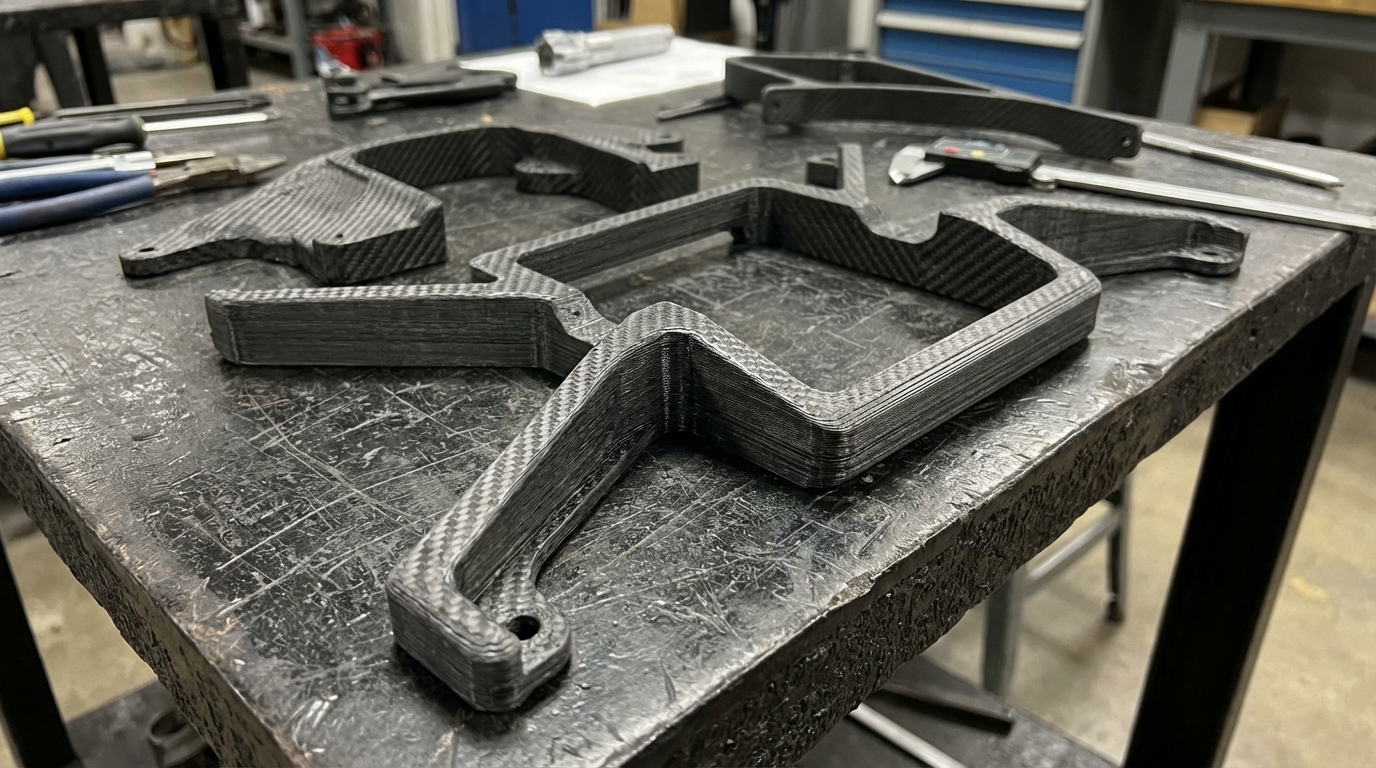
The most beginner-friendly option. Prints at standard PLA temperatures (200-220°C) with improved rigidity and a beautiful matte black finish. It’s stiffer than regular PLA but slightly more brittle. Great for structural brackets, drone arms, and tool handles.
Carbon Fiber PETG
Combines PETG’s chemical resistance and temperature tolerance with carbon fiber’s stiffness. Prints at 230-250°C. More impact-resistant than CF-PLA and better for functional parts that might see some flex or vibration.
Carbon Fiber Nylon (PA-CF)
The serious stuff. Nylon-based carbon fiber filament is used in professional and industrial applications. It offers exceptional strength, heat resistance (up to 150°C+), and fatigue resistance. But it’s also the hardest to print: it needs high temps (260-280°C), a dry box, and an enclosure.
Carbon Fiber ABS
Less common but available. Adds stiffness to ABS while retaining its heat resistance. Requires an enclosure and behaves much like regular ABS but with reduced warping and improved dimensional stability.
Hardware Requirements: What You Need Before Printing
Hardened Nozzle (Non-Negotiable)
This is the single most important requirement. Standard brass nozzles will be destroyed by carbon fiber filament within hours. The abrasive fibers bore out the nozzle orifice, turning your 0.4mm nozzle into a 0.6mm or larger hole in as little as 50-100 grams of material.
Your options:
- Hardened steel nozzle: The standard upgrade. 10-20x more wear-resistant than brass. Slightly worse thermal conductivity, which means you might need to print 5-10°C hotter. Cost: $5-10.
- Tungsten carbide nozzle: The endgame. Near-indestructible abrasion resistance with better thermal properties than hardened steel. Cost: $30-50, but it’ll outlast dozens of steel nozzles.
- Ruby-tipped nozzle: A synthetic ruby insert provides extreme wear resistance. Excellent thermal conductivity. Cost: $50-80. Popular in the Prusa ecosystem.
If you take one thing from this article: never, ever print carbon fiber filament through a brass nozzle.
Larger Nozzle Size Recommended
Carbon fibers can occasionally clog smaller nozzles. While 0.4mm works, a 0.5mm or 0.6mm nozzle reduces clogging risk significantly and allows faster printing. The slight reduction in detail is rarely noticeable on the functional parts you’re likely printing with carbon fiber.
Direct Drive Preferred
Carbon fiber filaments are stiffer than their un-reinforced counterparts, which can cause feeding issues in long Bowden tubes. Direct drive extruders handle CF filaments more reliably. If you’re stuck with Bowden, use a shorter tube path and reduce retraction distance.
All-Metal Hotend
For CF-Nylon and CF-ABS, you need an all-metal hotend that can handle 260°C+. Standard hotends with PTFE-lined heat breaks max out around 240°C and will release toxic fumes if pushed higher. The Micro Swiss, E3D V6, and Slice Engineering Mosquito are popular all-metal options.
Optimal Print Settings
Carbon Fiber PLA Settings
- Nozzle temp: 210-230°C (5-10°C above regular PLA)
- Bed temp: 50-60°C
- Print speed: 40-60 mm/s
- Cooling fan: 50-100%
- Retraction: Same as regular PLA
- Layer height: 0.2mm (minimum 0.1mm — fibers can clog smaller layers)
Carbon Fiber PETG Settings
- Nozzle temp: 240-260°C
- Bed temp: 70-80°C
- Print speed: 40-50 mm/s
- Cooling fan: 30-50%
- Retraction: 2-4mm direct drive, 4-6mm Bowden
Carbon Fiber Nylon Settings
- Nozzle temp: 260-280°C
- Bed temp: 80-100°C
- Print speed: 30-50 mm/s
- Cooling fan: 0-20%
- Enclosure: Required
- Dry box: Required during printing
Moisture: The Silent Killer
All carbon fiber filaments absorb moisture, but CF-Nylon is particularly hygroscopic. Wet carbon fiber nylon will pop, sizzle, and produce weak, rough prints. The carbon fibers wick moisture into the filament even faster than the base polymer alone.
Drying recommendations:
- CF-PLA: 50°C for 4 hours
- CF-PETG: 65°C for 6 hours
- CF-Nylon: 80°C for 8-12 hours
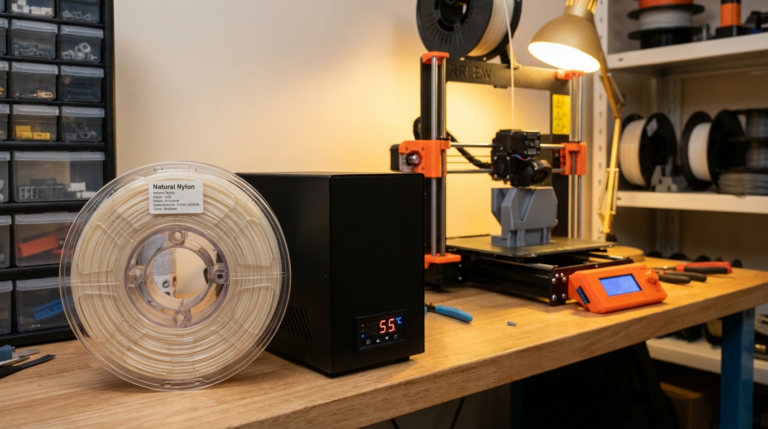
For CF-Nylon especially, consider printing directly from a dry box (like a Sunlu S2 or PrintDry Pro) with the filament feeding through a sealed tube to the extruder. This keeps the filament dry during the entire print, not just at the start.
Best Carbon Fiber Filament Brands
- Polymaker PolyMax PC-CF: Polycarbonate-based carbon fiber. Industrial-grade strength for the most demanding applications.
- Priline CF-PLA: Affordable, prints easily, great matte finish. Perfect for beginners trying carbon fiber for the first time.
- 3DXTech CarbonX: Wide range of CF filaments (PLA, PETG, Nylon, ABS, PEEK). Consistent quality and excellent support documentation.
- Bambu Lab PLA-CF / PETG-CF / PA6-CF: Optimized for Bambu printers but works universally. Good value.
- Protopasta Carbon Fiber PLA: One of the originals. Beautiful finish, reliable quality, slightly premium pricing.
- Fillamentum NonOilen CF: Unique PLA/PHA blend with carbon fiber. Biodegradable and strong.
Design Tips for Carbon Fiber Prints
Increase Wall Count
Carbon fiber filament’s strength comes primarily from the outer walls, where fibers align along the print direction. Use 3-5 walls for structural parts. This is more effective than increasing infill percentage.
Print Orientation Matters More
The carbon fibers align along the direction of extrusion — which is typically within each layer. This means parts are strongest in the XY plane and weakest in the Z direction (between layers). Orient your parts so the primary stress direction aligns with the layer plane, not perpendicular to it.
Use Larger Layer Heights
The carbon fibers are physical objects with a minimum length. Very thin layers (0.08-0.12mm) can cause fiber fragments to clog the nozzle. Stick to 0.2mm or above for reliable printing.
Minimize Retractions
Carbon fiber filament is more prone to clogging during retractions. Reduce retraction count by printing in a continuous path where possible. In Cura, enable “Combing” to keep the nozzle within printed areas and reduce unnecessary retractions.
What Carbon Fiber Filament Is Good For
- Drone frames and arms: Light, stiff, and vibration-dampening. The poster child for CF filament.
- Camera gimbals and mounts: Rigidity without weight is exactly what stabilization systems need.
- RC car and robot parts: Impact-resistant and dimensionally stable under stress.
- Tool handles and jigs: Comfortable matte texture, won’t flex under force.
- Replacement brackets: When the original part needs to be stronger than PLA can deliver.
- Printer upgrades: Fan ducts, extruder mounts, and other parts that benefit from heat resistance and stiffness.
What It’s NOT Good For
- Parts that need flexibility: Carbon fiber makes everything more brittle. Use TPU or unfilled nylon instead.
- Decorative pieces: The matte black finish is attractive, but you’re paying a premium for strength you don’t need in a shelf ornament.
- Parts with fine detail: The recommended larger nozzles and layer heights mean less detail. Use resin printing for miniatures.
- Food-safe applications: The rough, porous surface of CF prints harbors bacteria. Not suitable for food contact.
Troubleshooting Carbon Fiber Prints
Frequent Clogging
Cause: Fibers accumulating in the nozzle. Fix: Use a 0.5mm+ nozzle, increase nozzle temperature by 5°C, reduce retraction count, and ensure filament is dry.
Weak Layer Adhesion
Cause: Temperature too low or excessive cooling. Fix: Increase nozzle temp by 5-10°C, reduce fan speed, ensure enclosure is maintaining temperature (for CF-Nylon/ABS).
Surface Has White Spots or Specks
Cause: Moisture in the filament. The white spots are steam bubbles. Fix: Dry the filament thoroughly before printing.
Nozzle Wearing Out Quickly
Cause: You’re using a brass nozzle. Fix: Switch to hardened steel or tungsten carbide. Check the nozzle diameter with a drill bit or pin gauge if you suspect wear.
Final Thoughts
Carbon fiber filament occupies a specific niche in the 3D printing world — it’s the material you use when you need real mechanical performance from your prints. It’s not for everyone, and it’s definitely not for every project. But when you need a part that’s stiff, light, dimensionally accurate, and looks incredible in matte black, nothing else quite compares.
Start with CF-PLA if you’re new to carbon fiber composites. It prints almost as easily as regular PLA and gives you a feel for the material’s properties without requiring hardware upgrades beyond a hardened nozzle. From there, graduate to CF-PETG for better temperature and chemical resistance, or CF-Nylon when you need professional-grade performance.
Just remember: hardened nozzle first, everything else second.