3D Printer Nozzle Size Guide: 0.4 vs 0.6 vs 0.8mm Compared
Why Nozzle Size Matters More Than You Think
Most 3D printers ship with a 0.4mm nozzle, and most people never change it. That’s fine — the 0.4mm is the jack-of-all-trades size that handles everything reasonably well. But swapping to a 0.6mm or 0.8mm nozzle can dramatically change what your printer is capable of, and the tradeoffs aren’t always what you’d expect.
Your nozzle diameter affects nearly every aspect of your print: layer height range, wall thickness, print speed, strength, detail resolution, and how forgiving the printer is of slight miscalibrations. Understanding these tradeoffs lets you pick the right nozzle for each job instead of forcing one size to do everything.
The 0.4mm Nozzle — The Default Standard
Best For
Detail work, miniatures, models with fine text, thin walls, and anything where surface quality matters most. This is your go-to for decorative prints, figurines, and prototypes where dimensional accuracy is critical.
Specifications
- Recommended layer height: 0.08mm – 0.28mm (sweet spot: 0.16-0.2mm)
- Minimum wall thickness: 0.4mm (single wall)
- Typical print speed: 40-60 mm/s for quality, up to 100+ mm/s on high-speed printers
- Detail resolution: Excellent — can reproduce features as small as 0.4mm
Pros and Cons
The 0.4mm nozzle gives you the best balance of detail and speed. It’s what all slicer profiles are optimized for, so you’ll spend less time tuning settings. The downside: printing large objects takes forever because each line is thin and you need many passes to fill space.
The 0.6mm Nozzle — The Sweet Spot Upgrade
Best For
Functional parts, enclosures, brackets, jigs, and anything where strength matters more than fine detail. The 0.6mm is arguably the most underrated nozzle size — it prints significantly faster than 0.4mm while still producing good-looking results.
Specifications
- Recommended layer height: 0.12mm – 0.42mm (sweet spot: 0.24-0.32mm)
- Minimum wall thickness: 0.6mm (single wall)
- Typical print speed: 50-80 mm/s, with proportionally more plastic deposited per second
- Detail resolution: Good — loses some fine detail but still clean
The Speed Advantage
Here’s the math that surprises people: going from 0.4mm to 0.6mm doesn’t just make your lines 50% wider. Because you can also increase layer height proportionally, each line deposits roughly 2.25 times more plastic per unit of movement. In practice, this means prints finish 40-60% faster with minimal quality loss on most parts.
For a typical functional print — say a phone stand or cable organizer — the surface difference between 0.4mm and 0.6mm nozzles is barely noticeable from arm’s length. But a print that took 4 hours now takes 2.5.
The 0.8mm Nozzle — The Speed Demon
Best For
Large prints, vases, planters, structural parts that will be painted or sanded, rapid prototyping where you need a physical object fast and don’t care about aesthetics. Also great for printing with specialty filaments that benefit from wider flow paths (like wood-fill or recycled PLA).
Specifications
- Recommended layer height: 0.16mm – 0.56mm (sweet spot: 0.32-0.48mm)
- Minimum wall thickness: 0.8mm (single wall)
- Typical print speed: 40-60 mm/s (limited by melting rate, not movement speed)
- Detail resolution: Low — visible layer lines, rounded corners, loss of fine features
The Catch: Volumetric Flow Limits
The 0.8mm nozzle can theoretically deposit 4x more plastic than a 0.4mm per move, but your hotend might not melt filament fast enough to keep up. Standard hotends on Ender 3-style printers max out around 10-12 mm³/s, which means you might need to slow down print speed to avoid under-extrusion.
High-flow hotends (like the Revo, Rapido, or Bambu Lab’s stock hotend) handle 0.8mm nozzles much better, pushing 20-30+ mm³/s without issues. If you’re running a budget printer, expect to print at moderate speeds — you still save time from the wider lines, just not as dramatically as with a high-flow setup.
Head-to-Head Comparison
Print Time (Same Part)
For a 100mm cube with 20% infill, here are typical print times:
- 0.4mm nozzle, 0.2mm layers: ~4 hours
- 0.6mm nozzle, 0.3mm layers: ~2 hours
- 0.8mm nozzle, 0.4mm layers: ~1.2 hours
Strength
Wider extrusion lines actually improve layer adhesion because there’s more surface area bonding between layers. Parts printed with 0.6-0.8mm nozzles tend to be stronger than 0.4mm equivalents at the same infill percentage, particularly in the Z-axis (vertical direction).
Surface Quality
This is where the 0.4mm wins decisively. Layer lines at 0.12mm with a 0.4mm nozzle are barely visible. At 0.4mm layers with a 0.8mm nozzle, they’re very prominent. If surface finish matters, stick with 0.4mm or plan for post-processing.
Nozzle Swapping: Practical Tips
When to Swap
- Large functional prints → 0.6 or 0.8mm
- Miniatures, figurines, detailed models → 0.4mm (or even 0.25mm)
- Rapid prototyping → 0.6mm (best balance)
- Vase mode prints → 0.8mm for thick, sturdy walls
- Flexible filament (TPU) → 0.6mm (wider path reduces jamming risk)
Calibration After Swapping
After changing nozzle size, you need to:
- Update your slicer profile — change nozzle diameter in printer settings
- Re-level your bed — nozzle height may change slightly
- Adjust first layer — wider nozzles need a slightly lower Z offset for good squish
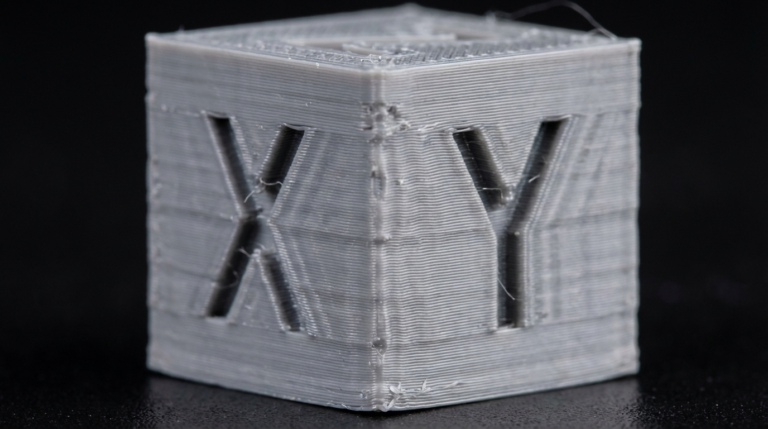
- Test extrusion — print a single-wall cube to verify line width looks correct
The Multi-Nozzle Approach
Many experienced makers keep 2-3 nozzle sizes on hand and swap based on the job. Quick-change systems like the Revo make this a 30-second tool-free swap. Even with traditional threaded nozzles, the swap takes about 5 minutes once you’ve done it a few times.
The bottom line: if you’ve only ever printed with a 0.4mm nozzle, try a 0.6mm on your next functional print. The speed improvement will change how you think about print times, and you’ll start seeing every project as a “which nozzle?” decision rather than a one-size-fits-all scenario.