Best 3D Printer Under $200 in 2026: Budget Picks That Actually Print Well
What “Under $200” Gets You in 2026
The sub-$200 3D printer market in 2026 is genuinely remarkable compared to even two years ago. Machines at this price point now come with features that were $500+ territory in 2024: auto bed leveling, direct drive extruders, print speeds north of 200mm/s, and build quality that doesn’t feel like a kit you assembled wrong.
I’ve been testing budget printers since the Ender 3 Pro days, and the current generation is the first time I’d confidently recommend a sub-$200 machine to someone who actually wants to produce reliable parts — not just tinker with a hobby project that may or may not work.
Here are my top picks after hands-on time with each one.
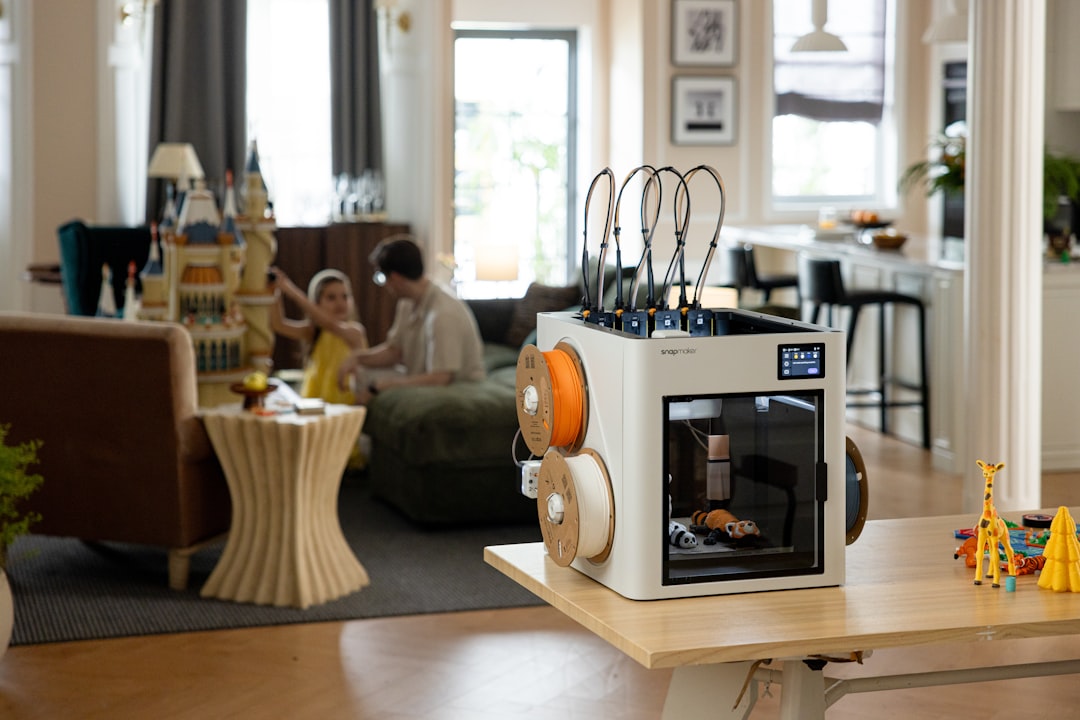
Best Overall: Creality Ender-3 V3
The Ender-3 V3 (not the V3 SE, not the V3 KE — the plain V3) is Creality’s answer to everyone who said “the Ender 3 is great but needs too many upgrades.” Out of the box, you get a CoreXZ motion system, direct drive Sprite extruder, auto bed leveling via strain gauge, and a PEI spring steel build plate.
What I Like
- Print speeds up to 300mm/s with input shaping (realistically 150-200mm/s for quality prints)
- Klipper firmware pre-installed — no firmware modding needed
- 220x220x250mm build volume
- Excellent first layer consistency thanks to strain gauge leveling
- Massive community support and mod ecosystem
What Could Be Better
- The screen interface is basic compared to Bambu Lab’s touchscreen
- WiFi connectivity works but the app is mediocre
- No enclosure option from factory (matters for ABS)
At $179 street price, the Ender-3 V3 delivers the best balance of speed, quality, and community support. It’s the printer I recommend to anyone who wants to learn 3D printing seriously without overspending.
Best for Large Prints: Elegoo Neptune 4 Plus
The Neptune 4 Plus regularly drops below $200 during sales, and even at its $219 regular price, it’s worth mentioning because of one thing: a massive 320x320x385mm build volume. That’s nearly twice the volume of most printers in this price range.
What I Like
- Huge build volume for the price — print full helmets, large enclosures, or big functional parts
- Klipper firmware with 500mm/s theoretical max speed
- Direct drive extruder handles TPU and PETG well
- Auto bed leveling with 121-point mesh
- PEI build plate included
What Could Be Better
- Large bed takes longer to heat (3-4 minutes)
- Frame rigidity isn’t great at maximum speeds — keep it under 200mm/s for best quality
- Larger footprint needs more desk space
If you know you’ll be printing large objects, the Neptune 4 Plus saves you from hitting size limits on a standard 220mm bed. I printed a full-size motorcycle phone mount bracket in one piece on this machine — something impossible on smaller printers.
Best Plug-and-Play: Anycubic Kobra 3
The Kobra 3 is Anycubic’s push into the “it just works” category. Setup takes about 10 minutes, the auto-calibration handles everything, and the first print comes out clean without any manual adjustments. For someone who has zero interest in tinkering and just wants to press print, this is the one.
What I Like
- Genuinely plug-and-play experience — best out-of-box calibration I’ve seen under $200
- Multi-color capable with the optional ACE Pro system ($99 extra)
- Direct drive extruder with solid PETG performance
- Quiet operation — noticeably quieter than the Ender-3 V3
- Good build quality for the price
What Could Be Better
- 220x220x250mm build volume (standard, nothing special)
- Proprietary slicer has fewer features than Cura or OrcaSlicer (but supports both)
- Smaller community compared to Creality
The Kobra 3 is my recommendation for the person buying their first printer who told me “I don’t want a project, I want a tool.” The multi-color upgrade path is a nice bonus if you catch the bug and want to explore.
Honorable Mentions
Creality Ender-3 V3 SE (~$150)
If even $180 is too much, the V3 SE drops to around $150 regularly. You lose Klipper (it runs Marlin), the top speed drops to about 180mm/s, and you get a Bowden extruder instead of direct drive. But it still has auto leveling and a PEI plate. Solid for PLA-only printing.
Elegoo Neptune 4 (~$170)
The standard Neptune 4 (not Plus) offers 225x225x265mm build volume with Klipper firmware at a lower price. It’s a competent machine that gets overshadowed by the Ender-3 V3 but remains a legitimate option. Great if you find it on sale.
Comparison Table
| Feature | Ender-3 V3 | Neptune 4 Plus | Kobra 3 |
|---|---|---|---|
| Price | $179 | $199-219 | $189 |
| Build Volume | 220x220x250 | 320x320x385 | 220x220x250 |
| Max Speed | 300mm/s | 500mm/s | 300mm/s |
| Firmware | Klipper | Klipper | Marlin |
| Extruder | Direct Drive | Direct Drive | Direct Drive |
| Auto Leveling | Strain Gauge | 121-point Mesh | LeviQ 3.0 |
| Build Plate | PEI Spring Steel | PEI Spring Steel | PEI Spring Steel |
| Multi-Color | No | No | Optional ACE Pro |
| Best For | All-rounder | Large prints | Plug-and-play |
What to Print First
Once your printer is set up, resist the urge to immediately print a 12-hour show piece. Start with calibration:
- Benchy — the classic 3D printing benchmark. If your Benchy looks good, your printer is dialed in.
- Calibration cube — check dimensional accuracy. A 20mm cube should measure 20mm (±0.1mm is acceptable).
- Retraction test — dial in retraction settings to eliminate stringing.
- Temperature tower — find the optimal temperature for your specific filament.
Budget Printer Tips From Three Years of Testing
Upgrade the Filament, Not the Printer
A $180 printer with good filament produces better results than a $300 printer with cheap filament. Invest in Polymaker, Bambu Lab, or Prusament PLA before spending money on printer upgrades.
Use OrcaSlicer
Regardless of which printer you buy, download OrcaSlicer. It has built-in profiles for all three printers above and offers the best feature set of any free slicer in 2026. Cura works too, but OrcaSlicer’s calibration tools are superior.
Buy a Filament Dryer Eventually
Not immediately — PLA is fairly moisture-tolerant. But once you start printing PETG or Nylon, a $35 filament dryer becomes essential. Budget for it in your first few months.
Join the Community
Reddit’s r/3Dprinting, the official Discord servers for each brand, and YouTube channels like Teaching Tech and Makers Muse are invaluable resources. Most problems you’ll encounter have been solved by someone else already.
The Verdict
If you’re buying your first 3D printer in 2026 and want to spend under $200, get the Creality Ender-3 V3. It’s fast, reliable, well-supported, and leaves room to grow. If you need big prints, stretch for the Neptune 4 Plus. If you want zero hassle, grab the Kobra 3.
Any of these three will produce prints that would have required a $500+ machine just a couple of years ago. The barrier to entry has never been lower, and the quality ceiling has never been higher.