Optimal 3D Print Density for Miniature Faces: Detail vs Strength Guide
Why “Density” for Faces Isn’t Just About Infill
When miniature printers talk about density for fine facial features, they almost always mean three settings working together, not just infill percentage. Those three are:
- Infill density — how filled the internal structure is (typical range: 10–25%)
- Wall line count — how many perimeters surround the print (typical range: 3–6)
- Layer height — vertical resolution (typical range: 0.05–0.12mm for faces)
Get these three right together, and eyes sharpen, noses crispen, and subtle expressions survive printing. Get them wrong, and faces blob up regardless of how good the model is. The mistake most beginners make is pushing infill density to 50–100% thinking “more density = more detail.” It doesn’t. Excess infill on a miniature face actually destroys detail by forcing the slicer to travel oddly and by generating heat that softens overhangs during the layer above.

The Wall Count Rule: This Does Most of the Work
On a typical 28mm or 32mm tabletop miniature, the entire face — cheeks, nose, forehead — is often covered entirely by walls before the slicer ever reaches infill. If your wall count is high enough (4–6 walls on faces), the face is effectively 100% solid material because infill never gets placed in that region.
This is the single most important insight for miniature printing: walls beat infill for detail. The print head follows your wall path continuously and precisely. Infill, by contrast, consists of rapid back-and-forth moves that can create small vibrations and pressure fluctuations on thin facial structures.
Recommended wall counts for miniature faces:
- 3 walls for standard tabletop minis printed with 0.4mm nozzle
- 4–5 walls for bust-scale or display miniatures
- 2 walls only if using a 0.2mm nozzle where each wall is very thin
On resin prints, walls aren’t a separate setting — everything is effectively “walls” since resin cures the perimeter of each slice simultaneously. The analog there is anti-aliasing and exposure time.
Best Infill Density Range for FDM Miniature Faces
For FDM miniatures in PLA with 4 walls, the ideal infill density is 10–15%, almost always with a gyroid or cubic pattern. This contradicts beginner intuition but works because:
- The walls carry the visible detail; infill only fills the non-visible interior
- Low-density gyroid infill generates less heat during deposition, keeping overhangs cooler on the next layer
- Infill lines at 10–15% are less likely to “pillow” the top surface of thin facial features
Going above 25% infill density on a miniature face rarely adds visible improvement but frequently introduces heat-related softening on small overhangs like eyelids and nostrils. Going below 10% on resin-replica FDM minis can show infill through very thin skin sections (under 1mm thick), particularly on ears and eyelids.
If you’re printing a hollow miniature for painting (common with bust-scale prints), zero infill is valid as long as your wall count is 5 or higher. The bust essentially becomes a vase-mode-style shell, which actually improves detail further.
Layer Height: Where True Face Detail Lives
Facial features live or die on layer height. Even perfect infill and wall settings can’t save a face printed at 0.2mm layers. Target ranges:
- 0.08mm (80 micron) — sweet spot for 28mm tabletop heroes; visible layer lines disappear on painted faces
- 0.05–0.06mm (50–60 micron) — for display pieces and unpainted busts where pristine surface quality matters
- 0.10–0.12mm — acceptable for 54mm+ scale where layer lines are softened by scale itself
- 0.15mm or coarser — face detail will be visibly rough; avoid for any detail-critical mini
The trade-off is print time. A 28mm mini at 0.08mm layers takes 5–7 hours on typical FDM. At 0.12mm, it drops to 3–4 hours but faces blur noticeably. For batch printing, consider a “variable layer height” setup where only the face and upper torso print at 0.08mm while legs and base use 0.16mm.
Supports Matter More Than Density on Faces
Here’s a truth that stings for density-focused tuners: if your face has any overhang — a chin, a nose bridge, an ear lobe — the single biggest factor in final detail quality isn’t infill density or wall count. It’s support placement.
Tree supports with tight contact distance (0.1–0.15mm on PLA) almost always win for miniature faces. Organic supports like those in PrusaSlicer 2.7+ or Cura 5.5+ snap off cleanly without leaving a contact scar. Traditional linear supports leave a witness mark that obliterates face detail.
If you’re on a resin printer, this conversation is different — resin supports live in a different geometry regime, and their placement should emphasize the hairline, earlobe junction, and back-of-jaw rather than the face itself.
Slicer-Specific Settings for Facial Detail
PrusaSlicer / OrcaSlicer / Bambu Studio:
- Wall count: 4
- Infill: 12% gyroid
- Layer height: 0.08mm
- Support: Tree (organic)
- Small perimeters speed: 20mm/s
- Outer wall speed: 25mm/s
- Initial layer height: 0.12mm
Cura:
- Wall line count: 4
- Infill density: 15%
- Infill pattern: Gyroid
- Layer height: 0.08mm
- Support pattern: Tree
- Outer wall speed: 25mm/s
- Wall ordering: Outside to inside
The “Outside to Inside” wall ordering in Cura is an often-missed setting that dramatically improves facial features because the visible outer wall prints against already-solid material rather than against empty space.
Filament Matters Almost as Much as Settings
Matte PLA produces the best raw facial detail because the matte finish hides minor layer lines and the particles in matte blends dampen vibrations during small moves. Silk PLA is the worst choice — the shimmer highlights every imperfection. Standard PLA sits in the middle; go matte if you can.
For resin, 8K or 12K LCD printers with 18–22 micron XY resolution dominate face detail completely. No FDM setup of any configuration beats a well-tuned Saturn or Mars-level resin print for miniature faces, and no amount of infill tuning on FDM closes that gap.
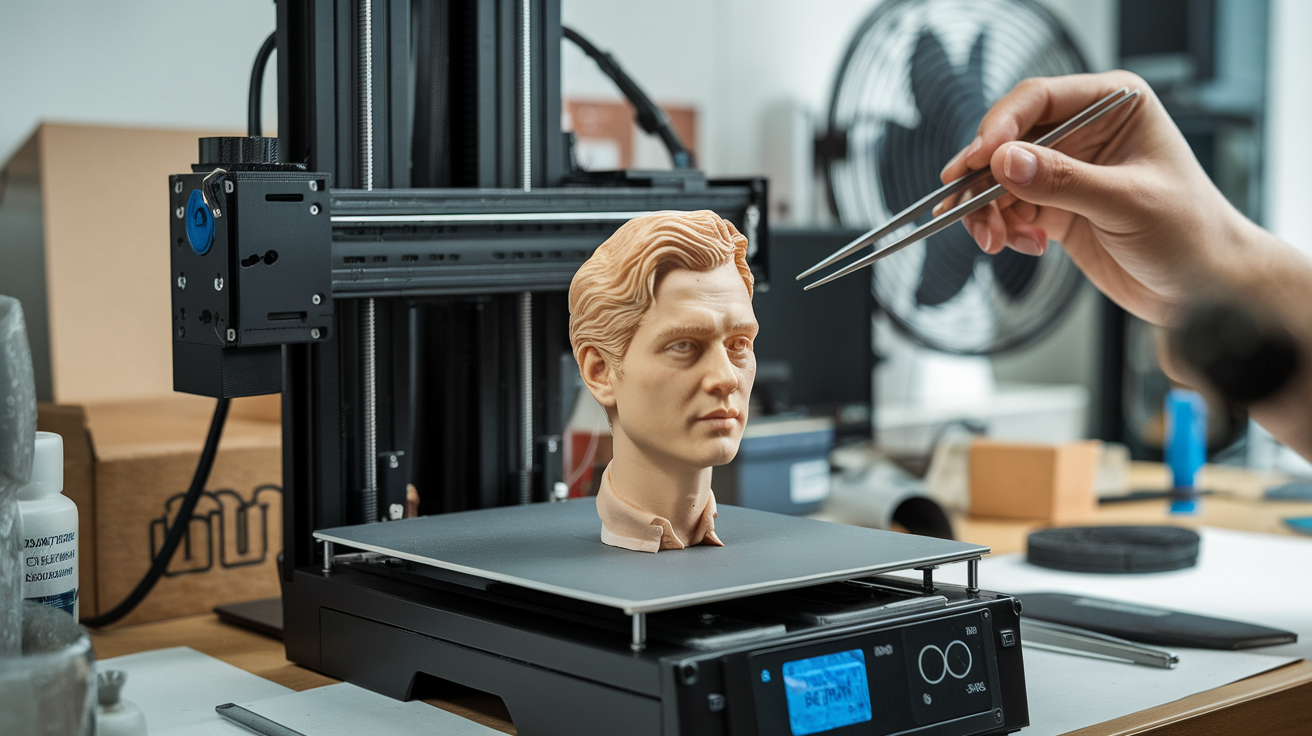
Resin vs FDM for Miniature Faces: Be Honest About Your Setup
The density tuning above applies to FDM printers. If you’re serious about miniature faces and you’re running an FDM machine, you should know that even an ideally tuned FDM setup produces faces that are 70–80% as detailed as a mid-range resin print. That’s not a put-down of FDM — it’s a function of resolution ceilings. A 0.4mm FDM nozzle can’t lay a line thinner than ~0.4mm wide regardless of density settings, while a resin printer with a 28-micron XY pixel puts a line ten times thinner without breaking a sweat.
If budget allows a second printer, a $300 Elegoo Saturn 4 Ultra dedicated to faces and hands while your FDM handles bases and large terrain is the combination most seasoned miniature hobbyists eventually settle into. If budget doesn’t allow, dialing FDM faces to the settings above gets you close enough that most paint jobs hide the remaining gap. Matte primer and good lighting finish the job.
Print Speed and Cooling: The Forgotten Density Factors
Two settings nobody includes in “density” discussions but that decisively affect miniature face quality are print speed and part cooling. A face printed at 60mm/s with marginal cooling looks worse than the same face at 25mm/s with full cooling, even with identical infill and wall settings.
For face regions specifically, target these speeds:
- Small perimeters (anything under 5mm radius — which includes most facial features): 20mm/s
- Outer wall on facial regions: 25mm/s
- Inner walls: 35–40mm/s (inner walls don’t need visual perfection)
- Infill: 60mm/s (the rest of the body benefits from faster infill; faces don’t change)
Part cooling should be at 100% for PLA during face layers. If your printer has a single 4010 fan, consider a duct upgrade (Petsfang or similar) because stock cooling on budget printers is almost always the bottleneck for fine feature detail. Resin prints dodge this entirely — there’s no active cooling, but there’s also no overhang geometry pulling on still-soft plastic.
Post-Processing That Enhances Face Detail
Even a perfectly dialed-in print can use minor post-processing on faces. A light pass with 1500-grit sandpaper or a fiberglass pen smooths layer transitions on cheeks and forehead without losing detail. For deeper smoothing, a one-second swipe with isopropyl-alcohol-dipped cotton swab on PLA softens surface texture just enough to make layer lines vanish under paint.
For resin prints, a short UV cure (2–5 minutes depending on the printer and resin) after washing is mandatory. Uncured surface resin leaves a tacky residue that hides detail and ruins paint adhesion. Over-curing is also a risk — resin printers shouldn’t sit in the post-cure for 30+ minutes.
The fastest upgrade to face quality on any FDM miniature is priming with a filler primer (Vallejo Mecha Primer or Stynylrez) rather than a thin primer. Filler primers bridge small layer artifacts the same way they bridge sanding marks on model car bodies.
Quick Reference: The Face-Focused Density Recipe
For 95% of tabletop miniatures printed in FDM:
- Walls: 4
- Infill: 12% gyroid
- Layer height: 0.08mm (body), 0.06mm (face region via variable layer)
- Outer wall speed: 25mm/s
- Small perimeter speed: 20mm/s
- Supports: Tree/organic with 0.12mm contact distance
- Filament: matte PLA
- Part cooling: 100% from layer 3 onward
That’s it. Higher infill density won’t help the face; more walls will; finer layers will; better support strategy will; slower outer-wall speed will. Focus attention where detail actually lives — on the surface, at the perimeter, during the few seconds each layer is still soft enough to smear. Infill density lives deep inside the mini and almost never affects what your paintbrush will eventually touch.