Most Affordable 3D Printers for Schools in 2026 (Under $500 Budget Picks)
What “Affordable” Actually Means for Schools
Most school procurement teams aren’t shopping for one 3D printer — they’re shopping for a cart of 5 to 15 identical units. That changes the math. A $600 consumer printer that costs $3,000 for five units is a very different conversation than a $300 printer that costs $1,500 for the same fleet. For this guide, “affordable” means under $500 per unit, with strong preference for the $250–$400 range where school budgets usually land.
Past the sticker price, affordability for schools also means low consumable cost (filament at $18–22/kg, not $40), low downtime (fewer service tickets for the IT or STEM coordinator), and low retraining cost when models get replaced. A printer that’s cheap to buy but needs calibration rituals every two weeks isn’t actually affordable in a school setting.
The Five Picks That Pass the Classroom Test
Based on fleet deployments, noise levels, open-source firmware support, and repair part availability, these five stand out in 2026:
- Bambu Lab A1 Mini — $300. Small build volume but turnkey reliability
- Creality Ender 3 V3 SE — $199. The cheap workhorse that keeps going
- Anycubic Kobra 2 — $229. Auto-leveling, larger build volume
- Elegoo Neptune 4 Pro — $279. Klipper pre-installed; technical schools love it
- FLSUN Q8S Mini — $349. Enclosed option that fits on a standard desk
Each of these has trade-offs worth understanding before a bulk order.
Bambu Lab A1 Mini: The Safe Procurement Choice
At $300, the A1 Mini is the easiest 3D printer to recommend for a school that’s never deployed them before. Automatic bed leveling, automatic flow calibration, a walled-garden filament system (the AMS Lite is optional but not required), and a slicer that students can learn in 20 minutes rather than three class periods.
Build volume is 180x180x180mm, which is enough for most intro projects but tight for senior capstone pieces. Sound output sits around 48dB, acceptable for shared classrooms.
The weakness: Bambu’s ecosystem is proprietary. If a school is trying to teach students how 3D printers work mechanically and electronically, the A1 Mini is too black-box. Good for art teachers, less good for shop classes.
Creality Ender 3 V3 SE: The Cheapest Honest Option
At $199 per unit, a $2,000 budget buys ten printers. That’s a real classroom deployment. The V3 SE has come a long way from the original Ender 3 — auto bed leveling, dual Z rails, a BL touch sensor included, and Creality’s direct-drive extruder across the lineup.
Build volume is 220x220x250mm, larger than the Bambu A1 Mini. It prints PLA, PETG, and TPU out of the box. It’s louder (around 52dB), requires slightly more babysitting, and has a smaller “magic just works” radius than Bambu’s offerings, but it’s a known quantity. Parts are available everywhere, replacement hotends cost $8, and the community support for troubleshooting is vast.
This is the best pick for STEM programs that want students to learn printer mechanics, not just design-to-print workflows.
Anycubic Kobra 2: Middle Ground Done Right
At $229, the Kobra 2 slots between the Ender 3 V3 SE and the Bambu A1 Mini in both price and complexity. Build volume is 220x220x250mm. It runs Anycubic’s forked Marlin firmware with LeviQ 2.0 auto-leveling and ships with a PEI-coated spring steel bed.
Where the Kobra 2 pulls ahead is print speed and material versatility. It handles PETG and basic TPU without tuning, and its stock speed of 150mm/s with adequate quality is a genuine productivity win when the classroom is cranking out assignments before the end of a 45-minute period.
Weakness: Anycubic’s parts ecosystem is narrower than Creality’s. Repair parts take longer to arrive if you don’t stock spares.
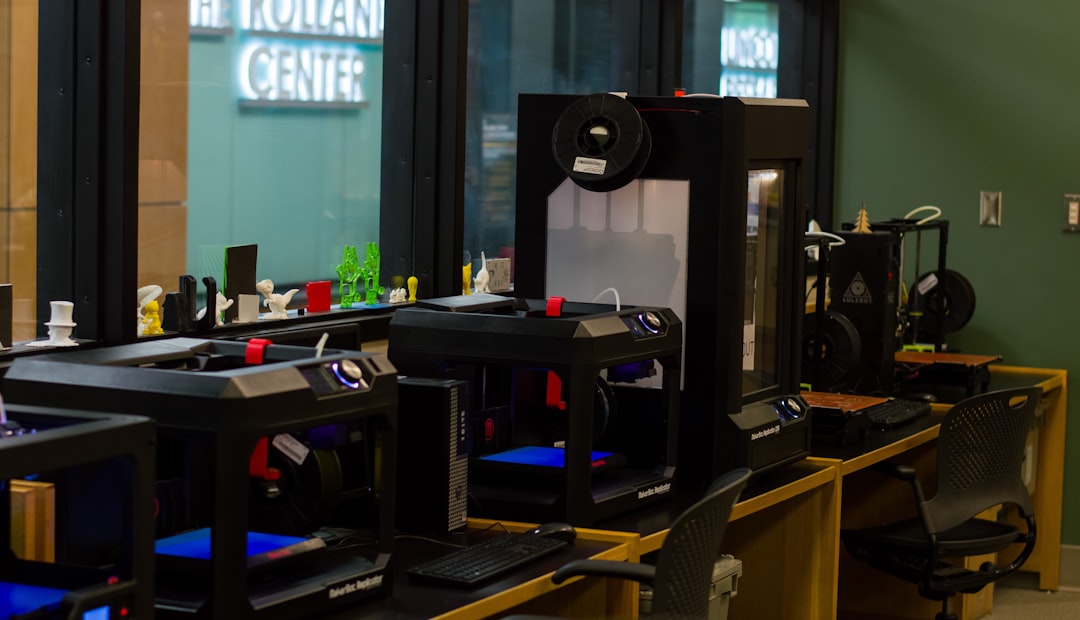
Elegoo Neptune 4 Pro: Klipper Out of the Box
At $279, the Neptune 4 Pro is the only printer on this list that ships with Klipper firmware pre-installed. For technical high schools and community colleges, this matters — students learn modern firmware workflow alongside hardware. Print speeds of 250mm/s with input shaping already calibrated make this the fastest option on the list.
Build volume is 225x225x265mm. Bed leveling is automatic with 121-point probing. The control screen is a 4.3-inch color touch, less intuitive than Bambu’s but far more informative for students learning diagnostic skills.
Weakness: Klipper exposes complexity. For a K–8 classroom, this is the wrong pick. For a CTE program teaching prototyping and manufacturing, it’s the best education-to-cost ratio here.
FLSUN Q8S Mini: The Enclosed Option for Under $400
If the classroom environment requires noise containment or if the curriculum includes ABS and ASA work, an enclosed printer matters. The FLSUN Q8S Mini at $349 is the rare enclosed delta-style printer that fits school budgets. Build volume is a cylindrical 200mm diameter x 230mm height, which trades floor space efficiency for height capability.
Enclosed operation keeps print noise inside (around 44dB externally) and allows ABS and ASA prints without active chamber heating. Weakness: delta kinematics are less common, so student tinkering on the mechanical side teaches concepts they won’t encounter on most other printers. It’s a specialist pick for specific programs, not a universal fleet choice.
Total Cost of Ownership: Year One Math
For a realistic deployment of eight printers, here’s what year one looks like at each price point:
- Ender 3 V3 SE fleet: $1,592 hardware + $400 filament + $100 spare hotends/nozzles = $2,092
- Kobra 2 fleet: $1,832 hardware + $400 filament + $120 spares = $2,352
- Neptune 4 Pro fleet: $2,232 hardware + $400 filament + $100 spares = $2,732
- Bambu A1 Mini fleet: $2,400 hardware + $480 filament (Bambu-spec) + $80 spares = $2,960
- FLSUN Q8S Mini fleet: $2,792 hardware + $400 filament + $160 spares = $3,352
Filament estimate assumes 5kg per printer per year at $10/kg bulk PLA. Most schools will use less in year one and more in year two once students get comfortable.
Training and Curriculum Considerations
A printer’s sticker price is only part of the TCO story. The hidden cost is teacher training time. Estimates from STEM programs that deploy these printers:
- Bambu A1 Mini: 2–4 hours teacher onboarding
- Anycubic Kobra 2: 4–6 hours
- Creality Ender 3 V3 SE: 6–10 hours (includes leveling and troubleshooting)
- Elegoo Neptune 4 Pro: 8–12 hours (Klipper familiarization)
- FLSUN Q8S Mini: 8–12 hours (delta-specific workflow)
If your STEM coordinator is already 3D-printing-literate, these numbers compress significantly. If they’re learning alongside the class, the Bambu A1 Mini’s low onboarding cost starts looking like the most affordable option even though its sticker price is highest.
Safety, Liability, and Classroom-Specific Features
Two safety features matter for school deployments and aren’t standard on every printer: thermal runaway protection (baseline for every printer on this list, but worth confirming in firmware) and a filament runout sensor that pauses rather than crashes the print. All five picks include both.
Enclosed operation is a separate question. For PLA, enclosed isn’t necessary. For ABS or any chamber-temperature-dependent filament, it’s required for both safety (styrene fumes) and print quality. If your curriculum touches ABS, the FLSUN Q8S Mini is the only under-$400 pick that addresses this cleanly.
Fire safety for all 3D printers in schools should include a smoke detector in the printer room and a class-K extinguisher within reach — not optional even for PLA-only deployments during unattended overnight runs.
Filament Selection for School Deployments
Filament choice is a budget line item schools often underestimate. PLA is the correct default — it’s low-fume, forgiving on temperature variation, and safe for student handling. Bulk PLA from Inland, eSun, or OVERTURE runs $10–12/kg at case quantities of 10+ spools, meaningfully below retail. Each student typically uses 150–400g per project, so a 1kg spool supports 3–6 students on a major assignment.
Avoid specialty filaments during the first year of deployment. Silk PLA produces beautiful finishes but clogs nozzles faster; glow-in-the-dark PLA wears nozzles aggressively; PLA+ variants from different brands print at different temperatures and create confusion across a fleet. Standardize on a single matte or standard PLA brand fleet-wide for year one. Introduce PETG (and maybe TPU) only after the program has its first year of reliable PLA printing under its belt.
One exception: if your curriculum includes functional engineering components — robotics brackets, battery holders, structural parts — PETG becomes worth the extra complexity in year two. It costs about $2/kg more than PLA at bulk pricing and handles impact far better.
Bulk Purchasing: Educational Discounts That Actually Exist
Every manufacturer on this list offers some form of education pricing, but the mechanics vary. Bambu Lab runs an education program with roughly 10% off list and extended warranty — application takes 3–5 business days and requires proof of institutional status. Creality and Anycubic route educational orders through their sales teams rather than a public portal; expect 10–15% discount on fleet orders of 5+ units, plus free shipping. Elegoo occasionally offers school-year-start promos (August–September) that land at 15–20% off without needing documentation. FLSUN’s education pricing requires direct contact and typically lands around 10% off plus a courtesy spare parts kit.
For any fleet of five or more printers, contacting the manufacturer directly is always worth the email. Public discount codes (RETMEME25, STEM10, etc.) usually cap at one unit and miss the real savings available on bulk orders. Plan 2–3 weeks of procurement runway for any response over single-unit pricing.
The Realistic Recommendation by School Type
Elementary STEM club: Bambu A1 Mini — forgive-everything interface, minimal teacher overhead
Middle school maker space: Anycubic Kobra 2 — balance of price, volume, and reliability
High school CTE/engineering program: Elegoo Neptune 4 Pro — teaches modern firmware and serves as a productivity tool
Art department: Bambu A1 Mini or Kobra 2 — students care about output, not troubleshooting
Robotics team with ABS needs: FLSUN Q8S Mini (one unit) + Ender 3 V3 SE fleet (PLA work)
Affordability in schools isn’t about finding the cheapest printer — it’s about finding the printer that costs the least total when you add sticker price, training time, downtime, and parts replacement. All five on this list can land in that window depending on the program.