Klipper vs Marlin in 2026: Which Firmware Should a Hobbyist Run?
Why the Klipper-vs-Marlin Decision Still Matters in 2026
For most of the last decade, the question “should I run Klipper or Marlin?” was answered by the printer you bought. Marlin shipped on essentially every consumer FDM machine until Bambu Lab made proprietary firmware mainstream and Klipper migrated from a niche enthusiast project to the default firmware on Sovol, Creality K-series, and Anycubic Kobra 3 hardware. In 2026 the question is no longer academic for hobbyists — it surfaces every time someone considers flashing a custom firmware onto a printer they already own, or building a Voron-class machine from scratch. The two firmwares represent fundamentally different philosophies, and the trade-offs are clearer than ever now that both projects have matured into shipped products.
This guide is written for the hobbyist who has used a 3D printer for at least a few months and is debating whether to flash one firmware over the other. We are not comparing Bambu’s closed firmware here — that comparison is a different article entirely. We are looking strictly at Klipper and Marlin as the two open-source firmware projects most likely to end up on a hobbyist’s printer in 2026.
The Architectural Difference That Drives Everything
Marlin runs entirely on the printer’s microcontroller. The motherboard’s 32-bit MCU parses G-code, computes motion plans, controls steppers, and reads sensors. The whole firmware fits in flash memory measured in hundreds of kilobytes, and the user interacts with the printer either through an attached LCD or by sending G-code over USB or octopi-style host software. The MCU is doing all the work.
Klipper splits the workload. A Raspberry Pi (or similar SBC) running a Linux host computes the motion plan, parses macros, manages slicer integration, and serves the web UI. The printer’s MCU runs a stripped-down Klipper firmware that only handles the timing-critical stepper-pulse generation, with the host streaming the move queue over USB serial. The MCU’s job is reduced to “execute these stepper pulses at these timings” — a task it can do dramatically faster than parsing G-code from scratch every move.
This architectural split is the source of nearly every practical difference between the two firmwares. Klipper’s input shaping, pressure advance with delay compensation, complex bed mesh interpolation, and resonance compensation are all possible because the host has the CPU budget to compute them in real time. Marlin can implement subset versions of these features, but always within the constraint of what an STM32F4 (or similar) can do alongside its other duties.
Print Quality at High Speeds
The headline benchmark for Klipper has always been print speed. A well-tuned Klipper installation prints faster than a well-tuned Marlin installation on identical hardware, and the gap widens as speeds increase. At 60 mm/s, a beginner-friendly speed, both firmwares produce visually identical prints. At 200 mm/s, Klipper’s input shaping suppresses ringing artifacts that Marlin’s input-shaper port can address but with notably less fidelity. At 400 mm/s and above, Klipper-driven CoreXY machines produce parts that Marlin-driven hardware on the same printer simply cannot match, because the motion planning math is more demanding than Marlin’s MCU can execute in time.
For most hobbyists, this matters less than the YouTube benchmark videos suggest. The vast majority of hobby printing happens at 80 to 150 mm/s, and at those speeds Marlin’s modern releases (2.1.x and the post-2.1.3 work-in-progress branches) produce prints that are indistinguishable from Klipper output at the same settings. The Klipper speed advantage is real, but it pays back primarily for users running CoreXY machines at speeds above 250 mm/s.
Tuning and Calibration Workflow
Klipper’s calibration workflow is interactive in a way Marlin’s never has been. Pressure advance tuning, input shaping calibration, and resonance compensation all happen through web UI commands that issue test prints, run accelerometer captures, and write the resulting tuning values directly to the printer config. Marlin’s equivalent workflow involves manually calculating values from test print outcomes, editing G-code in a slicer, or recompiling firmware after each tuning change. The Klipper approach saves real hours over the lifetime of the printer.
The reverse trade-off shows up when something breaks. Marlin’s tuning lives in the printer’s EEPROM and persists across reboots. Klipper’s tuning lives in printer.cfg on the host, which is more discoverable but also more fragile — a corrupted SD card on the Pi means the entire printer config is lost unless backed up. Sensible Klipper users keep printer.cfg in git, but the discipline is on the user, not enforced by the firmware.
Hardware Cost and Complexity
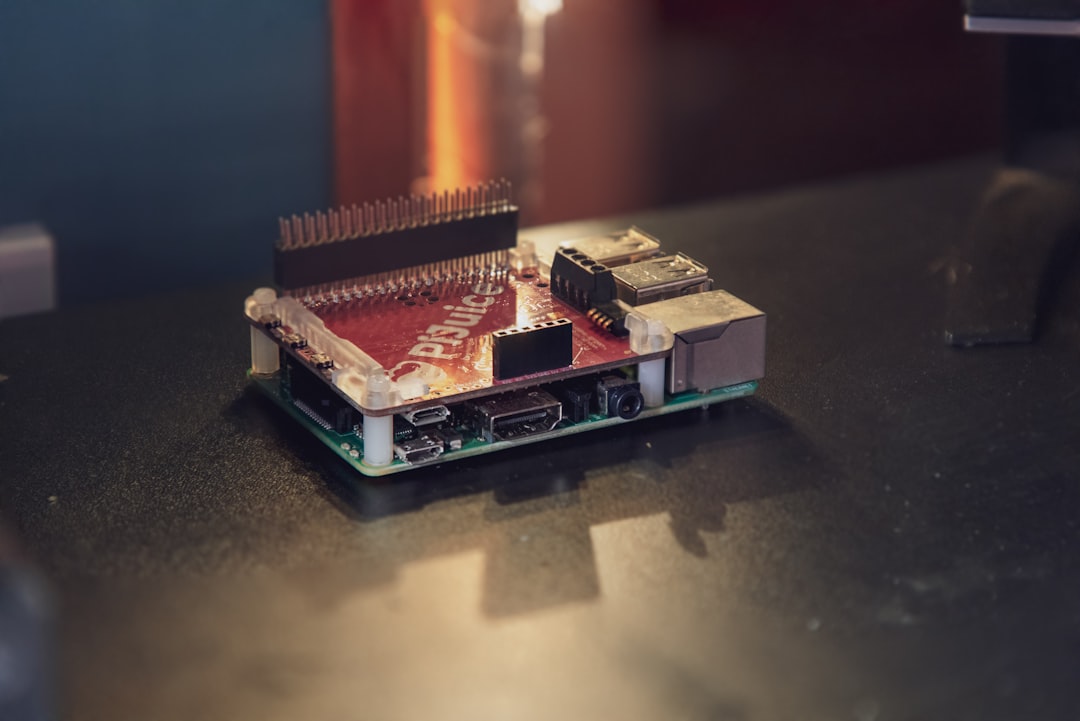
Marlin runs on the printer hardware as-shipped. Adding Klipper requires a Raspberry Pi (or a Sonic Pad, BTT Pi, MKS Pi, or repurposed Orange Pi) plus an SD card and a power supply. Even with budget options, this adds $40-80 to the cost of running a printer, and adds another piece of hardware to keep alive. For a hobbyist who already runs OctoPrint or Mainsail anyway, the cost is essentially zero — the same Pi handles both jobs. For a hobbyist who uses the printer’s stock LCD and considers OctoPrint optional, switching to Klipper means committing to a host machine that is now non-optional.
The reliability story is interesting in 2026. The mainline Raspberry Pi shortage that complicated Klipper deployments in 2022-2023 is fully resolved. SD card corruption remains a real failure mode but is dramatically improved with modern industrial-grade cards and the file system tweaks (read-only root, log-to-RAM) that ship in Mainsail and Fluidd by default. A 2026 Klipper install that follows the official guide is as reliable as a 2026 Marlin install, with the caveat that Klipper has more moving pieces.
Macro Power and Customization
Klipper macros are written in Jinja2 with full access to printer state. Marlin macros are pre-defined G-code sequences, with limited conditional logic available through M-codes and printer state queries. For a hobbyist who wants their printer to query filament weight before starting a print, prompt for an answer on the screen, run a different start G-code based on filament type, or coordinate multi-printer jobs through a shared queue — Klipper provides the primitives and Marlin requires the logic to live in the slicer or host software.
Most hobbyists do not need this. A well-configured Marlin printer with a thoughtful start/end G-code in the slicer covers 95% of practical needs. The Klipper power user who has set up multi-extruder coordination, automated calibration sweeps, and conditional bed leveling based on print bed material is doing something Marlin cannot replicate without external tooling. For everyone else, the macro-power advantage is academic.
Which Should a Hobbyist Flash in 2026?
For a printer that ships with Klipper preinstalled (most 2025-2026 Sovol, Creality K-series, Anycubic Kobra 3 machines): keep Klipper. The vendor has tuned the configuration, the community will support that combination, and switching to Marlin offers no benefit you will notice.
For a printer that ships with Marlin and is performing acceptably: keep Marlin unless you specifically want input shaping, pressure advance with full tuning, or web-UI-first workflow. The cost of switching is real and the benefit is incremental for most hobbyists. Marlin 2.1.3 with input shaper enabled and a thoughtful slicer profile produces prints that you cannot meaningfully distinguish from Klipper output at the same speeds below 250 mm/s.
For a CoreXY build (Voron, RatRig, or DIY clone): flash Klipper. The CoreXY architecture’s print quality scales with motion planning quality, and Klipper’s planning is genuinely better than what an MCU can compute in real time. Marlin on a CoreXY machine works, but you will hit a ringing-and-vibration ceiling that Klipper does not have.
For the hobbyist who values “printer that just works without computer running”: Marlin. For the hobbyist who values “printer that I tune by issuing web UI commands and watching graphs”: Klipper. The choice is more about workflow philosophy in 2026 than about technical capability.
Migration Practicalities
If you have decided to switch, the migration path is well-trodden in either direction. Klipper-to-Marlin requires re-flashing the MCU bootloader and uploading a Marlin build configured for your specific board. The Marlin 2.x docs include configuration files for most popular Klipper-shipped boards (BTT SKR series, MKS Robin, Creality 4.x.x). Allow a weekend for first-time Marlin compilation and tuning.
Marlin-to-Klipper is generally simpler — you flash the Klipper firmware to the printer’s MCU and run the printer config through KIAUH (Klipper Installation And Update Helper) or the equivalent setup wizard. The hard part is recreating your tuned start G-code and slicer profile in Klipper-flavored syntax. The KAMP (Klipper Adaptive Meshing & Purging) project has standardized many of these patterns, which makes the conversion notably less painful in 2026 than it was two years ago.
Whichever firmware you end up running, document your config in git. The most common failure mode for both Klipper and Marlin hobbyist installs is “I changed something six months ago and now the printer behaves differently and I can’t remember what I changed.” Version control fixes that.
The 2026 Default Recommendation
If a hobbyist asks us today, with no other context, which firmware to start with: Klipper for any new build, Marlin for any unmodified factory printer that prints fine. Klipper has won the new-construction category through better tooling, better print quality at speed, and a community ecosystem that ships more usable defaults than Marlin. Marlin remains entirely defensible for a hobbyist who values the printer-as-appliance philosophy and does not want to maintain a second computer to keep their printer running. Both firmwares ship genuinely production-quality 2026 releases, and neither choice is wrong for the hobbyist who picks it deliberately rather than by inertia.