TPU Print Speed in 2026: Pressure Advance and Retraction Tuning for Direct Drive
Why TPU Print Speed Is Mostly a Pressure Problem
TPU is not slow because TPU is sticky. TPU is slow because every change in extrusion rate has to push the filament through a soft section between the extruder gear and the hotend, and that soft section behaves like a spring. When the slicer asks for more flow, the filament compresses before more material actually comes out of the nozzle. When the slicer asks for less, the compressed filament keeps oozing for tens of milliseconds. On a rigid filament like PLA you can mostly ignore this because the spring constant is high. On TPU, the spring constant is low enough that the spring dominates the print quality at any speed above 30 mm/s.
Pressure advance is the firmware feature that compensates for that spring. It commands an extra rotation of the extruder gear just before a flow rate increase, and a small retraction just before a decrease, so that what comes out of the nozzle matches what the slicer asked for in time as well as in volume. Get pressure advance right on TPU and the same hardware that struggled at 30 mm/s prints cleanly at 70 to 80 mm/s. Skip it and TPU stays stuck at the slow defaults regardless of how fast the rest of the printer can move.
Direct Drive Is the Required Starting Point
Pressure advance can be tuned on a Bowden setup, but the result is a tuning curve that depends on tube length, tube wear, and humidity in ways that defeat the point of having a tuned value at all. For TPU specifically, direct drive is the working assumption in 2026: a short, straight path from extruder gear to nozzle, with no PTFE intermediate that the soft filament can deform against. The handful of “Bowden TPU at 80 mm/s” results that circulate online almost always come from very stiff TPU formulations (Shore 95A and harder) and very high pressure advance values that introduce other artefacts.
The rest of this guide assumes a direct-drive extruder with an internal filament path under 40 mm, which covers the modern Bambu Lab A1 / X1C, Prusa MK4, Voron 2.4 with Stealthburner, and most Klipper-converted machines. If your hotend has a long PTFE liner from extruder to melt zone, replace it with a metal break before any of the speeds below will hold.
Tuning Pressure Advance: The Slow Path That Actually Works
The reliable pressure advance tune for TPU is the Klipper “pressure advance tower” test or its Marlin equivalent. The test prints a single tall block while the firmware steps pressure advance from a low starting value to a high one across the block height. The operator picks the height at which corners are sharpest and edges are cleanest, reads the corresponding pressure advance value off a printed scale, and saves it to printer config.
Typical good values for TPU on a direct-drive printer fall in the 0.04 to 0.12 range, with Shore 95A landing near 0.06 and softer Shore 85A near 0.10. The values are an order of magnitude higher than PLA on the same hardware. Operators who skip the test and reuse their PLA pressure advance value on TPU end up with rounded corners, blobs at every direction change, and the wrong conclusion that the printer “cannot print TPU at speed”.
Retraction: Less Is More on TPU
Retraction on TPU is the operation pressure advance was designed to make unnecessary. Every millimetre of retraction pulls the soft filament backward through the gear, and the filament cannot keep up — it stretches, then snaps back, then comes forward again on the next prime. The result is travel artefacts where the model has stringing or zits at exactly the spots where retractions fire.
The 2026 settings that work for TPU on direct drive are 0.4 to 0.8 mm of retraction at 25 to 30 mm/s, with combing enabled in the slicer so retractions happen as rarely as possible. Compared to the 1.2 to 2.0 mm retractions that work well on PLA, this is a deliberate de-escalation. The retraction is there to prevent oozing during long travels, not to clean up after every direction change — that job belongs to pressure advance now.
Stringing: A Diagnosis Tree, Not a Single Setting
Stringing on TPU has three common root causes, and the wrong fix for each one makes the others worse. The first is wet filament: TPU absorbs ambient humidity faster than nearly any other common filament, and a spool that has been on the bench for two weeks in summer needs eight hours in a 50 degree dryer before it will print without strings. The second is excessive nozzle temperature: TPU prints cleanest 5 to 10 degrees below where it appears most fluid, which is counterintuitive but consistent across brands. The third is undertuned pressure advance: corners and travel start points get blobs that the operator misreads as stringing.
The diagnosis sequence is to dry the filament first, lower the nozzle temperature in 5 degree steps until strings just barely return, and then tune pressure advance on the dry, cool spool. Trying to fix stringing by raising retraction without doing the other three is the most common waste of an afternoon in the TPU printing literature.
Speed Targets That Are Realistic in 2026
With pressure advance dialled, retraction reduced, and a dry spool, a direct-drive printer can sustain TPU at 60 to 80 mm/s for outer perimeters and 100 to 120 mm/s for infill, with travel speeds up to 200 mm/s as long as the printer’s motion system is rigid enough to handle the direction changes. The benchmark is the surface finish at the inner perimeter join — if the join shows a visible zit, pressure advance is still off; if the join is clean but the outer perimeter has banding, the speed is too high for the cooling fan profile.
Soft TPU (Shore 85A and lower) caps out lower, usually around 50 mm/s for outer perimeters, because the spring constant of the filament drops to the point where pressure advance alone cannot keep up with rapid flow changes. Builders printing Shore 70A and 75A formulations should not chase the same speed numbers as Shore 95A, even on the same printer.
Configuration Snapshot for a Direct-Drive Printer Running TPU
For a Bambu Lab X1C, Prusa MK4, or comparable direct-drive machine printing TPU 95A in 2026, the working starting point is: nozzle 220-230 degrees, bed 50-60 degrees, layer height 0.20 mm, outer perimeter speed 70 mm/s, inner perimeter 90 mm/s, infill 110 mm/s, retraction 0.6 mm at 25 mm/s, pressure advance 0.06, part cooling fan 30 percent after layer 3. Tune pressure advance on the actual filament before committing — the 0.06 default gets you in the neighbourhood, not to the door.
Acceleration and Jerk: The Quiet Limiters on TPU Speed
Pressure advance and retraction are the visible tuning levers; acceleration and jerk are the invisible ones that decide whether a tuned pressure-advance value holds up across direction changes. TPU benefits from lower acceleration limits than PLA on the same hardware, not because the printer cannot accelerate the toolhead faster, but because the extruder spring described earlier cannot keep up with the resulting flow-rate transients. A working starting point on a 2026 direct-drive machine is to take the printer’s default acceleration for PLA — typically 5000 to 7000 mm/s² — and halve it for TPU 95A, then drop another third for TPU 85A.
Jerk (or “square corner velocity” in Klipper terms) is the more interesting parameter. The default value tuned for PLA is almost always too high for TPU on the same printer. Dropping jerk by half almost eliminates ringing at corners on flexible parts, at a cost of a few percent on overall print time. Operators chasing the highest possible TPU speed should drop jerk progressively until ringing on a calibration cube disappears, then raise it back by 10 percent for headroom.
Filament Storage: The Setting You Cannot Override
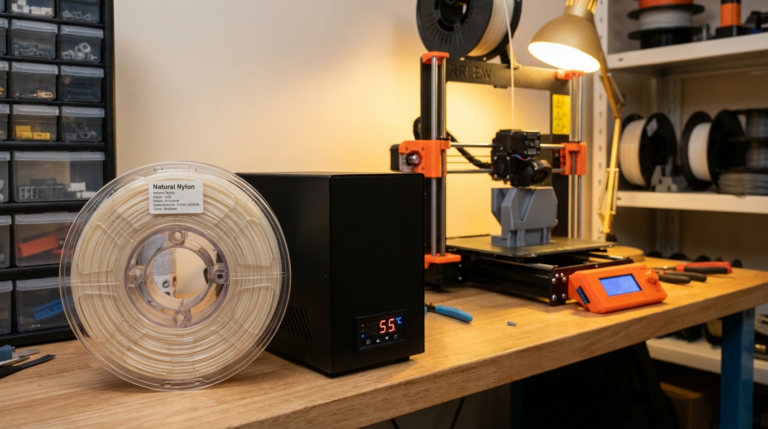
The single biggest gap between TPU print quality on the same printer between two operators is filament storage. TPU is hygroscopic to the point that a spool left exposed in a humid garage for one week absorbs enough moisture to print poorly regardless of every other setting on this list. The fix is a dry-box with a heating element, not a passive desiccant container. Active drying at 45-55 degrees Celsius maintains the filament’s print properties indefinitely; passive desiccant slows the absorption but does not reverse it once a spool has been wet for more than a few days.
Operators who try to “dry print” wet TPU — using only the printer’s heated bed or a brief hot-air gun pass — get inconsistent results at best. Eight hours minimum in a proper dryer at 50 degrees is the working assumption for any spool that has been out of its bag for over forty-eight hours. After printing, the partially-used spool returns to the dryer rather than the desk; this small habit eliminates more TPU print failures than any other operator-level change.