Best High-Speed PLA Filament in 2026: Top Picks Ranked and Compared
What Makes High-Speed PLA Different from Standard PLA?
High-speed PLA isn’t just regular PLA with a fancy label. These filaments are engineered with modified polymer chains and flow-enhancing additives that allow them to print at 200-300+ mm/s without the quality compromises you’d normally see at those speeds. The molecular weight distribution is tighter, melt viscosity is lower, and crystallization behavior is optimized for rapid cooling.
For anyone running a Bambu Lab, Creality K1, or any modern high-speed printer, choosing the right high-speed PLA can mean the difference between stunning prints at full speed and a stringy, blobby mess. Here’s what’s actually worth buying in 2026.
Top High-Speed PLA Filaments Ranked
1. Bambu Lab PLA Basic — Best Overall Value
Bambu Lab’s in-house PLA Basic has quietly become one of the most reliable high-speed filaments on the market. Optimized specifically for Bambu printers (though it works great on any machine), it handles speeds up to 300 mm/s with minimal quality loss.
- Speed range: 150-300 mm/s
- Temperature: 190-230°C
- Price: ~$15/kg (spool) or ~$13/kg (refill)
- Standout feature: Exceptional color consistency and spool winding quality
- Downsides: Color selection isn’t as broad as competitors; some colors slightly translucent
At this price point, you’re getting professional-grade consistency. The dimensional tolerance is typically ±0.02mm, which is impressive for a budget-oriented filament.
2. Polymaker PolyTerra PLA High Speed — Best for Surface Quality
Polymaker took their already excellent PolyTerra line and reformulated it for high-speed printing. The result is a filament that maintains PolyTerra’s signature matte finish even at elevated speeds.
- Speed range: 150-250 mm/s
- Temperature: 190-220°C
- Price: ~$18/kg
- Standout feature: Beautiful matte surface that hides layer lines even at speed
- Downsides: Slightly lower max speed than competitors; moisture-sensitive
If your priority is print appearance over raw speed, this is your filament. The matte finish naturally masks the layer line artifacts that become more visible at higher speeds.
3. eSun PLA-HS (High Speed) — Best Budget Pick
eSun has been a reliable budget brand for years, and their high-speed PLA variant delivers surprising performance for the price. It won’t match the surface quality of premium options, but at speeds up to 250 mm/s, the results are more than acceptable for functional prints and prototypes.
- Speed range: 150-250 mm/s
- Temperature: 200-230°C
- Price: ~$12-14/kg
- Standout feature: Aggressive price point with decent performance
- Downsides: Occasional diameter inconsistency; limited color range for HS variant
4. Creality Hyper PLA — Best for Creality Printers
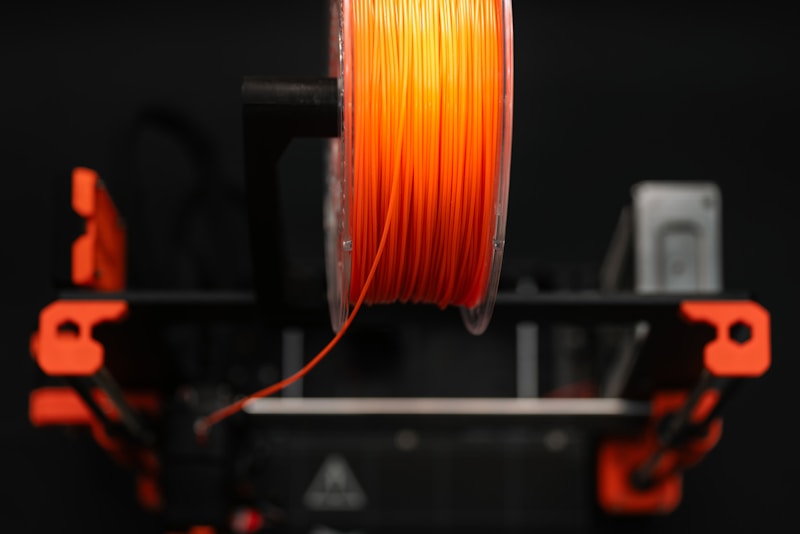
Tuned specifically for Creality’s high-speed machines like the K1 series and Ender-3 V3, Hyper PLA offers reliable performance at competitive pricing. The filament profiles are pre-loaded in Creality Print, making it a plug-and-play option.
- Speed range: 150-300 mm/s
- Temperature: 190-230°C
- Price: ~$14/kg
- Standout feature: Pre-tuned profiles for Creality printers; smooth feeding
- Downsides: Performance on non-Creality printers is less impressive
5. Sunlu PLA High Speed — Best Color Selection
Sunlu’s high-speed PLA comes in an enormous range of colors, including some unique options like gradient and dual-tone variants that look spectacular on fast prints.
- Speed range: 150-250 mm/s
- Temperature: 200-230°C
- Price: ~$13-16/kg
- Standout feature: 40+ colors available in high-speed formulation
- Downsides: Quality control varies batch to batch; spooling can be loose
6. Overture PLA High Speed — Best Newcomer
Overture entered the high-speed PLA market relatively recently, but their offering has quickly gained a reputation for excellent consistency at moderate speeds. It’s particularly good in the 150-200 mm/s sweet spot where many people actually print.
- Speed range: 150-200 mm/s (reliable), up to 250 mm/s (pushing it)
- Temperature: 195-225°C
- Price: ~$14/kg
- Standout feature: Rock-solid consistency in the moderate-high speed range
- Downsides: Falls behind competitors above 250 mm/s
What to Look for When Choosing High-Speed PLA
Melt Flow Index (MFI)
The single most important specification for high-speed PLA is the Melt Flow Index. Standard PLA typically has an MFI of 6-10 g/10min, while high-speed variants aim for 20-40+ g/10min. A higher MFI means the plastic flows more easily through the hotend, which is essential at elevated speeds where the filament spends less time in the melt zone.
Temperature Range
High-speed PLA generally prints 10-20°C hotter than standard PLA to compensate for the reduced melt time at speed. If a filament claims high-speed capability but recommends the same temperatures as regular PLA, be skeptical.
Cooling Requirements
Faster printing means more heat being deposited in less time. High-speed PLA formulations are designed to solidify quickly, but your printer’s cooling system still needs to keep up. Run fans at 100% for high-speed PLA and consider upgrading to a dual 5015 fan setup if your cooling is marginal.
Spool Quality
At high speeds, even minor tangles or kinks in the filament path cause problems. Loose winding, crossed filament lines, or thin spots on the spool can cause feed interruptions that ruin prints at 300 mm/s — issues you might never notice at 50 mm/s. Premium brands tend to have better spool winding, and it matters more than ever at speed.
Optimal Settings for High-Speed PLA
Temperature
Start 15-20°C above your normal PLA temperature. If you usually print at 200°C, begin at 215-220°C for high-speed printing. Run a temperature tower at your target speed — the optimal temperature at 300 mm/s is different from the optimal temperature at 60 mm/s.
Acceleration and Jerk
Speed is only half the equation. Your acceleration settings determine how quickly your printer reaches the target speed. For high-speed PLA:
- Acceleration: 5000-20000 mm/s² (printer-dependent)
- Jerk/Junction deviation: Higher than standard settings, but calibrate with ringing tests
Retraction
High-speed PLA’s lower viscosity means it’s more prone to stringing. Compensate with:
- Retraction distance: Same as standard PLA (1-2mm direct drive, 4-6mm Bowden)
- Retraction speed: Increase to 40-60 mm/s
- Wipe distance: Enable and set to 2-5mm
Pressure Advance / Linear Advance
This is critical for high-speed printing. Without properly calibrated pressure advance, you’ll see bulging corners and inconsistent extrusion at speed changes. Run a pressure advance calibration print at your target speed — the value will be different from what works at normal speeds.
Does High-Speed PLA Sacrifice Strength?
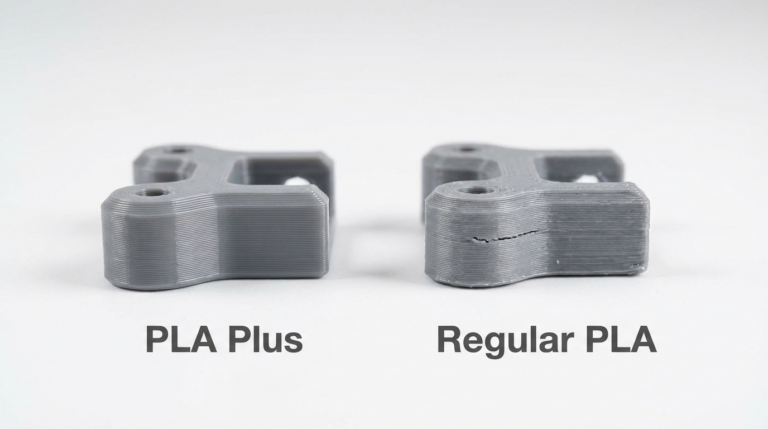
In short: slightly, but probably not enough to matter for most applications. The lower molecular weight that enables better flow also marginally reduces layer adhesion strength. In testing, most high-speed PLA filaments show about 5-10% lower tensile strength compared to their standard counterparts printed at optimal slow speeds.
However, the faster layer times can actually improve layer adhesion in some cases, because each layer is still warm when the next one is deposited. The net effect depends heavily on your specific geometry, settings, and cooling setup.
The Bottom Line
If you own a high-speed printer and you’re still using standard PLA, you’re leaving performance on the table. High-speed PLA is specifically engineered to work with the capabilities of modern printers, and the price premium over standard PLA has nearly disappeared in 2026.
For most people, Bambu Lab PLA Basic or eSun PLA-HS offer the best value. If surface quality is your priority, spring for Polymaker PolyTerra High Speed. And if you’re running a Creality machine, their Hyper PLA with pre-built profiles is the path of least resistance.
The best advice? Buy a single roll of your top two choices and run them side by side at your normal print speed. The one that gives you better results on your printer is the right one — no review can account for the specific quirks of your particular machine.