Bowden Extruder Retraction Calibration: The Three-Print Sequence That Actually Converges
Why bowden retraction is a fundamentally different problem
A bowden extruder retraction calibration test print sequence works differently from a direct drive sequence because the system being tuned is not the same. On a direct drive setup, retraction is moving filament backward over a few millimeters of metal pathway, and the response is fast and predictable. On a bowden setup, the same retraction move has to compress and decompress a meter of filament inside a PTFE tube, and that PTFE tube acts like a spring. Settings that look correct on paper do not produce the expected behavior because the tube is absorbing some of the motion before the filament even reaches the nozzle.
The most common bowden problem is over-retraction — pulling so much filament back that the nozzle runs dry, then pushing forward to recover and producing a blob at the seam where the print resumes. The second most common problem is under-retraction, where stringing returns even at high retraction values because something else in the system is dominating. Both of these failures look similar at first glance but require opposite fixes. The calibration sequence below distinguishes them in three test prints, which is what the converged setup actually requires.
The three variables that govern bowden retraction
Before any test prints, understand what you are tuning. Bowden retraction has three primary variables: distance, speed, and the elasticity of the system. Distance is how far the extruder pulls the filament back. Speed is how fast it pulls. Elasticity is everything else — the PTFE tube length, the tube fit to the filament, and the temperature differential along the tube.
Distance and speed are settings you change. Elasticity is a property of your hardware that you can sometimes improve and otherwise have to work around. A short bowden tube (200mm) needs less retraction than a long bowden tube (400mm) at the same temperature. A loose-fit Capricorn-style tube needs more retraction than a tight-fit standard tube because the filament can shift inside the tube during the retraction move. A higher hotend temperature softens the filament inside the tube and increases the elasticity, requiring more retraction.
The first calibration step is therefore not a test print — it is a hardware check. Tube length, tube condition (no melted ends, no kinks), tube fit at both ends, and extruder grip on the filament. If any of these are not in known-good condition, no software calibration will produce a stable result. Replace the tube and re-seat the couplings before tuning if you are not sure about the hardware state.
Reading a retraction tower honestly
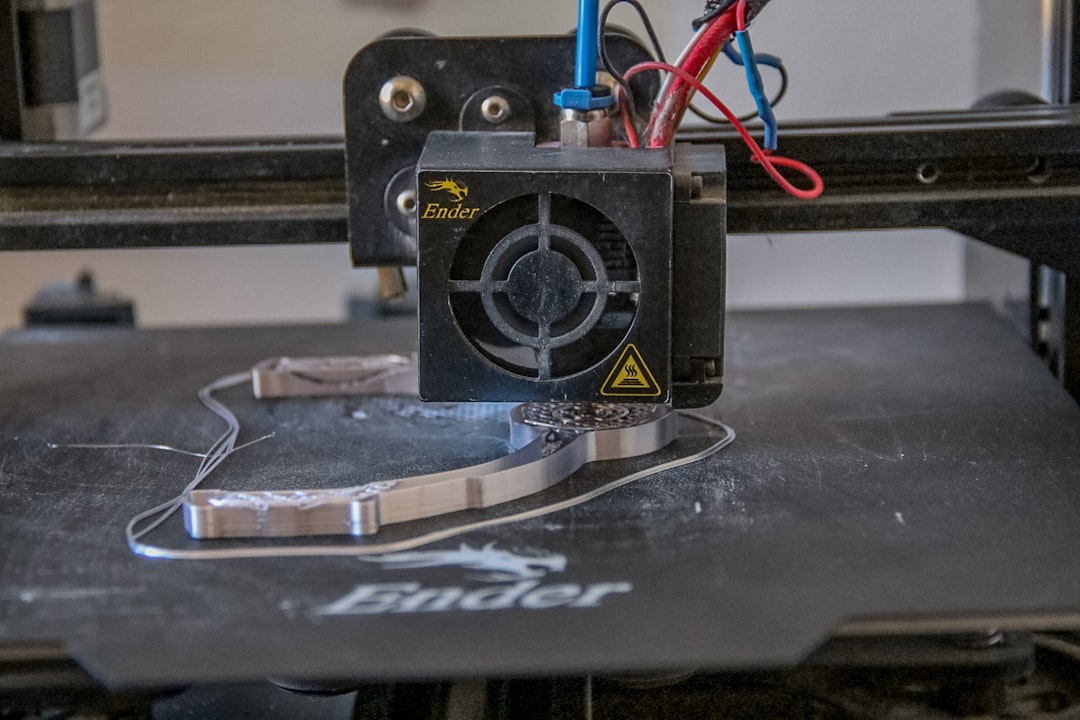
The retraction tower is the standard test print, and it is the most misread test print in the hobby. The tower prints columns at varying retraction distances, with stringing visible between them. The mistake people make is choosing the lowest retraction value that produces no visible stringing, which is wrong because the tower is run at a constant speed and your real prints are not.
The right reading: pick the retraction value that produces no stringing AND no audible click from the extruder during the retraction move. The audible click is the extruder grinding the filament because retraction is too aggressive. A tower can look stringing-free at a value that is grinding the filament, and the grinding becomes the next problem you chase. Listen to the tower as much as you look at it.
Print the retraction tower at the speed and temperature your real prints will use. A tower printed at 60mm/s and 215C tells you nothing useful about a print that will run at 80mm/s and 220C. The temperature in particular matters because a hotter nozzle softens the filament inside the tube and changes the optimum retraction. Run two towers if your real prints span two temperature ranges.
A baseline by material that gets you 90% of the way
For a bowden setup with a 300-400mm tube and a standard hotend, the baseline retraction values that get most people most of the way: PLA — 5.0mm distance, 35mm/s speed; PETG — 6.5mm distance, 30mm/s speed; TPU — 1.0-2.0mm distance, 20mm/s speed (or zero retraction with a high coast value); ABS/ASA — 5.5mm distance, 35mm/s speed.
These baselines are not optimal. They are the values that produce a print without obvious stringing or extruder grinding for the typical bowden hardware, and they are what you should start the tower from rather than from zero. Tuning from a sensible baseline converges in three test prints. Tuning from zero takes ten and produces frustration.
If your system has a Capricorn or other low-friction tube, drop these baselines by 0.5-1.0mm. If your system has a long bowden tube (>400mm), add 0.5-1.5mm. If you are running at higher than typical temperatures (PLA at 225C+), add 0.5mm. These adjustments are smaller than people expect — bowden retraction is mostly about being in the right neighborhood, not about hitting a specific number.
Stringing tests vs retraction towers — when to run which
A retraction tower tells you about stringing across a range of retraction values. A stringing test print — typically two thin posts with a gap — tells you about stringing at one specific retraction value but at much higher resolution. After the tower converges on a candidate value, the stringing test confirms it.
The order is: tower first to find the neighborhood, stringing test second to confirm the exact value, real print third to verify against actual geometry. Skipping any of these steps produces results that look fine on the test print but fail on real prints with travel moves of varying length and direction. Real prints expose retraction problems that synthetic test prints hide because real prints have travel moves at every angle, not just the vertical-and-horizontal moves a tower or a stringing test produces.
The tuning sequence that converges in three prints
Print one — retraction tower from baseline-2mm to baseline+2mm in 0.5mm steps. Identify the lowest distance with no stringing and no extruder click. Print two — stringing test at that distance, with the speed varied across three values (baseline-10mm/s, baseline, baseline+10mm/s). Identify the speed that produces the cleanest result. Print three — your most stringing-prone real print at the chosen distance and speed. If it prints clean, the calibration is done. If it does not, return to print one with the new observed problem.
The reason this sequence converges is that it isolates one variable at a time. Most amateur tuning attempts vary distance and speed simultaneously, which produces results that cannot be interpreted because there are too many possible explanations for any given observation. The three-print sequence holds variables fixed long enough to read the result.
Save the converged values per material in your slicer. Bowden retraction does not generalize across filaments — a value that works for PLA will not work for PETG, and a value tuned for one PLA brand may need adjustment for another PLA brand. Per-material profiles are the only way to keep retraction tuned without rerunning the sequence every time you change spools.
When retraction tuning fails — and what is actually broken
Sometimes a bowden retraction calibration cannot converge, no matter what values are tried. The tower shows stringing at every distance, or it shows stringing at low values and grinding at high values with no quiet zone in between. This is not a tuning failure; it is a hardware symptom and the hardware is what needs attention.
The most common cause is a worn extruder gear. A bondtech-style gear that has lost its bite produces inconsistent retraction even at correct settings — the gear slips slightly on each retraction move, and the slip varies with material, temperature, and time. Replace the gear and re-tune from baseline. The second most common cause is a damaged PTFE tube, usually a melted end where the tube meets the heat break. Replace the tube and re-tune. The third is an extruder spring that has lost tension. Re-tension or replace the spring.
If hardware is known good and tuning still does not converge, the slicer settings outside retraction are usually the culprit. A wipe distance, a coast value, or a Z-hop interaction can produce stringing that looks like retraction failure but is actually something else. Disable wipe, coast, and Z-hop, re-run the sequence, and re-enable them one at a time. The variable that re-introduces the stringing is the one to investigate.
Why direct drive conversions tempt people, and when they make sense
The reflexive solution to a difficult bowden tuning session is to convert the printer to direct drive. Sometimes that is the right answer. Sometimes it is the answer that introduces a new set of problems while solving the old ones, and it is worth knowing the difference before reaching for a conversion kit. Direct drive eliminates the bowden tube as a variable, which means retraction tuning becomes much faster and more forgiving. It also adds mass to the moving toolhead, which lowers the maximum print speed before ringing appears. For TPU printing the conversion is almost always worth it; for PLA at high speed it is usually not.
The honest cost of a direct drive conversion is more than the kit price. A converted toolhead needs new acceleration limits in the firmware (lower than the original bowden setup), new input shaping calibration if you use it, and often a re-tuned cooling solution because the new toolhead geometry blocks the original part fan. The conversion is a multi-day project, not a weekend swap, and the downstream tuning takes longer than the mechanical install. Plan accordingly if the goal is to escape difficult retraction tuning — sometimes the better answer is one more careful pass at the bowden tuning sequence rather than a hardware change.
The case where direct drive is unambiguously right: prints that are dominated by flexible filament (TPU/TPE), or prints that need precise extrusion control on tiny features regardless of speed. The case where bowden remains the better choice: high-speed PLA and PETG prints, large flat parts where ringing on every corner of a wider toolhead would be visible, and any printer where the existing motion system is already at its mass limit. Pick the system that matches the printing you actually do, not the one that looks easier to tune in a worst-case session.