3D Printer Extruder Motor Skipping Steps: Every Cause and Fix Explained
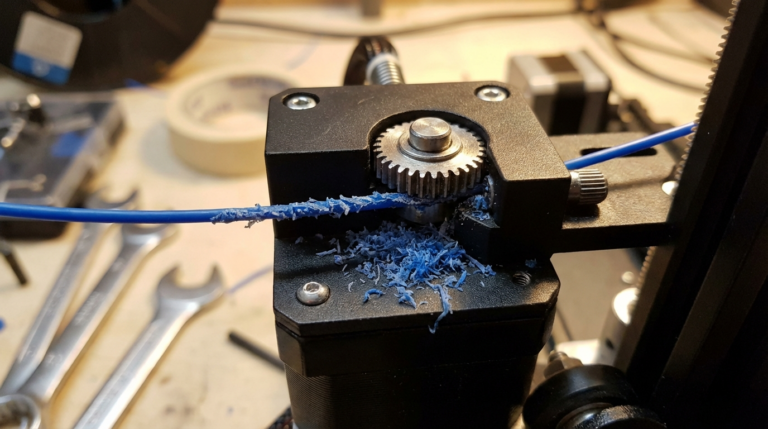
You’re mid-print and you hear it — a rhythmic clicking or thumping sound coming from your extruder. That’s your stepper motor skipping steps, and every time it does, it fails to push filament into the hotend. The result? Under-extrusion, gaps in your print, or a complete print failure if it happens enough.
Extruder motor step-skipping is one of the most common 3D printing problems, and it has a surprisingly long list of potential causes. Let’s work through every one of them so you can get back to clean, reliable prints.
Understanding What’s Happening
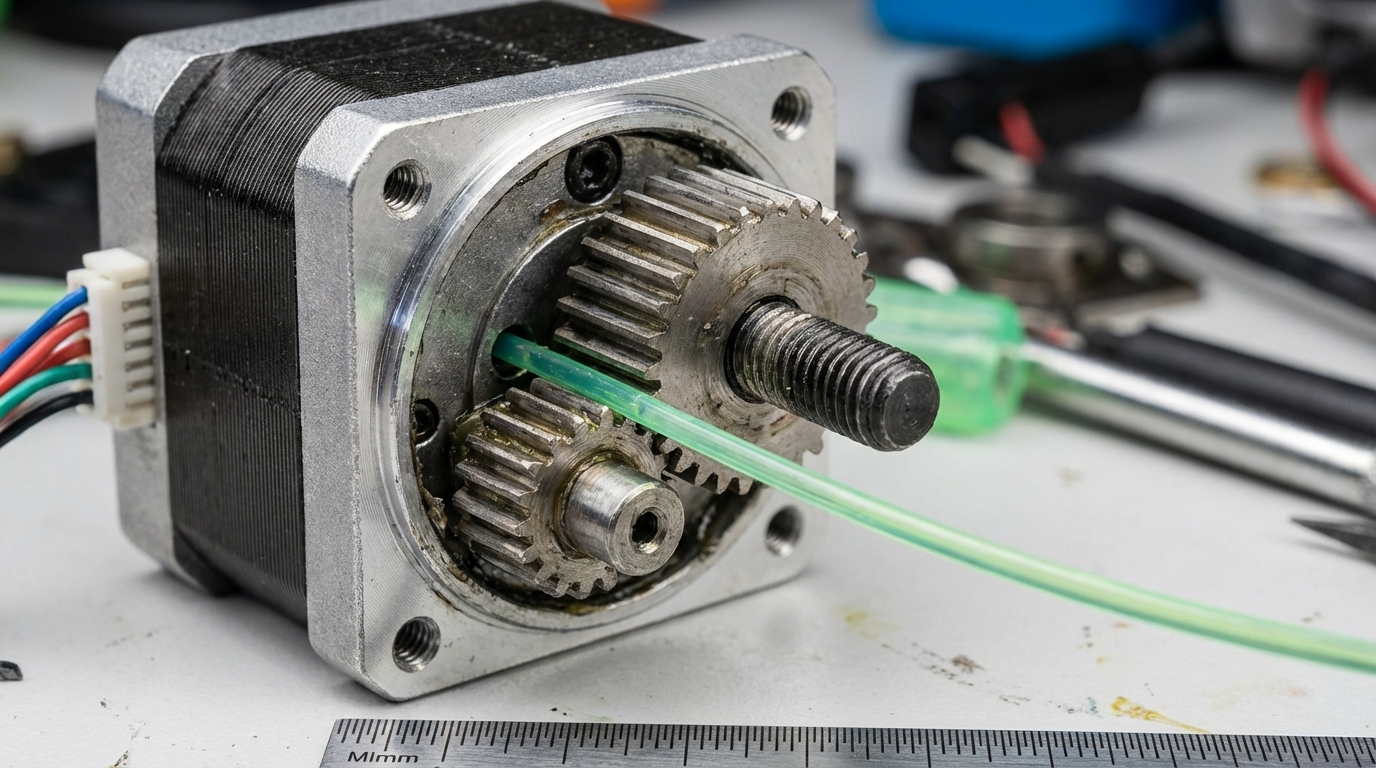
Your extruder stepper motor is designed to rotate by precise increments (steps) to push filament at an exact rate. When the motor can’t overcome the resistance it encounters, it “skips” — the magnetic field in the motor jumps past the rotor position, producing that telltale click. Each skip means a tiny amount of filament that should have been extruded wasn’t.
A few skips per hour might not be noticeable. Frequent skipping — every few seconds — will ruin your print.
The fundamental equation is simple: the motor skips when resistance exceeds the motor’s available torque. So every fix either reduces resistance or increases available torque.
Cause #1: Nozzle Too Close to Bed (First Layer)
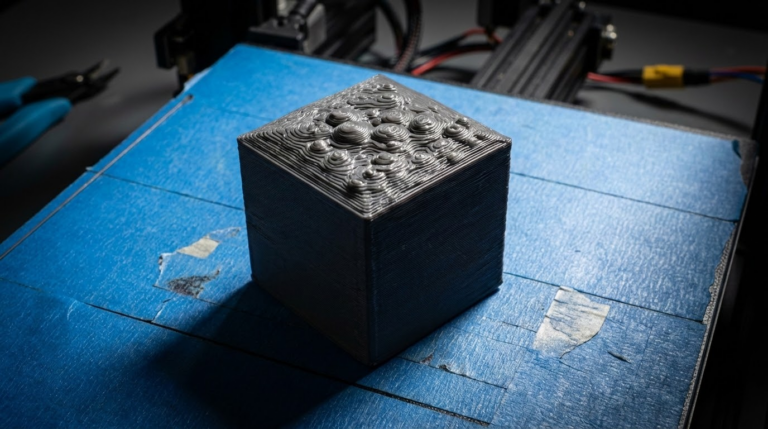
If skipping only happens on the first layer, your nozzle is probably too close to the bed. The filament has nowhere to go, back-pressure builds up, and the motor can’t push against it.
The fix:
- Increase Z-offset by 0.02-0.05mm increments
- Re-level the bed if the problem is inconsistent across the surface
- Look at your first layer — if it’s transparent or barely visible, you’re too close
Cause #2: Clogged or Partially Clogged Nozzle
This is the most common cause of extruder skipping during normal printing. A partial clog increases the resistance the motor has to push against. Even a tiny piece of debris or a buildup of carbonized filament can cause this.
How to verify:
- Heat the nozzle to printing temperature
- Manually push filament through (release the extruder tension lever and push by hand)
- If it takes significant force or the filament curls excessively, you have a partial clog
Fixes in order of escalation:
- Cold pull — Heat to 230°C, push filament in, cool to 90°C, pull out sharply. Repeat 3-5 times. This drags debris out.
- Acupuncture needle — With the nozzle hot, carefully insert a cleaning needle from below to break up debris
- Atomic method — Similar to cold pull but uses nylon filament for more aggressive cleaning
- Nozzle replacement — If cleaning doesn’t work, swap the nozzle. Brass nozzles are cheap.
Cause #3: Printing Temperature Too Low
If the filament isn’t hot enough, it doesn’t flow easily. The motor has to push harder, and eventually it can’t keep up — especially at higher print speeds or with high flow rates.
The fix:
- Increase temperature by 5-10°C
- Run a temperature tower to find the minimum stable temperature for your filament
- Remember that faster print speeds need higher temps (the filament has less time in the melt zone)
Quick reference for common materials:
- PLA: 195-220°C (if skipping, try 210-215°C)
- PETG: 225-250°C (if skipping, try 240°C)
- ABS: 230-260°C (if skipping, try 245°C)
- TPU: 220-240°C (if skipping, try 235°C, and SLOW DOWN)
Cause #4: Print Speed Too High
Every hotend has a maximum volumetric flow rate — the amount of plastic it can melt per second. Push beyond this limit and the motor can’t force solid filament through fast enough.
Volumetric flow limits (approximate, 0.4mm nozzle):
- Stock Ender 3 hotend: ~8-10 mm³/s
- All-metal hotend (V6 style): ~12-15 mm³/s
- High-flow hotend (Revo, Dragon HF): ~20-30 mm³/s
- Volcano-style long melt zone: ~25-35 mm³/s
The fix:
- Reduce print speed by 20-30%
- Reduce speed specifically for infill (infill often runs fastest and exceeds flow limits)
- Calculate your actual volumetric flow: speed × layer height × line width. Keep it below your hotend’s limit.
- Consider upgrading to a high-flow hotend if you want to print fast consistently
Cause #5: Extruder Tension Problems
The extruder gear needs to grip the filament firmly to push it. Too little tension and the gear slips (grinding the filament instead of pushing it). Too much tension and you compress the filament, increasing friction downstream.
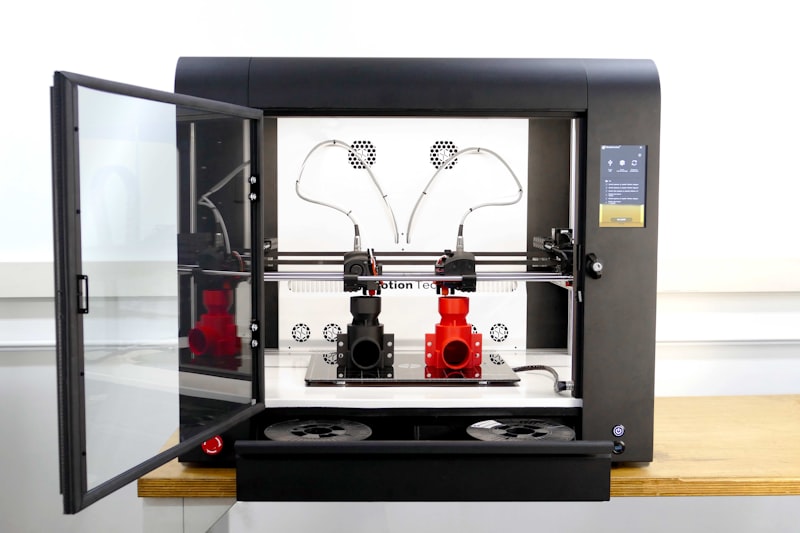
Finding the right tension:
- Start with the tensioner in the middle of its range
- If you see flat spots or teeth marks on the filament after it’s been grabbed but before extrusion, tension is too high
- If the gear leaves very shallow or no marks, tension is too low
- The filament should have light, even gear marks — not deeply gouged, not smooth
Cause #6: Worn or Damaged Drive Gear
The extruder drive gear (the toothed wheel that grips the filament) wears out over time. Worn teeth can’t grip properly, leading to slipping that sounds and feels similar to motor skipping.
How to check:
- Remove filament and inspect the drive gear teeth under a magnifier
- Look for smooth or flattened teeth, packed filament debris between teeth, or visible wear grooves
- Clean the gear with a small brass brush to remove packed debris
The fix: Replace the drive gear. If you’re upgrading, consider a dual-gear (Bondtech-style) extruder. Dual gears grip from both sides, doubling the contact area and significantly reducing the chance of slipping.
Cause #7: Heat Creep
Heat creep is when heat from the hotend travels upward through the heatbreak and softens the filament too early. Soft filament above the melt zone swells, increases friction, and the motor can’t push through.
Signs of heat creep:
- Skipping starts 20-60 minutes into a print (after heat has time to travel up)
- Short prints work fine, long prints fail
- Filament is deformed or swollen when extracted from the extruder
Fixes:
- Check that the hotend cooling fan is working and running at full speed
- Clean dust from the heatsink fins
- Apply thermal paste between the heatsink and heatbreak (if not already present)
- Reduce retraction distance — long retractions pull hot filament up into the cold zone
- Upgrade to an all-metal heatbreak with better thermal separation
Cause #8: Wet Filament
Moisture in filament turns to steam during extrusion, creating internal pressure that fights against the flow. The motor has to work harder, and at some point, it loses.
Signs:
- Popping or crackling sounds during extrusion
- Bubbles on the print surface
- Inconsistent extrusion width
- Stringing that no retraction settings can fix
The fix: Dry your filament. PLA: 45°C for 4-6h. PETG: 65°C for 4-6h. Nylon: 70°C for 12h. Use a dedicated filament dryer or oven (verify temp with a thermometer).
Cause #9: Stepper Driver Current Too Low
The stepper driver on your control board supplies current to the motor. If it’s set too low, the motor doesn’t have enough torque to overcome resistance. This is common after a board swap or firmware update.
How to adjust:
- TMC2209/TMC2208 drivers (UART mode): Adjust in firmware. Typical extruder current: 580-700mA
- Klipper: Set
run_currentin the[tmc2209 extruder]section. Try 0.6-0.7A - Marlin: Adjust in Configuration_adv.h under E_CURRENT
- Potentiometer-style drivers (A4988, DRV8825): Turn the tiny potentiometer clockwise to increase current. Measure Vref with a multimeter — target 0.5-0.7V for A4988
Warning: Don’t crank current to maximum. Too high causes the motor to overheat, which can damage the motor and driver. Increase in small increments.
Cause #10: Filament Path Friction
Any friction in the filament path between the spool and the extruder adds to the resistance the motor must overcome:
- Spool holder — Should spin freely. If it binds or creates spool drag, the motor works harder
- Filament guide — Remove kinks, tangles, or tight bends in the filament path
- Bowden tube — Old, dirty, or crushed tubes add friction. Replace if worn.
- PTFE liner in heatbreak — If deformed, it restricts flow. Inspect and replace.
Diagnostic Flowchart
Work through this sequence to find your root cause quickly:
- Does it skip only on the first layer? → Nozzle too close. Adjust Z-offset.
- Does it skip only at the start of a print? → Cold nozzle, heat soak not complete, or priming issue.
- Does it skip consistently throughout? → Partial clog, temp too low, or speed too high.
- Does it skip only after 30+ minutes? → Heat creep. Check hotend cooling.
- Does it skip with one filament but not another? → Wet filament or material needs higher temp.
- Is the motor abnormally hot? → Driver current too high or motor failing.
- Can you hear clicking even with no filament loaded? → Motor or driver issue (electrical, not mechanical).
Prevention: Keeping Your Extruder Happy
- Calibrate E-steps after any extruder hardware change
- Keep filament dry (always)
- Clean the drive gear monthly — packed debris reduces grip
- Replace brass nozzles every 3-6 months (or sooner with abrasives)
- Maintain proper hotend fan function — clean dust quarterly
- Don’t push budget hotends beyond their flow limits — upgrade if you want speed
Extruder skipping is frustrating but systematic. Work through the causes in order, and you’ll find it. In most cases, it’s either a partial clog, wrong temperature, or filament that needs drying. Fix those three and you’ve covered 80% of all skipping problems.