What Is a Bed Slinger 3D Printer? Kinematics, Speed, and Buying Guide
The kinematic style most beginners buy without realizing it
When I teach new hobbyists at my local maker space, the same question surfaces within ten minutes of them seeing my Ender 3 next to a Voron 2.4: “Why does your bed move on that one and not on the other one?” That difference is the whole story behind what a bed slinger 3D printer actually is, and it shapes how the printer accelerates, how tall it can build, how loud it is, and how much you can push its speed before quality collapses. Most entry-level FDM machines sold today are bed slingers, so if you are shopping under $400 in 2026 you are almost certainly looking at this kinematic style whether the marketing copy uses the term or not.
I have owned four bed slingers across seven years and still print on two of them most weeks. They are not inferior printers — they are optimized for a different set of constraints. Understanding that optimization keeps you from fighting the machine with settings it cannot physically honor.
Defining a bed slinger in one sentence
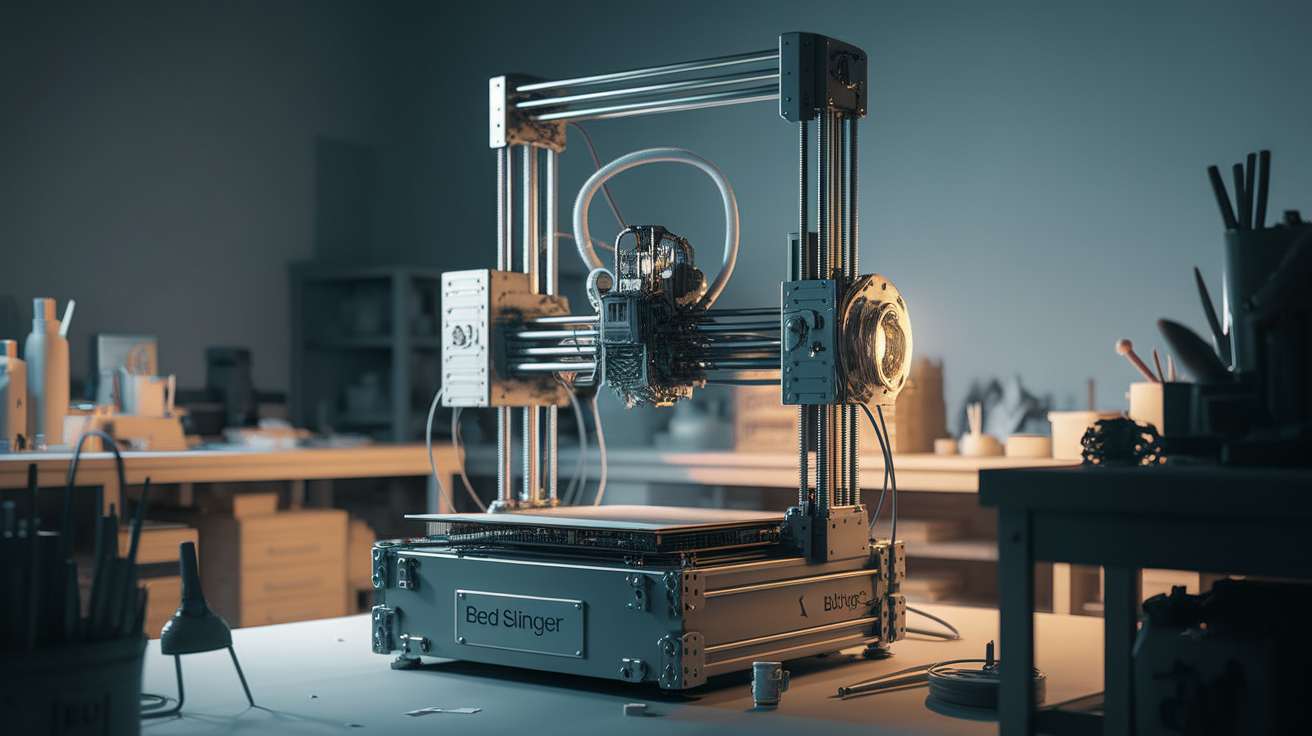
A bed slinger is an FDM 3D printer where the Y axis is driven by moving the heated build plate back and forth, while the toolhead moves only in X and Z. The “slinging” happens every time your slicer issues a Y move: the entire bed, the print, and the mass of any adhesion surface all accelerate together. Contrast that with CoreXY, H-bot, and delta architectures, where the bed stays fixed (aside from leveling movement) and the toolhead handles both X and Y travel.
The practical consequence is mechanical: the faster you want to print, the more force you have to apply to shove that bed back and forth, and the more the growing print wants to wobble on the moving platform. Everything else about a bed slinger follows from this single design choice.
How the axis assignment affects print quality
On a fresh spool of PLA at conservative speeds, you will not see a meaningful difference between a bed slinger and a CoreXY. The divergence starts when you push speed or build tall parts.
I ran the same 180 mm lighthouse model on my Ender 3 S1 Pro and a Voron 0.2 at the same 120 mm/s target. The Ender finished with visible ringing on the upper quarter of every wall — the bed momentum was flexing the glass and amplifying every direction change. The Voron’s walls were clean top to bottom because the print was bolted to a stationary plate. That is not a knock on the Ender; it is a prediction you can make before the print even starts.
Two quality patterns to expect on bed slingers:
- Ghosting and ringing show up on Y-axis features. Every time the bed reverses direction, the built-up print flexes slightly. X-axis features on the same print usually look cleaner.
- Taller prints wobble more than shorter ones. A 30 mm logo looks fine at 150 mm/s. The same file scaled to 250 mm tall will have noticeable artifacts even at half that speed.
Common bed slinger models on the 2026 market
If you are currently shopping and want to know which printers are bed slingers without asking, the list is long. Every Creality Ender series model is a bed slinger: Ender 3 (all variants including V3 KE), Ender 5 Plus aside from the dual-gantry version, and the Ender 6. Bambu Lab’s A1 and A1 Mini are bed slingers — notable because Bambu is otherwise known for their CoreXY flagships. The Prusa MK4 and MK4S remain bed slingers despite Prusa releasing the CoreXY XL, and Anycubic’s Kobra series stays in the bed slinger camp. Elegoo’s Neptune line and most sub-$300 printers from newer brands also stick with the design.
On the CoreXY side you have Bambu Lab X1/P1/H2D, Voron 2.4 and Trident, Prusa XL, Qidi X-Max 3, and increasingly the $500+ mid-tier offerings. The rule of thumb in early 2026: everything under $400 is a bed slinger, everything over $800 tends toward CoreXY, and the $400-$800 band is a mix.
Why manufacturers still build bed slingers
Given the speed ceiling I just described, it would be reasonable to ask why the design persists. Three reasons keep it alive.
Cost. A bed slinger needs one linear rail or V-wheel set per axis: X has its own gantry, Z has one or two lead screws, and Y has the bed carriage. A CoreXY requires a more complex belt routing across two motors acting on both X and Y simultaneously, plus a heavier frame to resist the induced forces. For a $200 MSRP that difference matters enormously.
Serviceability. When a bed slinger misbehaves, diagnosis is linear: belt tension on Y, wheel wear on the bed carriage, loose bed mounts. Each axis is independent. On a CoreXY with crossed belts, tuning one axis can shift the other, and users with less mechanical experience struggle more.
Tall build volume at low cost. A bed slinger can grow tall cheaply because you only need to extend the Z axis rails and frame. Making a CoreXY taller means extending the whole enclosure and frame rigidity must scale up too. That is why budget 400 mm tall printers exist at all.
Realistic speed targets on a bed slinger
The Marlin-firmware stock Ender 3 tops out around 60 mm/s for reliable quality. With a Klipper flash, input shaping, and pressure advance tuning I routinely run my bed slingers at 150 mm/s on short travels with acceptable surface finish. Beyond that I see diminishing returns. My rules after many failed calibration cubes:
- 0-100 mm/s: stock firmware, stock settings, any filament. No tuning needed.
- 100-180 mm/s: input shaper mandatory, pressure advance tuned, acceleration capped at 3000-5000 mm/s². Expect some ringing on tall Y features.
- 180-250 mm/s: only with a stiffened frame (upgraded cross-bracing), reduced bed mass, and usually a lightweight bed surface swap. Diminishing returns — a Voron at this speed will run circles around you.
- 250+ mm/s: not happening on a bed slinger with acceptable quality. This is CoreXY territory.
The bed slinger advantage nobody talks about
Reviewers focus on speed, but bed slingers have one real advantage for a large category of users: they are dramatically easier to enclose for temperature-sensitive filaments. A static enclosure with a hole in the back for the bed to poke out, or a simple box around the whole frame, gives you ABS/ASA compatibility with zero moving-enclosure engineering. CoreXY machines either include the enclosure in the frame cost or force you to build one around the whole gantry — neither is simple.
For hobbyists printing PETG, PLA, and occasionally ABS, a bed slinger with a DIY IKEA-cabinet enclosure gives you 80% of a Prusa MK4 enclosure experience at 15% of the price.
Who should and should not buy a bed slinger in 2026
Buy a bed slinger if: you are new to printing, your budget is under $500, you print mostly PLA and PETG, you value the ability to upgrade and hack on the machine, and you can live with print times that are 1.5-2x what a CoreXY would give you on the same file.
Skip the bed slinger if: you are printing for resale and time-per-part matters, you need tall-part quality above all else (Y ringing will haunt you), or you want a zero-maintenance appliance. In those cases a Bambu X1C, Qidi X-Max 3, or Prusa Core One is the better investment.
Upgrade paths that actually matter
If you own a bed slinger and want to push its limits before replacing it, three upgrades give back more than the sum of everything else:
- Klipper firmware with input shaping. This is the single biggest quality and speed improvement available for any bed slinger. Running Klipper on a Raspberry Pi connected to the printer lets you measure resonance with an accelerometer (ADXL345 module, $5) and algorithmically cancel the ringing that the kinematic style causes. I saw a 40% print-time reduction on my Ender 3 S1 Pro with zero quality loss after a weekend of Klipper setup.
- Lightweight bed surface. Stock glass beds can weigh 1.5 kg. A swap to a PEI-coated spring steel sheet on a magnetic base drops that to 400 grams. Less mass means less momentum for the Y motor to fight, which means higher usable accelerations.
- Frame bracing. Sub-$300 printers flex visibly when the bed reverses at speed. Aluminum corner braces bolted across the frame triangle rigidify the whole assembly and reduce the wobble that shows up as ringing in tall parts. A $15 set of brackets from Amazon makes more difference than any fancy stepper driver upgrade.
Stack those three and a $280 bed slinger prints cleaner than the stock $500 machine it came from.
Noise, vibration, and where to put it
Bed slingers are noisier than CoreXY printers by a measurable margin. The sliding bed acts as an acoustic diaphragm — every direction reversal transmits into whatever the printer sits on. Putting a bed slinger directly on a hollow desk turns the desk into a subwoofer.
Three placements that solve most noise complaints:
- A 20 mm thick patio paving slab under the printer. Absorbs vibration without squishing the way foam does. Roughly $8 at a home improvement store.
- Sorbothane feet. Replace the stock rubber pads with sorbothane (a vibration-damping polymer). $15 from printer mod suppliers.
- Never on a hollow desk. Concrete floor, solid workbench, or stone slab. Anything else becomes a resonator.
With all three in place, my Ender 3 at 150 mm/s is quieter than my dishwasher. Before them, it was loud enough to hear from two rooms away.
What I would buy today if I were starting over
If I had to pick one bed slinger in April 2026 knowing what I know now, it would be the Bambu A1. It is the refinement of the bed slinger concept that Bambu’s engineering team applied: active input shaping calibration, sane enclosed build process, and the AMS Lite for multi-color. The Prusa MK4S remains the “build-it-forever” choice if you want user-serviceable everything. For pure budget I would take the Ender 3 V3 KE — it drops Klipper on a bed slinger for under $300 and gets most of the speed benefits without leaving the kinematic style.
Whatever you choose, knowing what a bed slinger is means you will not be surprised by its behavior. Tall prints ghost. Fast prints ring. PLA looks flawless anyway. Those three sentences cover 90% of what the design will teach you.